
Answered
How to insert image in placeholder in template
I downloaded the free template https://stock.adobe.com/no/templates/prism-social-media-set/181069795 But I don't understand how I can insert an image in the placeholders seen in the Layers panel below. I tried to double-click on [YOUR IMAGE HERE] text, but then I can only modify the text. I also tried to double-click on the icon to the left of this text, then I got the option to show or lock the layer. I also tried to use File-->Place... but when I hover over the graphic at the artboard it does not find any placeholders so the image is just placed on top and not in a placeholder. Anyone who can help me?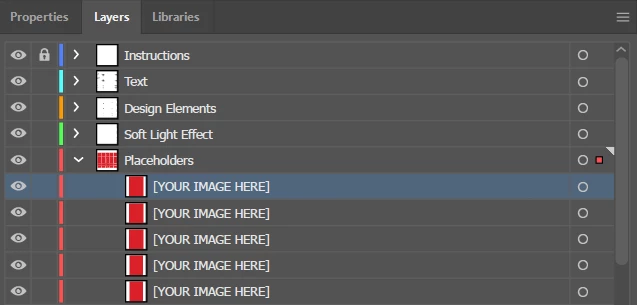
 AdChoices