
Participant
September 30, 2018
Answered

How to lower opacity of PART of a path (ellipse)

  • September 30, 2018
  • 4 replies
  • 618 views

Hello! I have a transparent globe situation and I have some ellipses surrounding it to make them look as if they're orbiting. Because the globe is transparent, I need to lower the opacity of the "back half" of the orbiting ellipses so it looks as if they're on the other side of the globe.
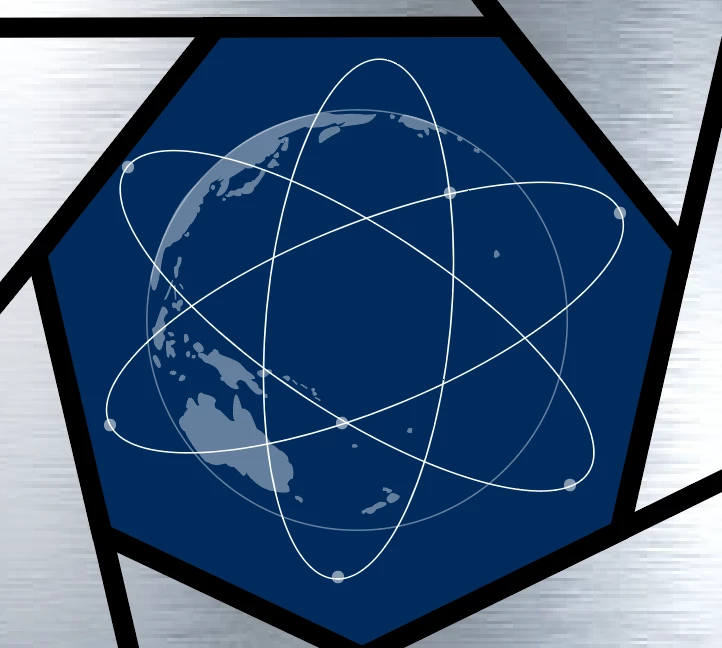
As you can see, these are just ellipses drawn on top of the globe. What type of tool can I use in illustrator to depict the depth I'm looking for?

In Photoshop, I would just apply a mask and use the brush tool with a grey color. In Illustrator, I was hoping there would be an opacity tool for the eraser.

Please help! Thank you.

This topic has been closed for replies.
Correct answer Jacob Bugge

tcar,

You may cut the hindmost part (which is less than the half part) of each ellipse where it crosses the outer globe path, then lower its opacity; you may turn the foremost parts into one Group, and the hindmost ones into another.

4 replies

Participant
September 30, 2018

A little roundabout but got the job done! Very appreciative, a major roadblock now in the rearview.

Jacob Bugge
Community Expert
Community Expert
October 1, 2018

For my part you are welcome, tcar.

Muqqarib Hassan
Inspiring
September 30, 2018
Jacob Bugge
Community Expert
Jacob BuggeCommunity ExpertCorrect answer
Community Expert
September 30, 2018

tcar,

You may cut the hindmost part (which is less than the half part) of each ellipse where it crosses the outer globe path, then lower its opacity; you may turn the foremost parts into one Group, and the hindmost ones into another.

pixxxelschubser
Community Expert
Community Expert
September 30, 2018

IMO you can use an opacity mask