
jackz55333210
Participating Frequently
December 4, 2019
Answered

how to make a path loop a clipping mask ?
  • December 4, 2019
  • 4 replies
  • 1285 views


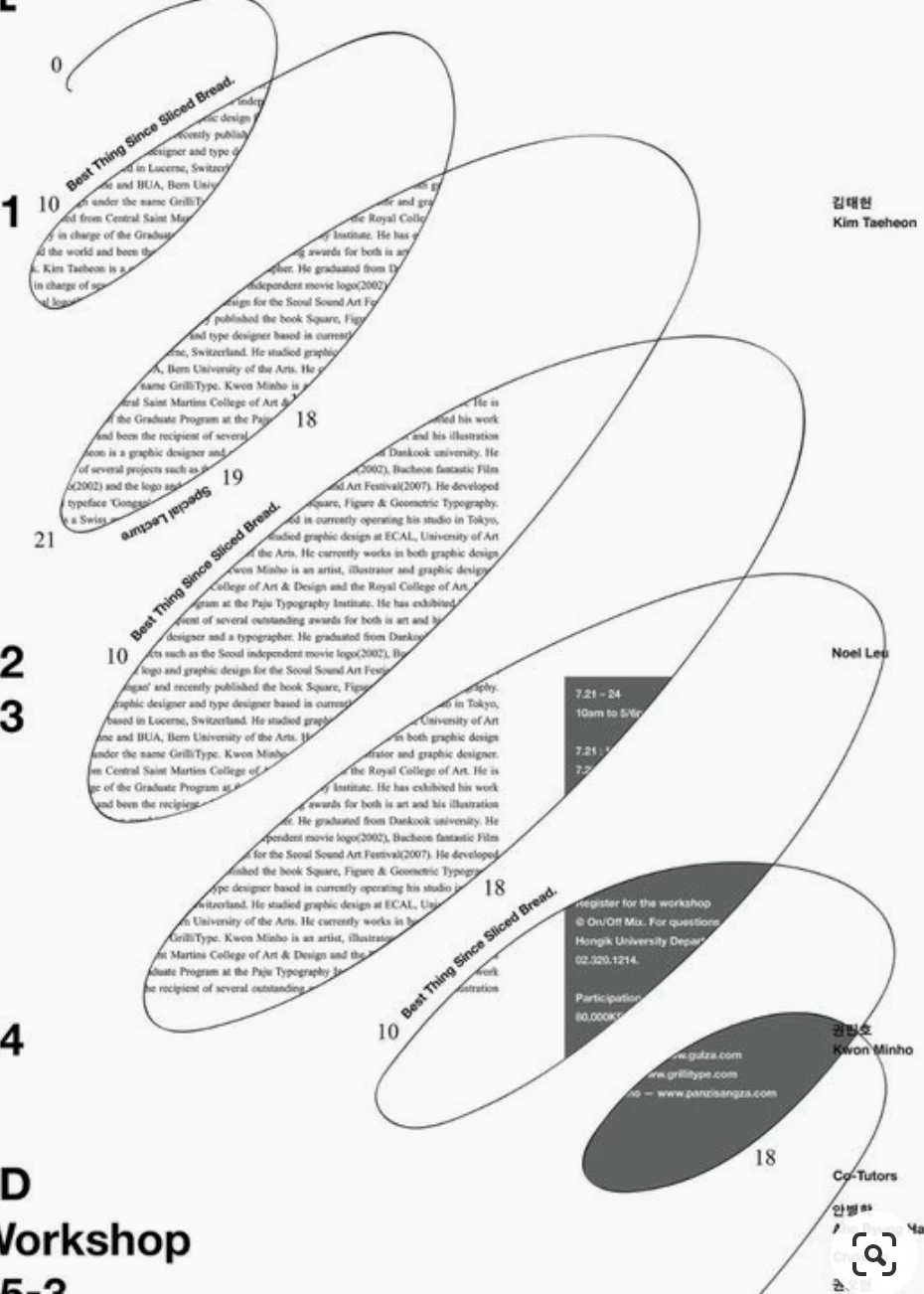
hi i'm assuming that the text in the background is a jpeg and not live text (but if someone can teach me how to do it in live text that would be awesome as well), i know how to cut a hole using path finder, but i can't help but thing that theres an easier way to do this and that you can live edit the background in real time. like is there a tool where you just click on the multiple loops youve made and they just become hollow and you can fill it with one continued image ?


thanks
This topic has been closed for replies.
Correct answer Ton Frederiks

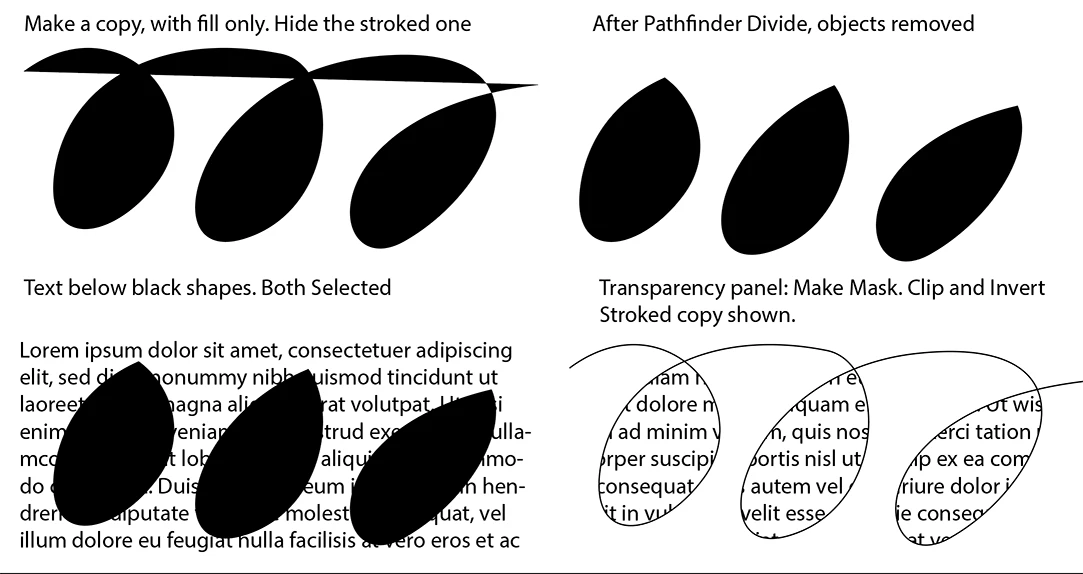
Another thing to try:

4 replies

Ton Frederiks
Community Expert
Ton FrederiksCommunity ExpertCorrect answer
Community Expert
December 4, 2019

Another thing to try:

jackz55333210
Participating Frequently
December 5, 2019


your awesome

Ton Frederiks
Community Expert
Community Expert
December 5, 2019

Good to hear that helped!

Monika Gause
Community Expert
Community Expert
December 4, 2019

It won't work with just a line and then put the text into the loops. Due to the way of how Illustrator treats looped paths and their fills.

So what you can do is follow the steps described by キィィ_____Å____ィィィ___ 

And then not use a pattern, but expand the live paint and then create area text out of those shpes and then thread them.

キィィ─!!!
Participating Frequently
December 4, 2019

Although the conditions are limited, it is possible to register the entire page as a “pattern” and fill the ring with a pattern.


Register the entire page as a pattern.


Draw a spiral line.


Connect the ends so that they do not overlap the spiral.

make "fill" to any color


Make the outer part transparent with "Live Paint Tool".


Delete the connected path.


Since the “fill” is left only ring, apply the pattern.


Adjust the position of the pattern with the move command.

The path can also be edited.
You can edit the text by editing the pattern.

jackz55333210
Participating Frequently
December 5, 2019

are you doing this in photoshop ?

jackz55333210
Participating Frequently
December 5, 2019

is there anyway all this can be done in illustrator?

Legend
December 4, 2019

excuse me, but I hardly understand what your asking.

The text blocks or frames are done using the Text Tool, you can easily make a mock-up filling them with placeholder text option (right button mouse), when dragging the Tet tool it does automatically.

Then you can draw the spiral path, with the Pen, pencil,... 

Select then all the objects (text frames and path) and create a clipping Mask (Ctrl/Cmd+7) .

Do you want to edit then the text, use the Text tool to do it straight.

As you have just one path, no need to do anything more. If you instead have several shapes, closed paths yu wish to use for display a backgroung image thru them, select them and mke first a compound path (Obejct menu, Ctrl/Cmd+8) and then use that as a clipping mask (slect it and the background and type Ctr/Cmd+7).