chellag5796372
Participating Frequently
April 23, 2023
Answered

How to make an outline transparent in a multicolored visual using pathfinder?

  • April 23, 2023
  • 4 replies
  • 1645 views

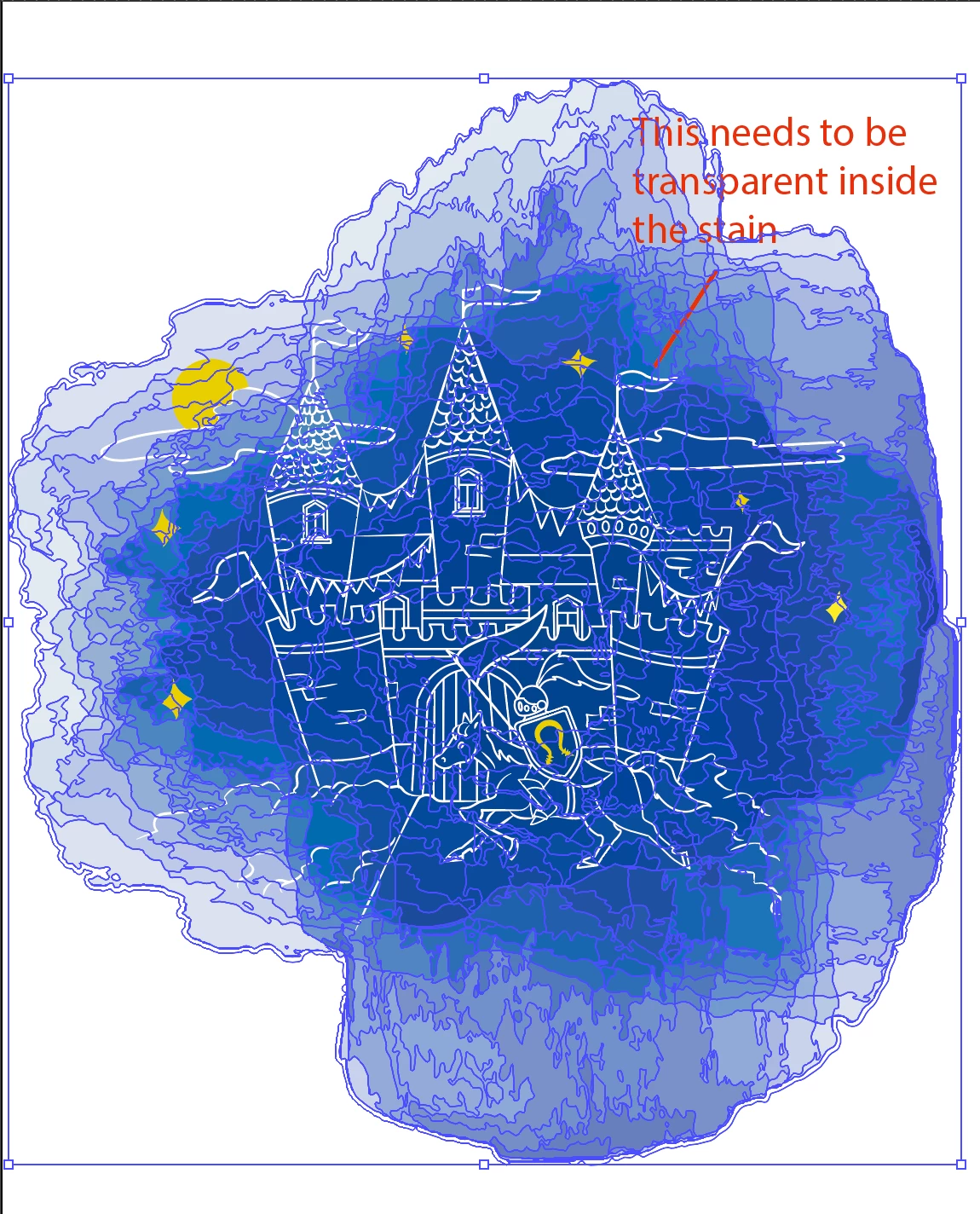
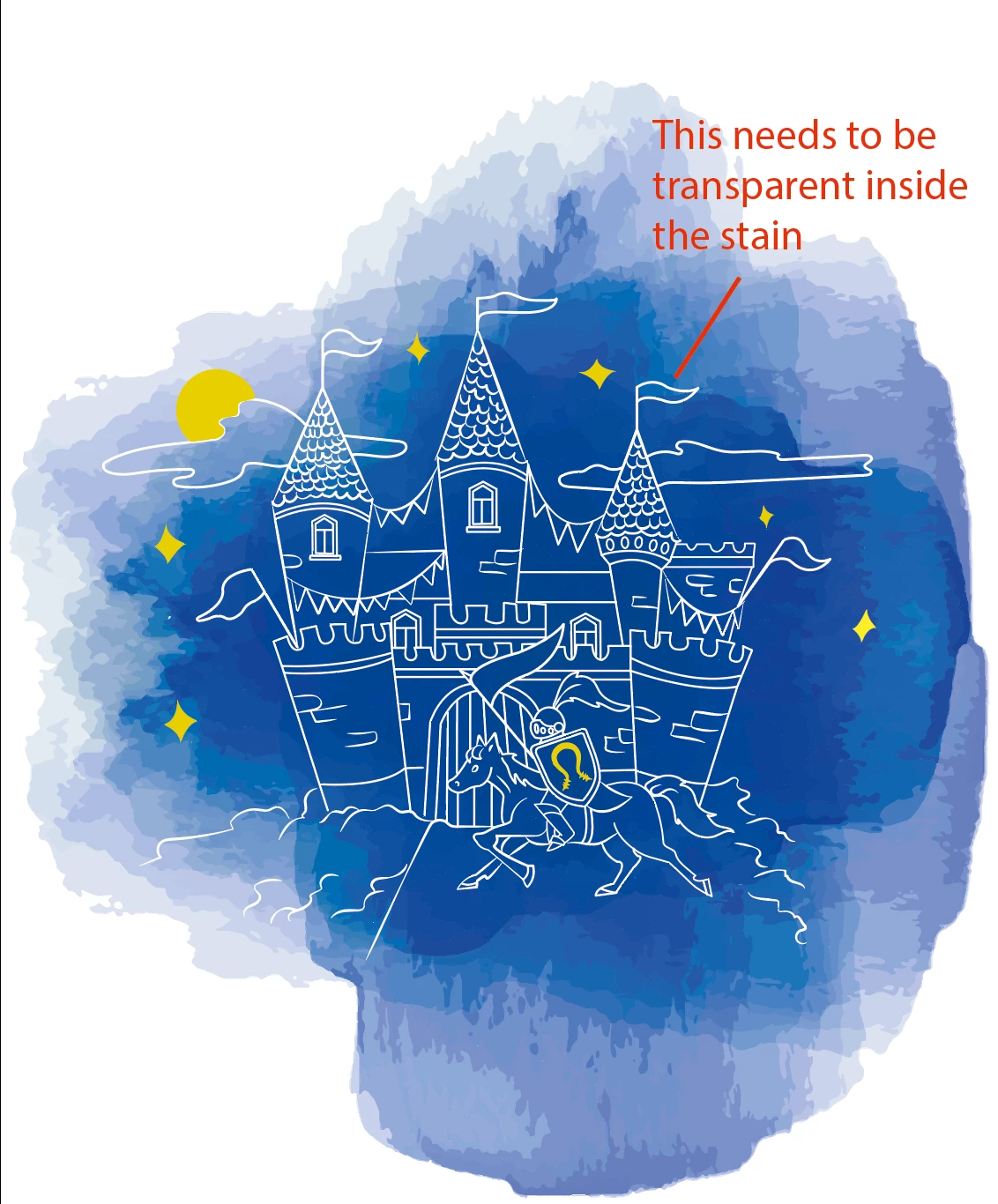
Hey! I'm making a birth card for a client who wants to have a transparent outline inside an aquarel (this is vectorized) stain. This needs to be done for the printing company in such a way that there are 2 layers for the card: the spot with the transparent outline in it and on top of that there will be a layer with the details that will be printed in gold.


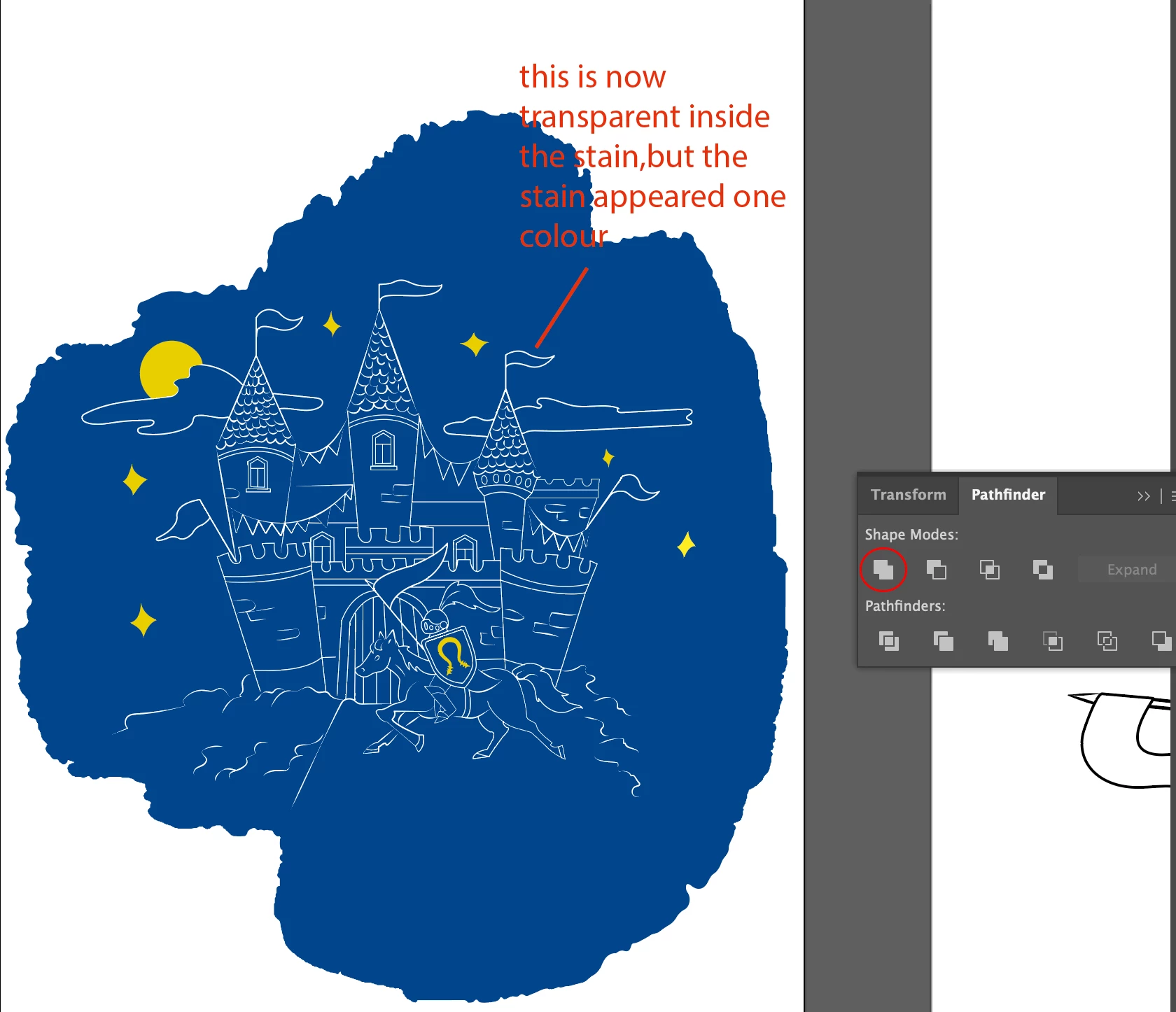
I come across the problem that I have no idea how to make the outline transparent and merge it with the stain using Pathfinder or clipping mask. If I use Pathfinder the way I used to, it will appear as one color, but for this image, I want to keep the whole visual intact.  Please have a look at the images for a better explanation.


How do I do this properly?


    This topic has been closed for replies.
    Correct answer Jacob Bugge

    chellag,


    As I (mis)understand it, you can use an Opacity Mask (transparency panel.


    Presuming that all the parts to become transparent are simply white, you can:


    1) Group them if not already,

    2) Select both the white group and the aquarel stain and click Make (Opacity) Mask with Clip unticked and Invert Mask ticked.


    Edit: I had to leave for a bit after starting while Monika was posting, then posted.


    4 replies

    Jacob Bugge
    Community Expert
    Jacob BuggeCommunity ExpertCorrect answer
    Community Expert
    April 23, 2023

    chellag,


    As I (mis)understand it, you can use an Opacity Mask (transparency panel.


    Presuming that all the parts to become transparent are simply white, you can:


    1) Group them if not already,

    2) Select both the white group and the aquarel stain and click Make (Opacity) Mask with Clip unticked and Invert Mask ticked.


    Edit: I had to leave for a bit after starting while Monika was posting, then posted.


    chellag5796372
    Participating Frequently
    April 24, 2023

    Is it possible for you to show me perhaps with visuals? I tried it multiple times, but I didn't get the effect I wanted to have.

    chellag5796372
    Participating Frequently
    April 24, 2023

    Nevermind!! I figured it out! Thank you so so much!

    Monika Gause
    Community Expert
    Community Expert
    April 23, 2023

    You can. create an opacity mask.

    The lines are now white?

    Group the white lines.

    Select all and in the transparency panel click on Make Mask

    Uncheck Clip and check invert

    chellag5796372
    Participating Frequently
    April 24, 2023

    Thanks a lot! Perfect 🙂

    jane-e
    Community Expert
    Community Expert
    April 23, 2023

    @chellag5796372 


    Can you tell us which Adobe application you are using? We will move your post to the appropriate forum for you.


    Jane


    EDIT: 9 seconds after Keith


    jane-e
    Community Expert
    Community Expert
    April 23, 2023

    @chellag5796372 

    This panel is from Adobe Illustrator, and I have moved the post from Using the Community to Illustrator.

    Jane

    chellag5796372
    Participating Frequently
    April 24, 2023

    Yes, sorry I forgot to mention, this is Illustrator app 🙂

    kglad
    Community Expert
    Community Expert
    April 23, 2023

    is this an illustrator question? if not, which adobe app?

    chellag5796372
    Participating Frequently
    April 24, 2023

    Yes!! Forgot to mention, this is Illustrator!