Participant
May 16, 2019
Answered

How to make outer canvas grey.

  • May 16, 2019
  • 2 replies
  • 2573 views

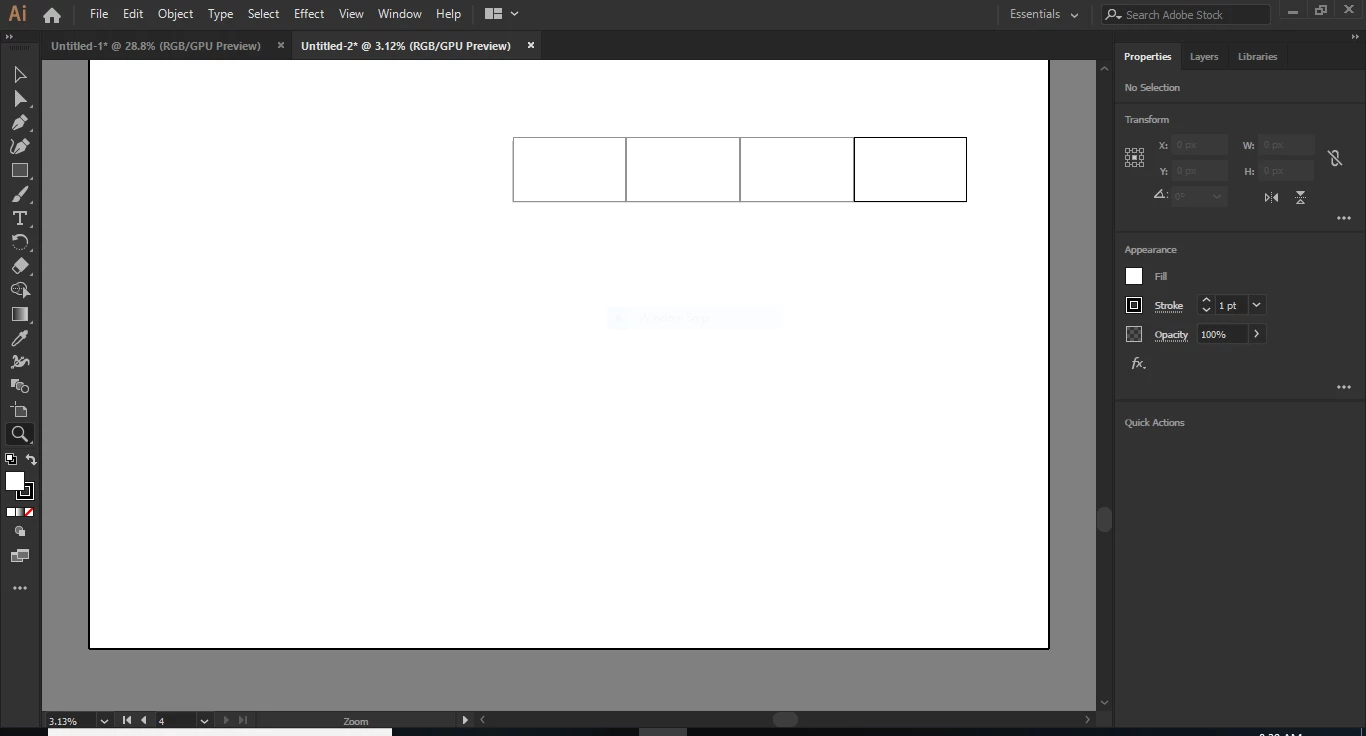
Hi all, I researched a little before I decided to post. I am having a bit of trouble. I just barely installed Illustrator onto a brand new laptop. When I created a new document, I had my artboard, but my outer canvas was also white(like my artboard) some people said to do View > Overprint Preview, which I did, but didn't see any difference. So when I zoomed out to see what was happening, I saw that there was, I guess, another artboard outside of my first artboard??.. There is a picture attached to show what I mean. The space outside of the "second artboard" will change from white to grey if I toggle the Overprint Preview, but the spaces between my artboards will not.
    This topic has been closed for replies.
    Correct answer Mike_Gondek10189183

    You cannot change the outer canvas color, only when you do overprint preview, and for me that is just a helpful reminder of what mode I am in.. What you are calling "second artboard" is referred to by Adobe as the canvas.

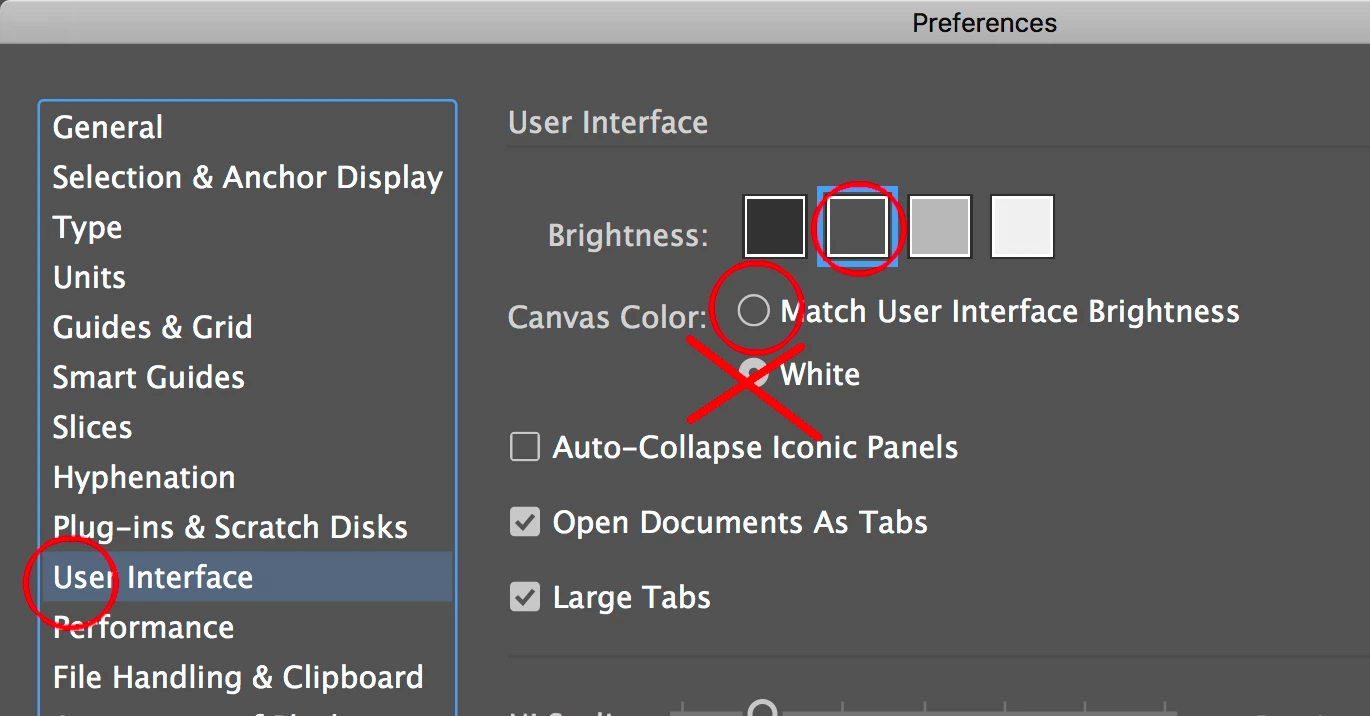
    Your screenshot shows the canvas color is set to white. That is not the default, someone must have changed that. You can chabeg that back by enbaling "Match User Interface Brightness".

    2 replies

    Mike_Gondek10189183
    Community Expert
    Mike_Gondek10189183Community ExpertCorrect answer
    Community Expert
    May 16, 2019

    You cannot change the outer canvas color, only when you do overprint preview, and for me that is just a helpful reminder of what mode I am in.. What you are calling "second artboard" is referred to by Adobe as the canvas.

    Your screenshot shows the canvas color is set to white. That is not the default, someone must have changed that. You can chabeg that back by enbaling "Match User Interface Brightness".

    Doug A Roberts
    Community Expert
    Community Expert
    May 16, 2019

    Did you perhaps start off with a Video document preset? Those contain an additional artboard that covers most of the canvas area.