
Question
How to make pen tool snap only to intersection of guides?
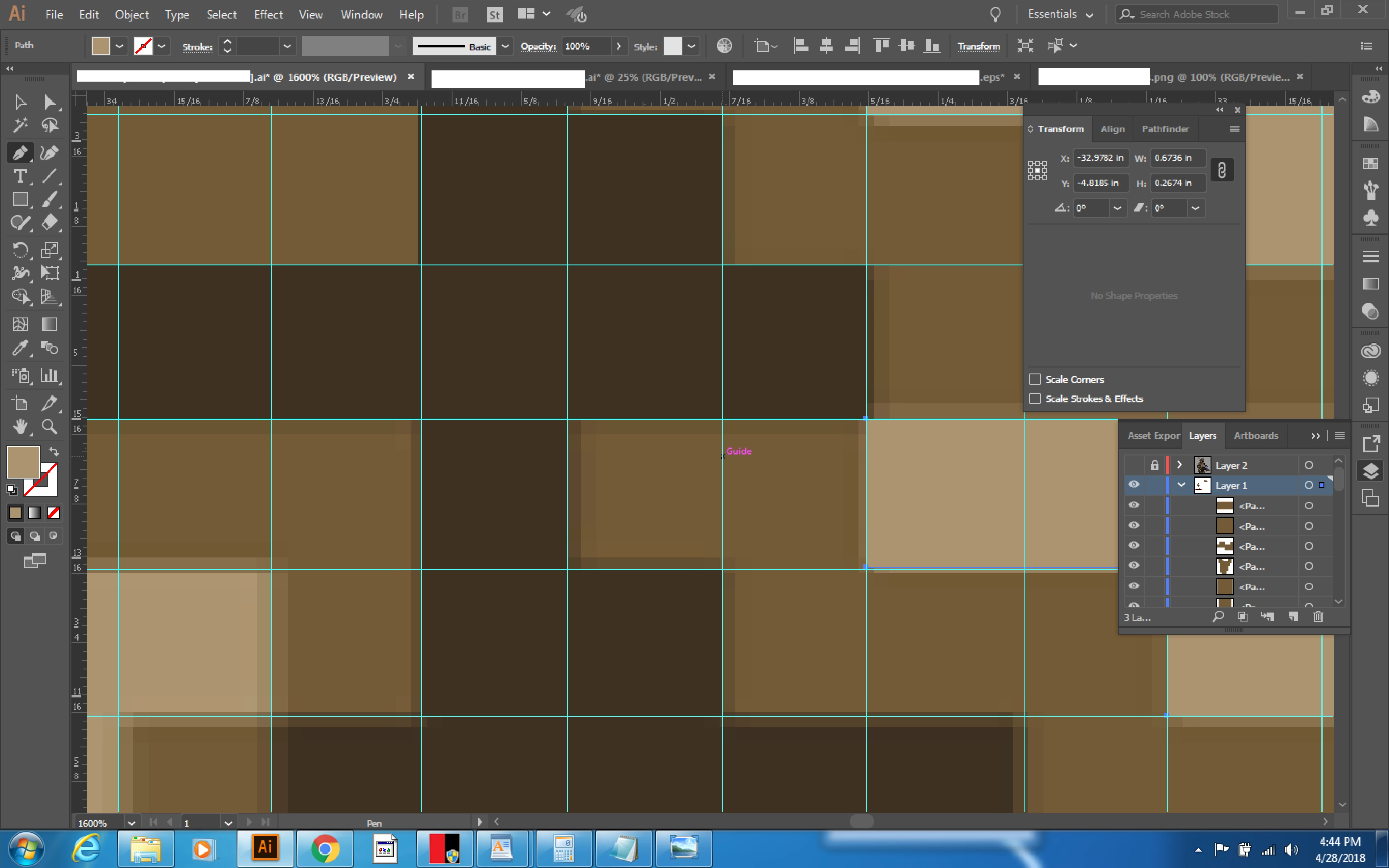
I'm having to manually convert an image into a vector version for a laser cutting project. The bitmap original is pixel art but wasn't created on a perfect grid, and rather than having nice perfect solid color blocks the borders have been blurred, so I'm having to trace over the original and place corners where they should be to make everything "perfect". I created a grid from guides but am not able to find any combination of settings that will allow me to create objects with the pen tool so that the corners are always at the intersection of two guides. No matter what I have done the program will still sometimes use paths or anchor points when I really want it to be constrained only to intersections. Any suggestions? Thanks
 AdChoices