

Participant
November 24, 2021
Question

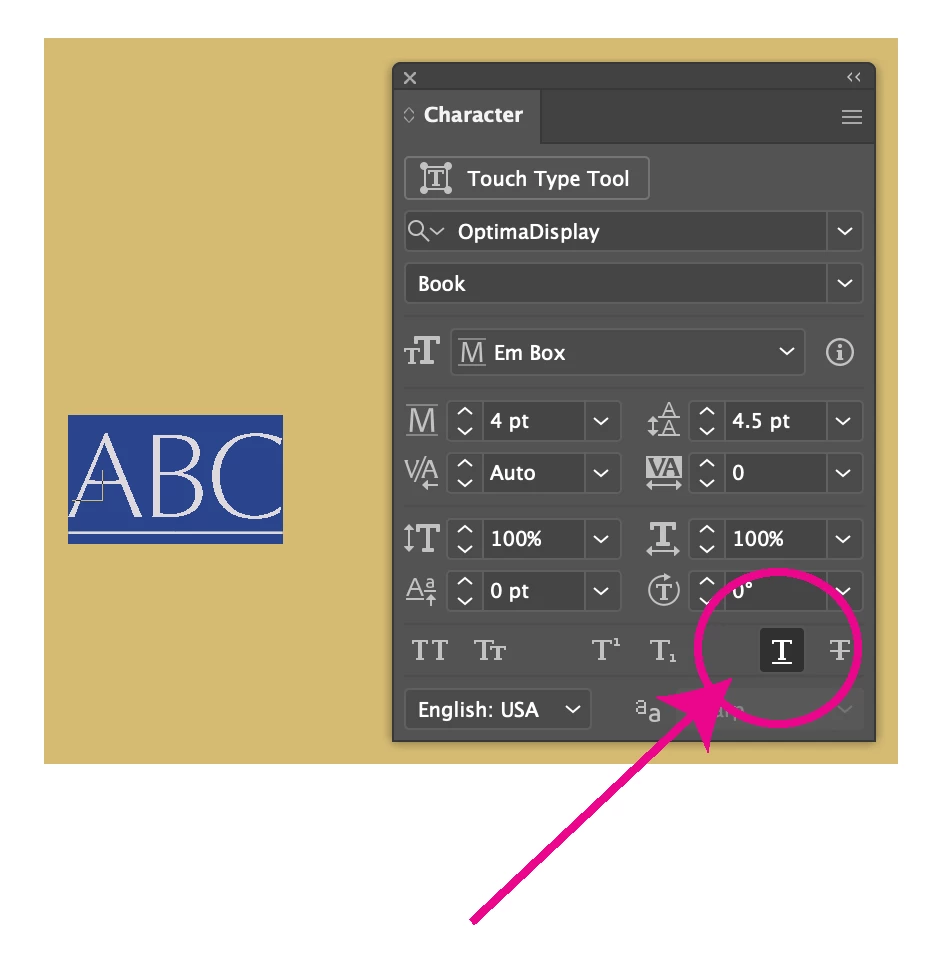
How to make the underline rule thicker in Ai?

  • November 24, 2021
  • 5 replies
  • 5825 views

Hi,

Is there a way to adjust the underlined type default setting in Illustrator, in order to make the rule thicker without outlining the type?

5 replies

Kurt Gold
Community Expert
Community Expert
November 24, 2021

Yes, Ton, one may do some other workarounds to overcome the basic workarounds.


One may also just realize that Illustrator is pretty weak when it comes to flexibly underline text.


Ton Frederiks
Community Expert
Community Expert
November 24, 2021

I agree, Illustrator has a poor implementation of underscore and strikethrough.

For a more flexible and creative way to handle these, InDesign is the better tool.

You can create interesting type character styles, when applied to text, you can add the textframe to a CC library and use it in Illustrator as a linked (smart) object.

Kurt Gold
Community Expert
Community Expert
November 24, 2021

Ton, in the past I often suggested some similar workarounds. One problem is that it only works with (unrotated) single line point type objects or single line area type objects. (Well, some further very wobbly workarounds may work sometimes with multiple line type objects).


Have you already found a way to apply it to separate words or strings in single or multiple point type or area type objects?


Ton Frederiks
Community Expert
Community Expert
November 24, 2021

Kurt, it is a hack and has many limitations. You can add a new transform effect to rotate the type and line, but it may be just as easy to draw a line in places you want.

Kurt Gold
Community Expert
Community Expert
November 24, 2021

Quite a long time ago when Illustrator did not provide the Underline Text option at all, there had been acute discussions with trench warfares between supporters and detractors of that feature.


Often there were some plausible reasons to support it and some dogmatic reasons to dislike it.


To me, the real disappointment is that it once was introduced in an incredibly ungraceful manner without any adjustable settings (compare it to InDesign). And no improvements since then. Pretty weak.


Ton Frederiks
Community Expert
Community Expert
November 24, 2021

To make it a little less ugly create a line behind the type.

In the Appearance panel, create a newFill and drag it below the Characters item.

Use Effect > Convert to Shape... to make it a Rectangle an move it down with Effect > Distort & Transform... > Transform.

Save it for later as a Graphic Style.

Monika Gause
Community Expert
Community Expert
November 24, 2021

Forget about that function. It creates pure ugliness and the one thing it's good for is to simulate a link in a web design.

Participant
July 11, 2025

What do you mean "forget about it", it's a super basic typographic option that i cant believe it's unvailable. Adobe is a joke.

Known Participant
July 20, 2025

Dam right, but they need to sell you indesign soooooooo