Participant
May 5, 2020
Answered

how to make this background

  • May 5, 2020
  • 1 reply
  • 630 views

Hi,


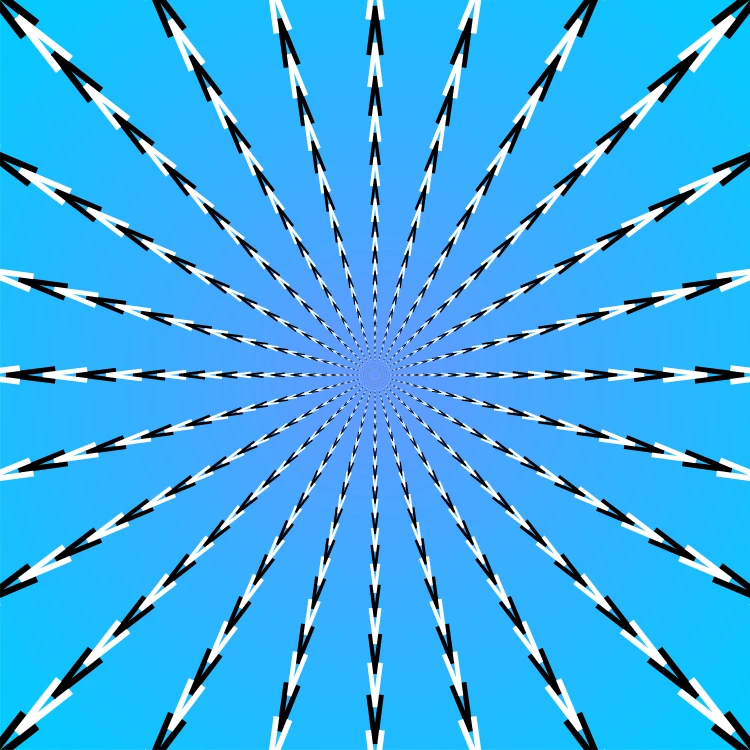
I'm learning how to make optical illusion background. Does anyone know how to make similar effect?


Thanks
 

This topic has been closed for replies.
Correct answer pixxxelschubser

Hi @khanguyennt,

  • create your background and lock this path
  • create two guides for the center and lock both
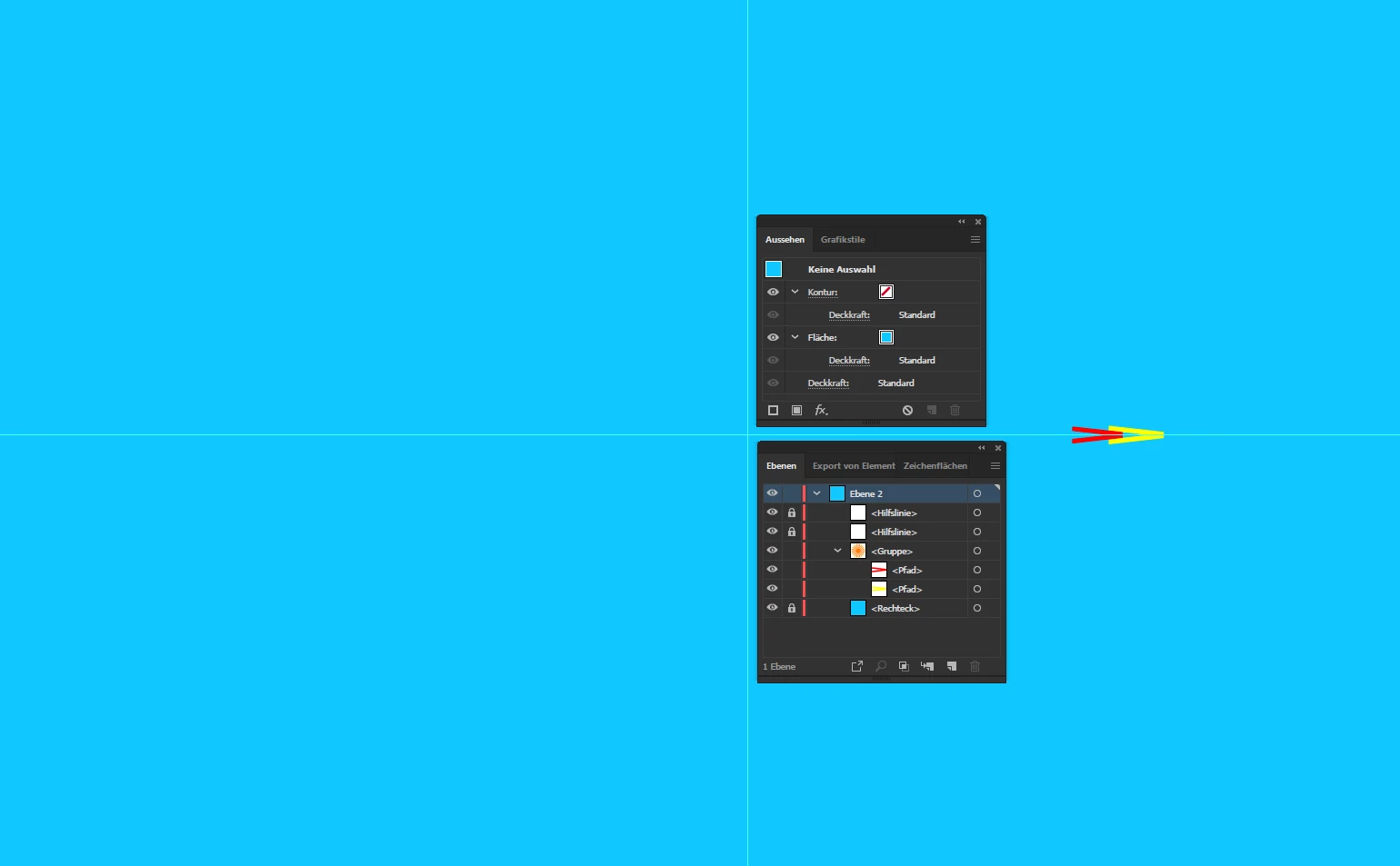
  • create one element --> duplicate and move that copy --> scale the copy a bit


group both paths


rotate the group by 180° around the center (copy)
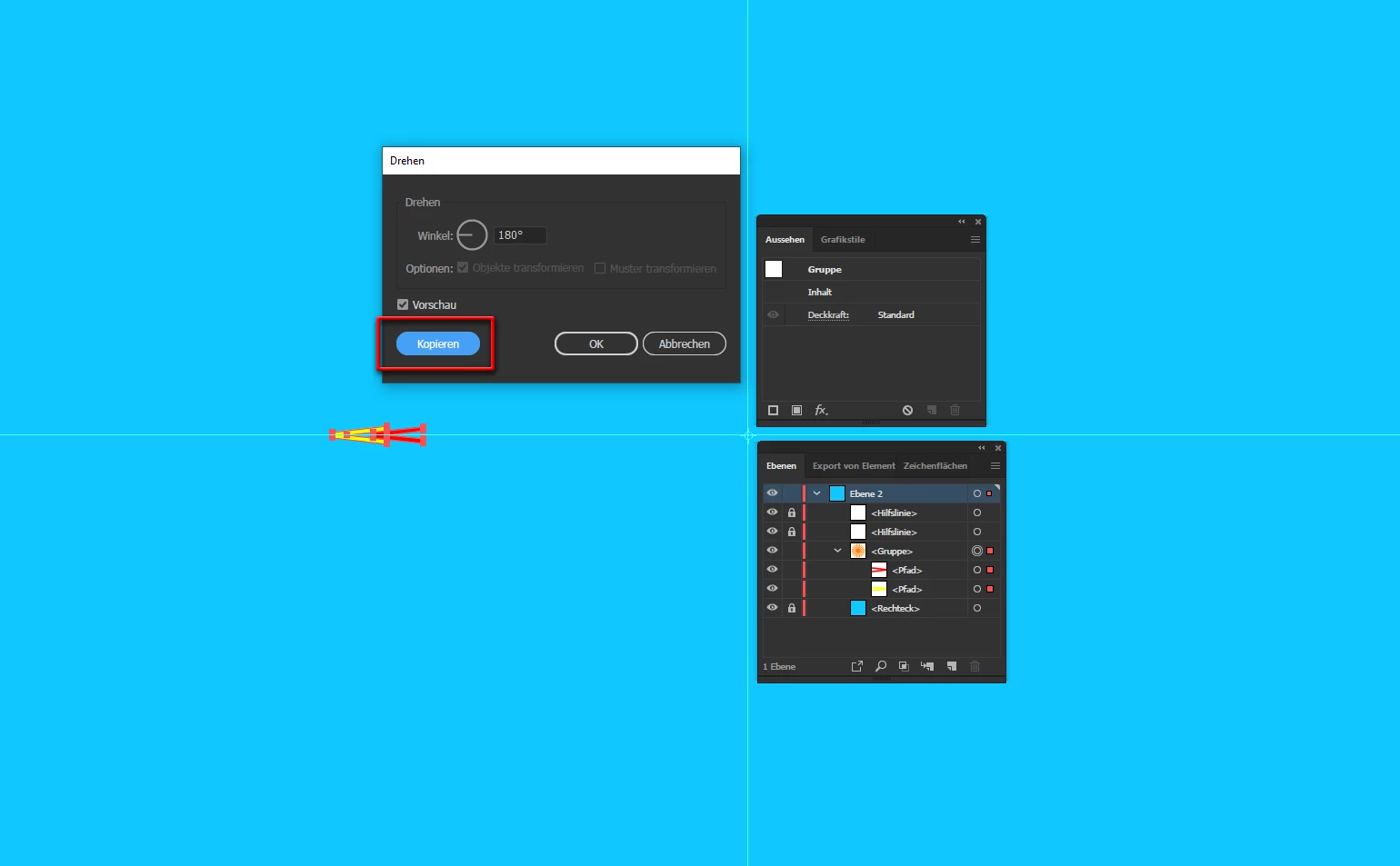
 

group both groups and

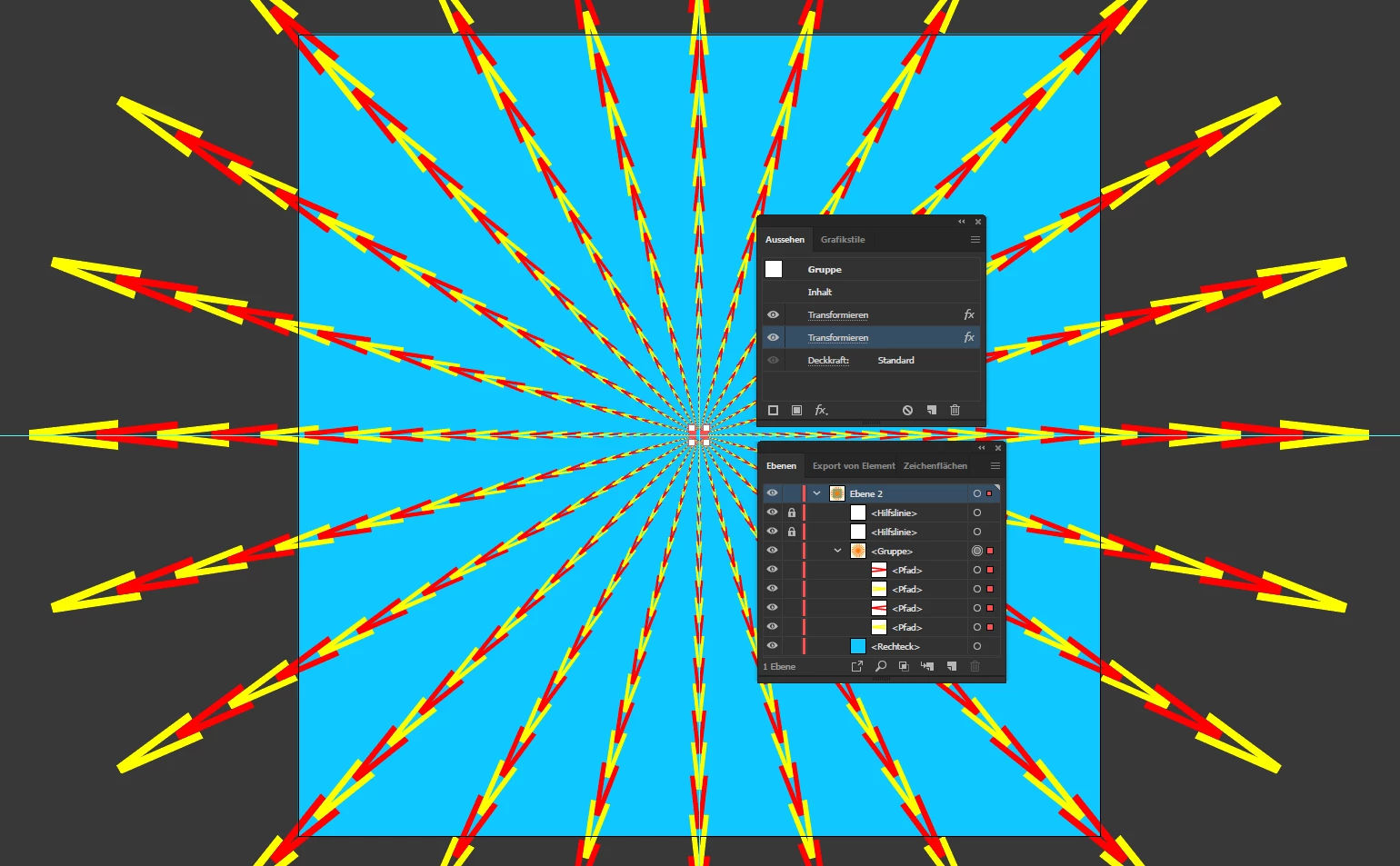
add Transform Effect to the group (scale around center)


add a second Transform Effect to the group (rotate around center)


add a Clipping Mask


Final result:


If that works for you

have fun

😉


1 reply

pixxxelschubser
Community Expert
pixxxelschubserCommunity ExpertCorrect answer
Community Expert
May 5, 2020

Hi @khanguyennt,

  • create your background and lock this path
  • create two guides for the center and lock both
  • create one element --> duplicate and move that copy --> scale the copy a bit


group both paths


rotate the group by 180° around the center (copy)
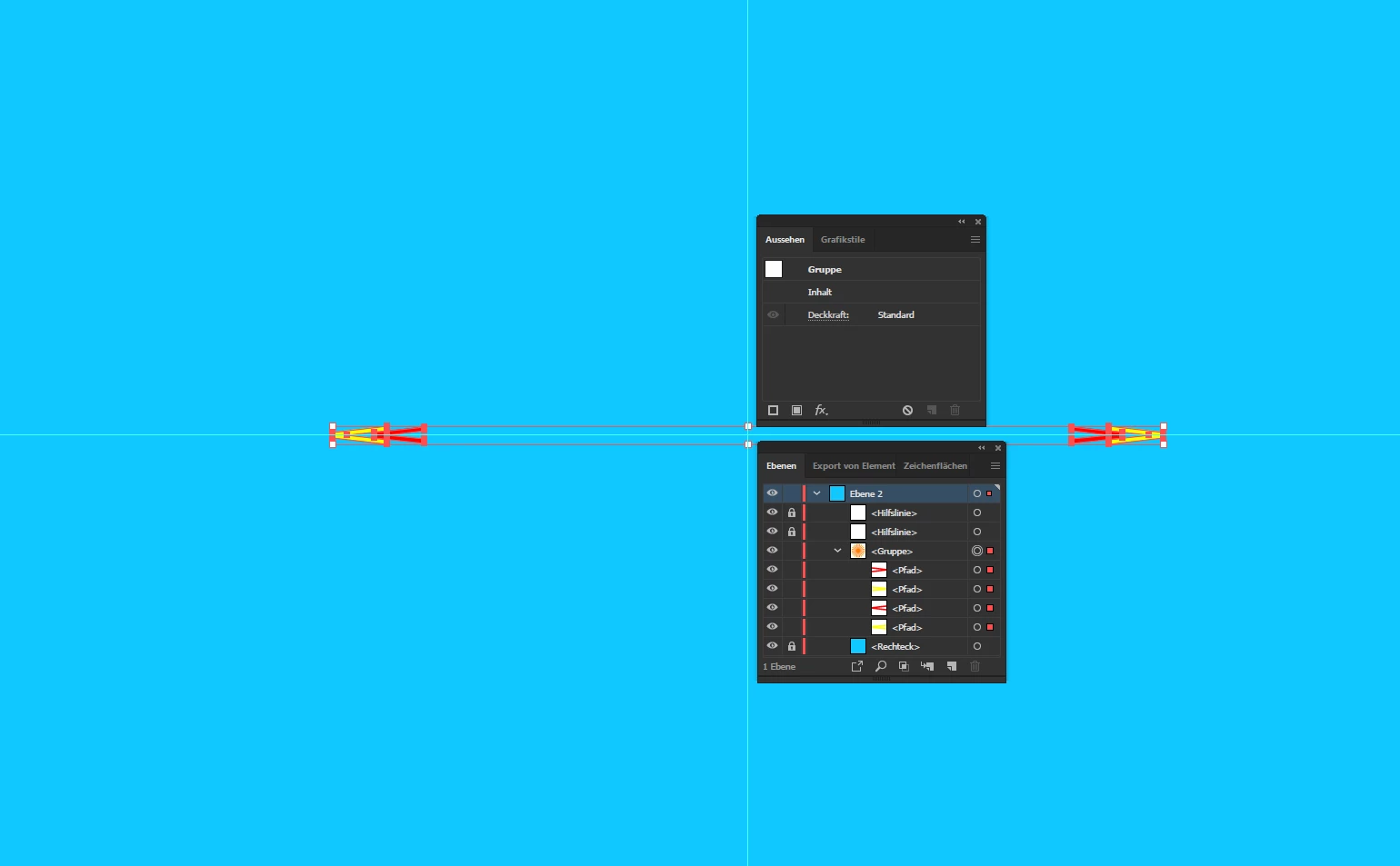
 

group both groups and

add Transform Effect to the group (scale around center)
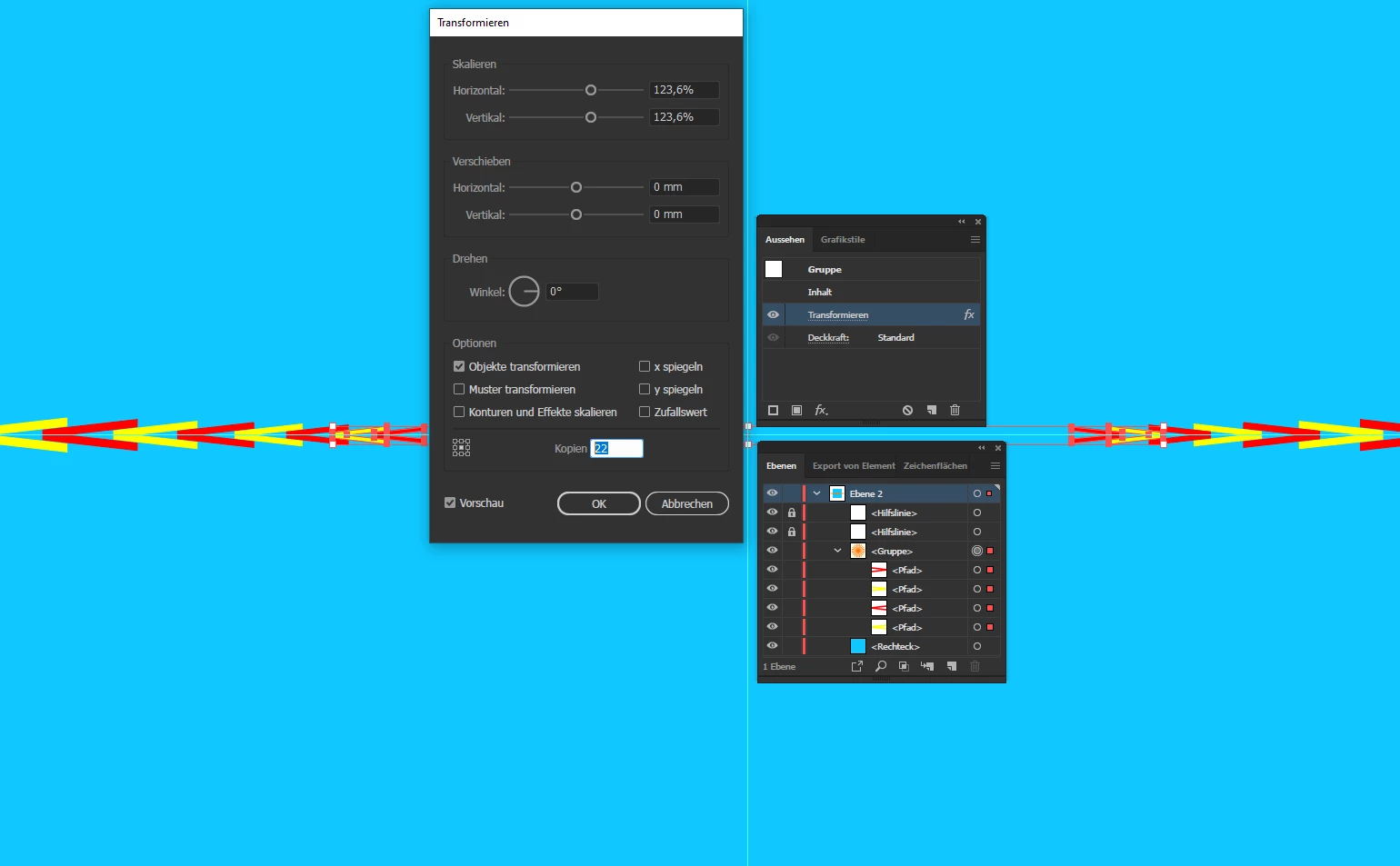
 

add a second Transform Effect to the group (rotate around center)
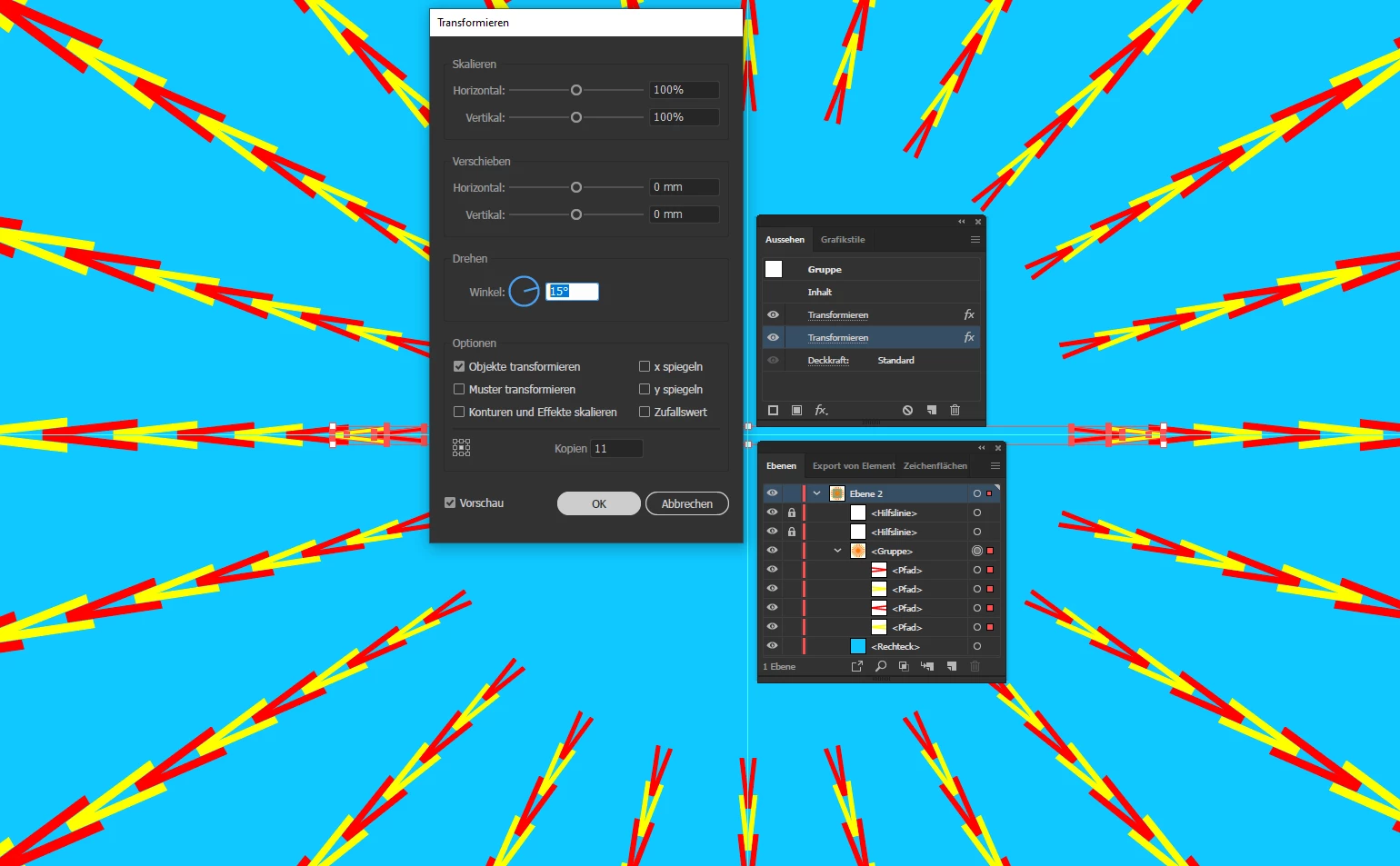
 

add a Clipping Mask
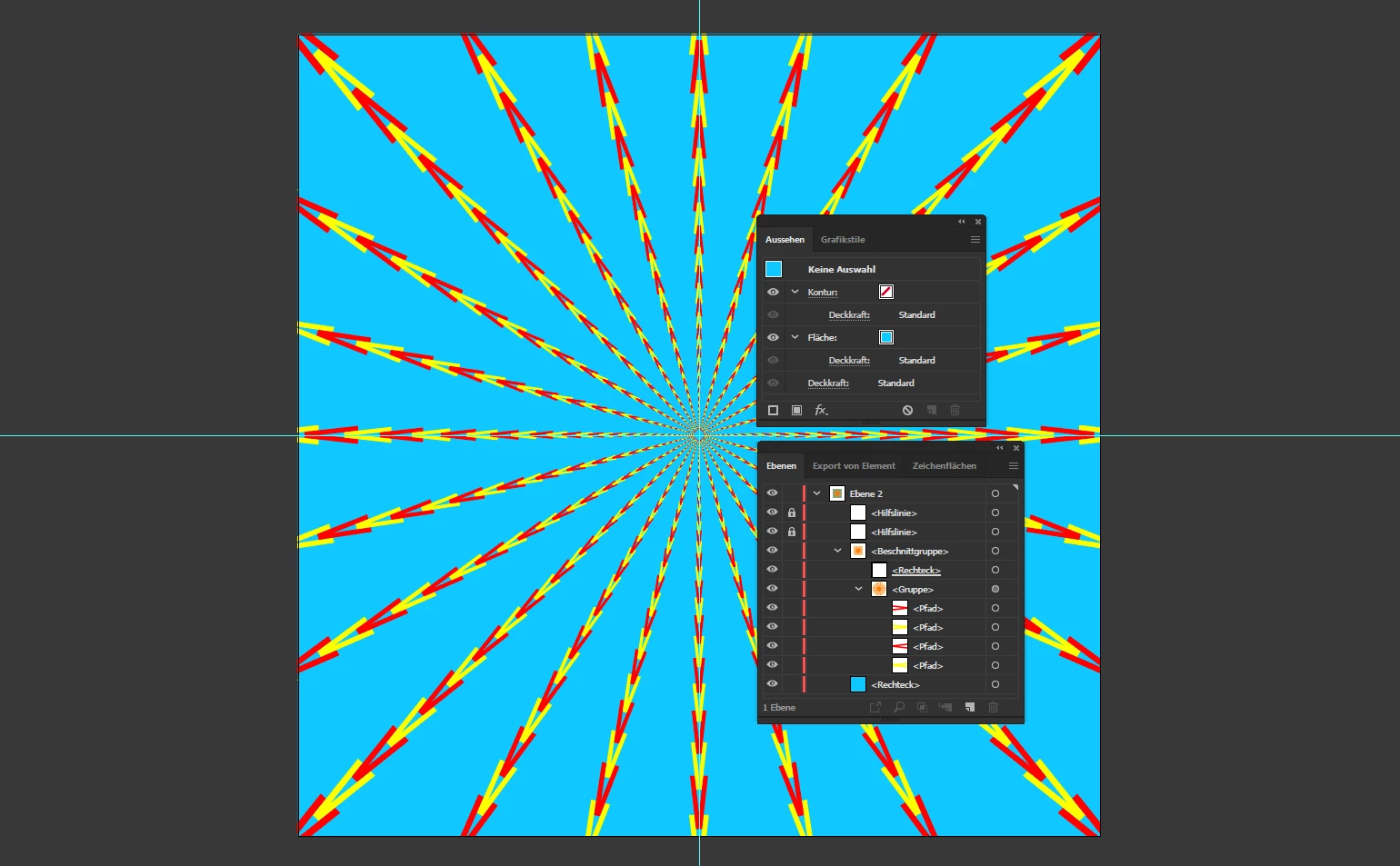


Final result:
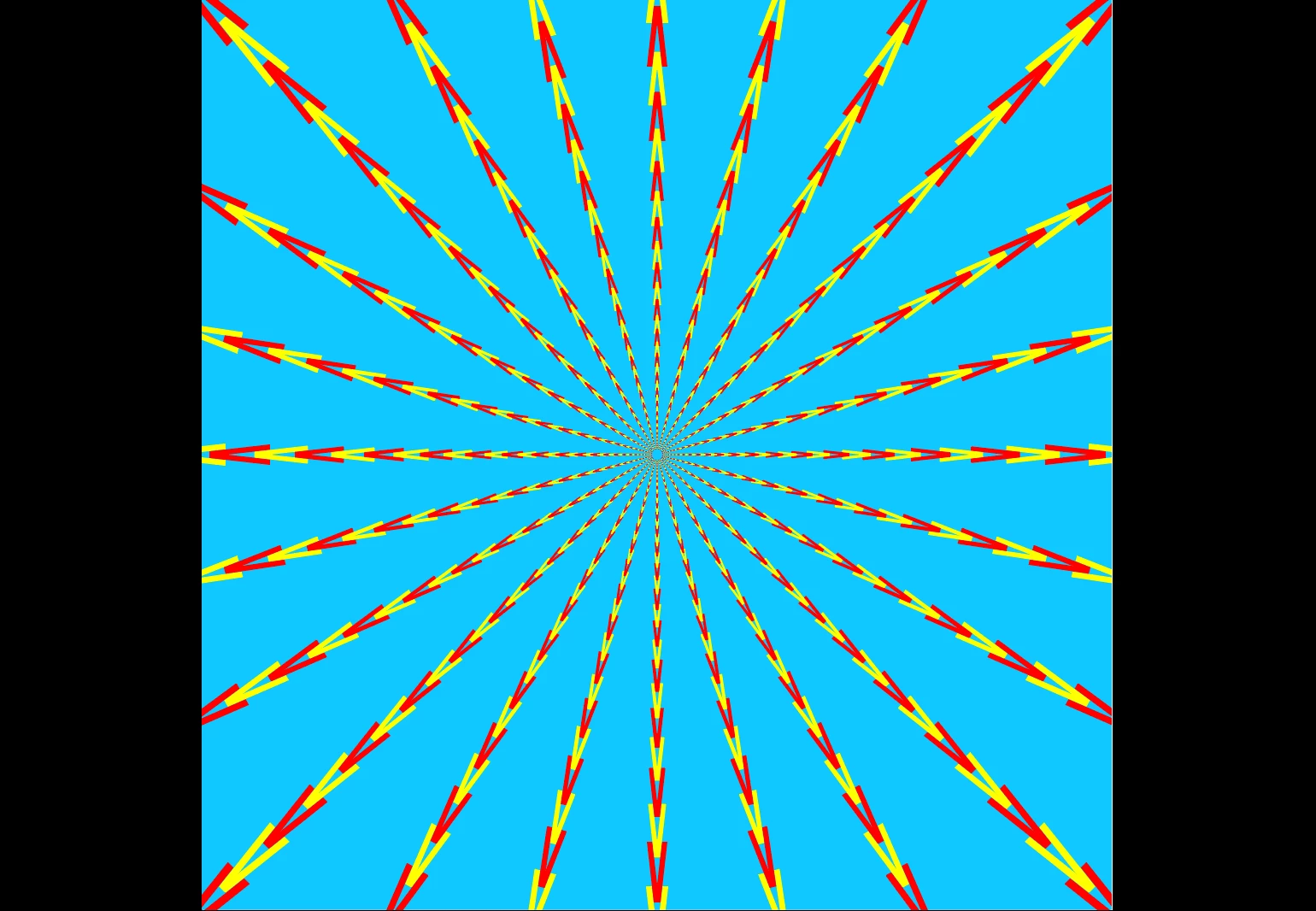


If that works for you

have fun

😉


PECourtejoie
Community Expert
Community Expert
October 1, 2022

This is the trippiest answer I've seen in a long time!