andreaf23600721
Inspiring
January 19, 2026
Answered

how to merge all the black outline together

  • January 19, 2026
  • 4 replies
  • 88 views

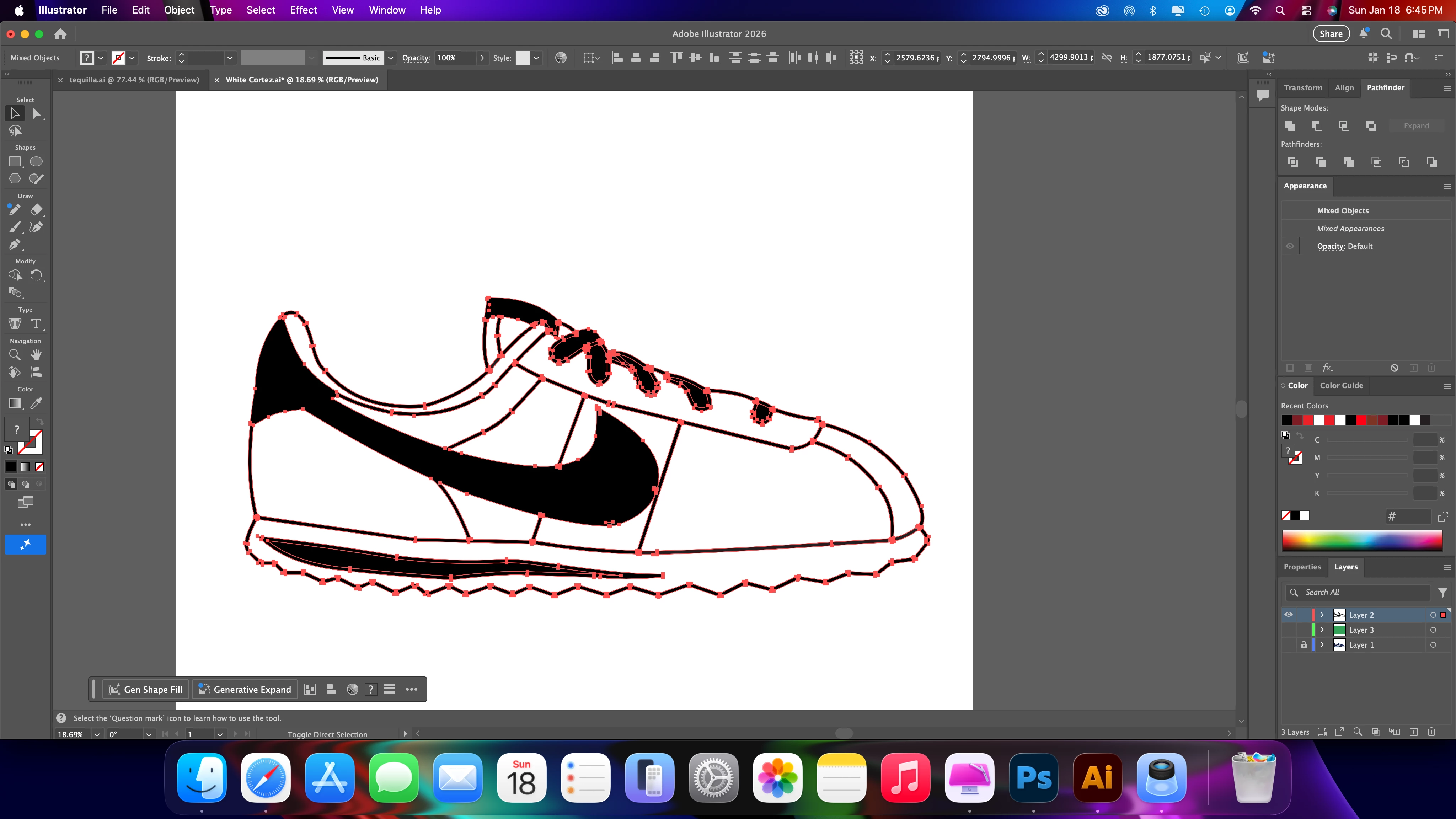
I am trying to use pathfinder on this shoe so combine all the black and outline the stroke but when i select it-the entire shoe turns black. I go through the shoe and select all the pieces but its taking a long time. helpScreenshot 2026-01-18 at 6.45.07 PM.png
Correct answer creative explorer

@andreaf23600721 If I can recall, you can only combine (unite) a fill with a fill. If you are combining (unite) a fill and outline at the same time, it will all turn to black. 

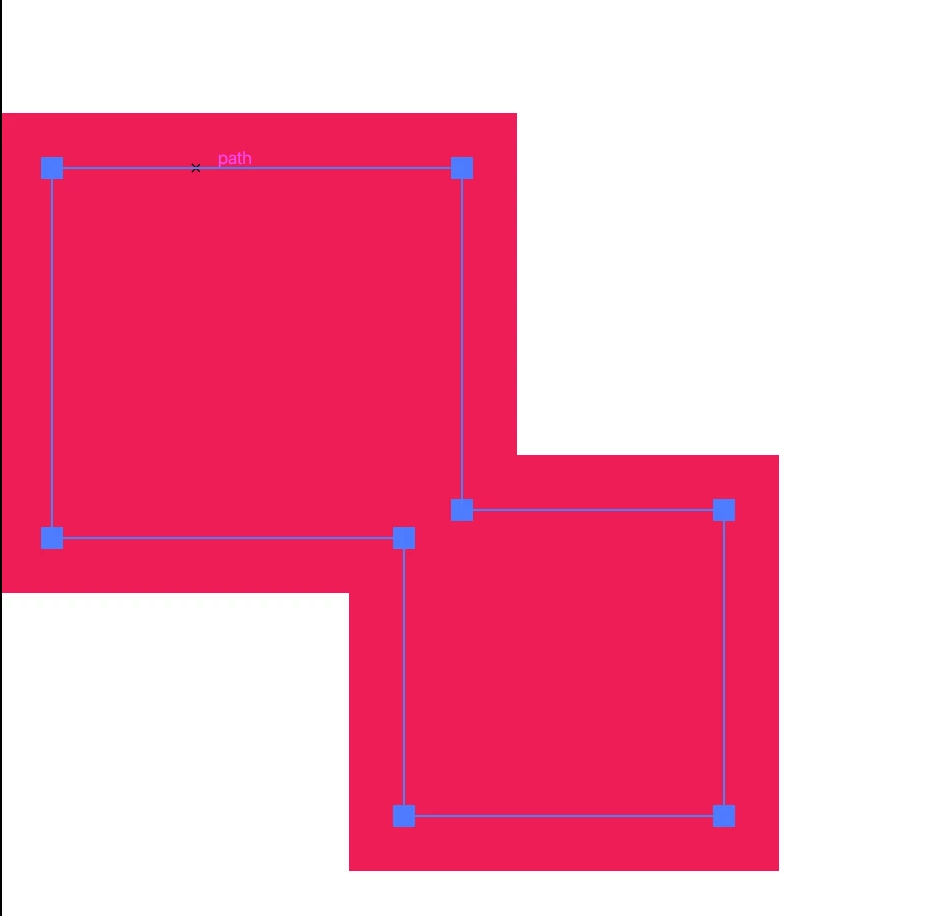
For example, I have two squares in black and a stroke in pink:

creativeexplorer_0-1768810608769.png


If Select all three - Pathfinder- Shape Modes - Unite it becomes as one, stroke is gone

creativeexplorer_1-1768810683672.png


4 replies

Kurt Gold
Community Expert
Community Expert
January 19, 2026

As per your screenshot the selection does not contain any stroked path.


Therefore, Pathfinder "Unite" may just work as expected.


Exactly what do you mean by "the entire shoe turns black"? Does it mean that the shoe has different (non-black) colours (before applying Pathfinder)? If so, the topmost object of the selection is certainly filled black . This would be normal behaviour since uniting paths while retaining different colours is not possible.


Alternatively, you may just create a simple group or a Live Paint group.

Jacob Bugge
Community Expert
Community Expert
January 19, 2026

Andrea,


How about the Select (dropdown)>Same>Fill & Stroke (or Stroke Color or Stroke Weight)?


Monika Gause
Community Expert
Community Expert
January 19, 2026

First outline the stroke and then combine them.


You could do that with an effect if you like it to be easily editable. But then the procedure depends on what you need to export.

creative explorer
Community Expert
creative explorerCommunity ExpertCorrect answer
Community Expert
January 19, 2026

@andreaf23600721 If I can recall, you can only combine (unite) a fill with a fill. If you are combining (unite) a fill and outline at the same time, it will all turn to black. 

For example, I have two squares in black and a stroke in pink:

creativeexplorer_0-1768810608769.png


If Select all three - Pathfinder- Shape Modes - Unite it becomes as one, stroke is gone

creativeexplorer_1-1768810683672.png


m