
Participant
March 23, 2017
Question

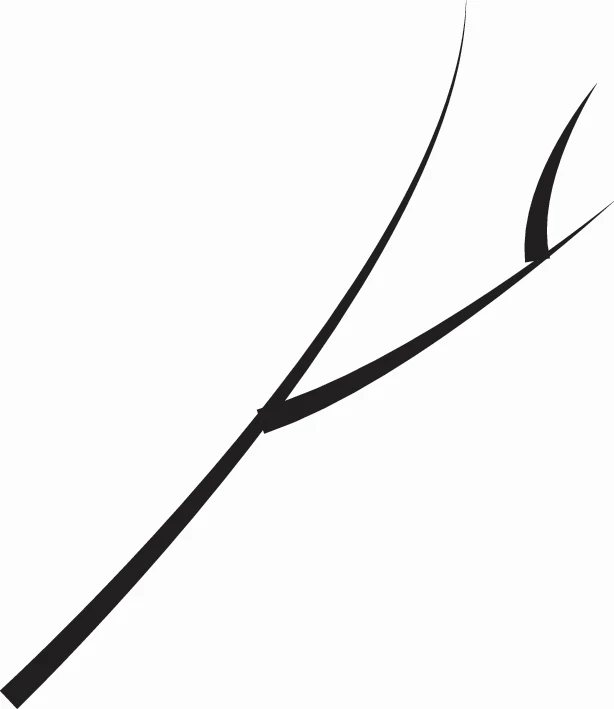
How to merge the middle of paths?
  • March 23, 2017
  • 4 replies
  • 4599 views

Hi I'm trying to draw some veins using the pen tool and width profiles. Except I can't figure out how to join the paths so there aren't those sharp ends coming out of the sides. Is there a way to make them all flow together?

Thank you!

This topic has been closed for replies.

4 replies

rcraighead
Legend
March 23, 2017

One more idea: Create a single Stroke Profile and flip it across it's access to get the stroke for both sides.

rcraighead
Legend
March 23, 2017

You could make your own brush(s) to produce the desired look. I found it easiest to make two brushes (left or right).

Color is for declarative purposes.

Mike_Gondek10189183
Community Expert
Community Expert
March 23, 2017

Good question, a few other methods you may find of interest:

QUALITY and PRECISION:

  1. select all
  2. Object path >> outline stroke
  3. manually cleanup the paths with either the smoother tool or bezier pen tools

QUICK and KEEPING PATHS:

  1. Tweak the art using the anchor point tool or width tool

QUICK & MOST FUN (in a Harry Potter kind of way):

  1. Make the main stem and outline path
  2. Use the warp tool as a brush with strong intensity settings and proper brush size.  Result may look more organic like a thorn bush, and not as geometrical though, so depends on  your design constraints.

Monika Gause
Community Expert
Community Expert
March 23, 2017

You cannot join those paths.

But you can try and:

- use a round cap for the strokes and move the endpoint so it fits.

- create your own arrowhead (triangle shape)

- make a pointed cap using the wdith tool