Answered
How to move and align objects with scripts?
How to automatically move and align objects with scripts as below shown? Any help would be greatly appreciated, Thanks in advance!
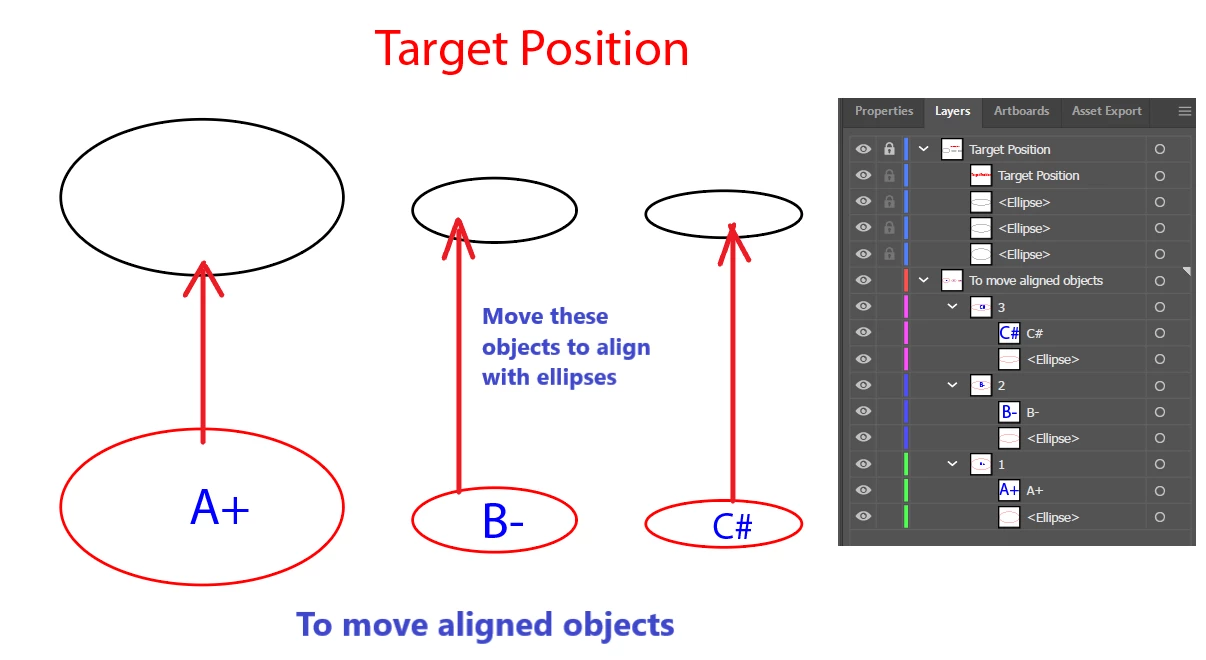
Final effect:
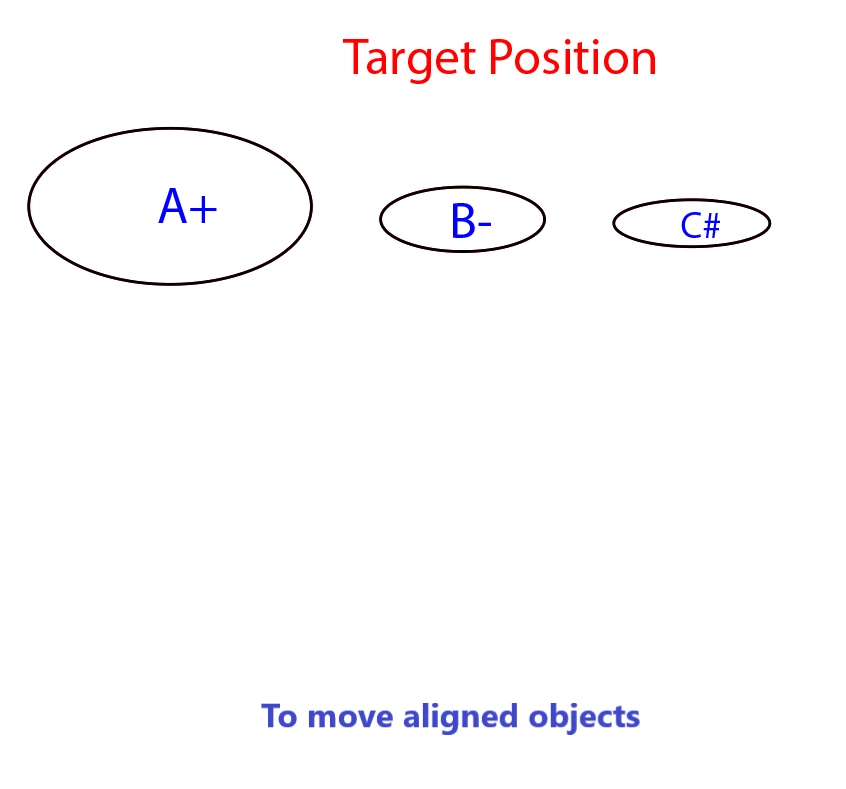

How to automatically move and align objects with scripts as below shown? Any help would be greatly appreciated, Thanks in advance!
Final effect:
I actually created some alignment utilities for public use a while back. Given a "key object" and an array of objects you want to align, it handles all the positioning quirks (including the visible bounds thing that @jduncan mentioned).
The initial implementation was pretty clunky and awfully repetitive. So I just took some time and simpilified it. It used to be discreet functions for each different alignment option... silly. So i condensed it all down to one function called align() which takes 3 required arguments: align(key:any pageItem or artboard, otherObjects: array of pageItems you want to align, alignType: string representing the alignment option(s).
Key objects can be an artboard, pageItem, pathItem, groupItem, compoundPathItem, placedItem, linkedItem, etc. any item that falls under the umbrella of Document.pageItems.
The array of otherObjects can contain one or more pageItems. (no support for artboards yet.. i don't know if it's necessary?).
The alignType string can be one of the following: "center", "vcenter", "vtop", "vbottom", "hcenter", "hleft", "hright", "botleft", "botright", "topleft", "topright", "leftcenter", "rightcenter", "topcenter", "botcenter"
source code located here:
https://github.com/wdjsdev/public_illustrator_scripts/blob/master/alignment_functions.js
and the dependency code here:
https://github.com/wdjsdev/public_illustrator_scripts/blob/master/object_bounds_data.js
This is the code that handles the visible bounds quirks that vasily and josh mentioned.
Already have an account? Login
No account yet? Create an account
Enter your E-mail address. We'll send you an e-mail with instructions to reset your password.


 AdChoices