

Answered
How to move one handle and no changing the angle or breaking the line
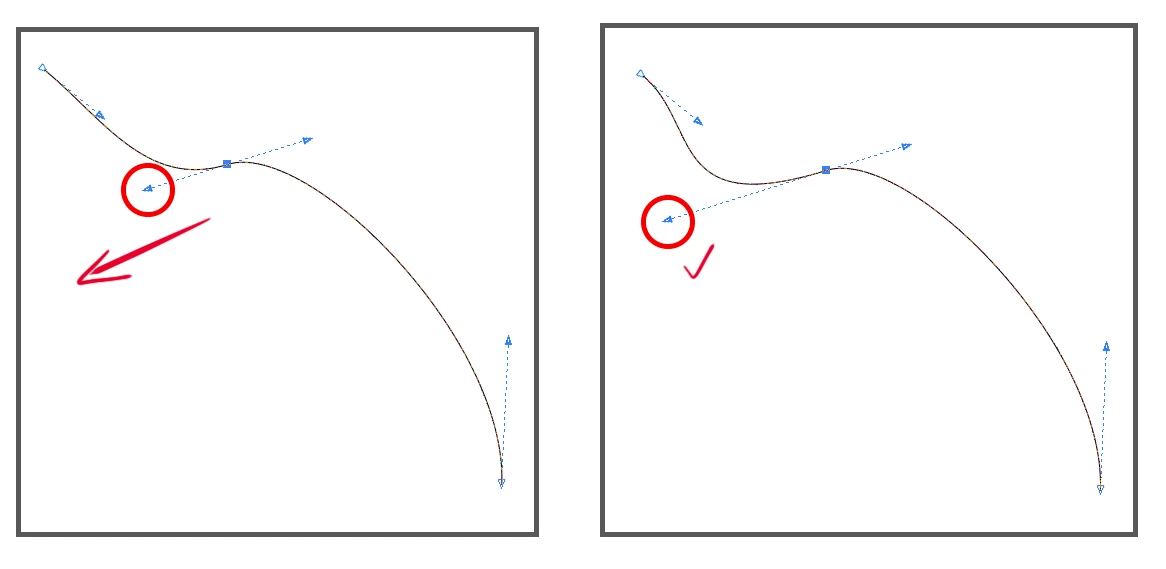
This picture is from Corel Draw. How to do it in Adobe Illustrator?
Left handle it should move to the left, the right handle must stay where it is without moving or breaking the line at the point. The angle must be the same. I tried Shift, Alt, Ctrl, and a combination, nothing helps.
 AdChoices