
Known Participant
June 10, 2019
Answered

How to optimize heavy symbol usage

  • June 10, 2019
  • 3 replies
  • 2896 views

I use Symbols heavily to draw heavily-repeated objects on boardgame maps. It's a common piece of advice to do that, since Symbols can reduce file size. However, I'm not so sure about that.

Below is a screen shot of a section of Rubble. It's basically a Scatter Brush that throws the same Rubble symbol around, scaling and coloring and rotating it. (Actually, no - it's two separate Rubble brushes, each of which uses a different colored symbol, because the Scatter Brush doesn't know how to change symbol tints. But as much as I wish Adobe would fix that, there's ways around that, no worries).
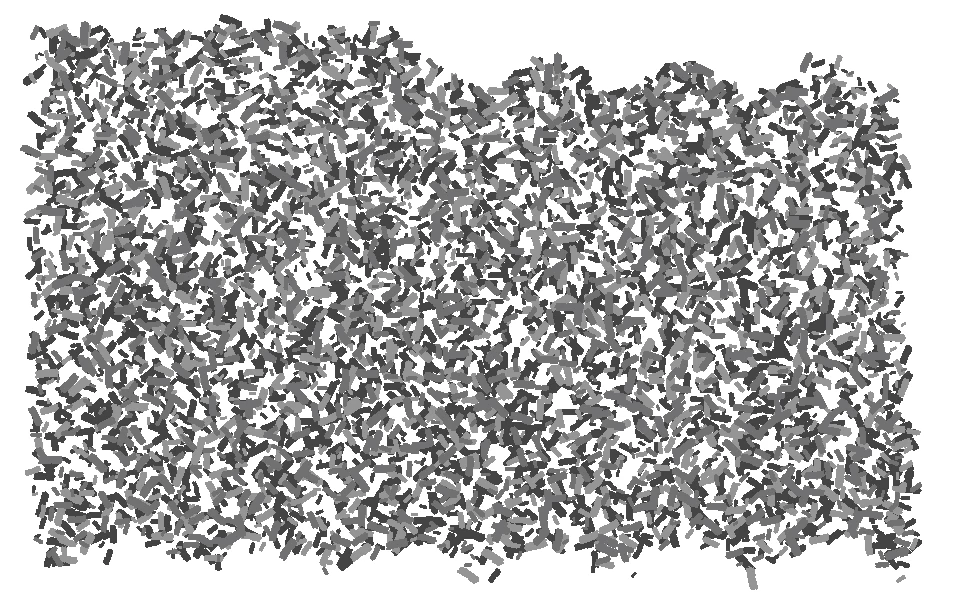
So, the version of this done with a Scatter Brush is 2211 Kb. If I expand the brush to create a ton of small bits of individually-filled Rubble paths (deleting the bounding box that got put around each Symbol as it was expanded), the file size goes to 1805 Kb. Huh? I thought Symbols were supposed to be more efficient than Paths?

Then, if I make a Symbol out of an individual bit of rubble (just one of those blobs you see above) and use the wonderful Copy To Multiple Objects script, I can replace all of those individual rubble bits with a rubble symbol. THAT file size is 2527 Kb.

So... what's up here? I thought Symbols were supposed to be more efficient for this kind of thing.

TIA

Tom

    This topic has been closed for replies.
    Correct answer Jacob Bugge

    Tom,

    Apologizing for a possibly silly question, are you setting it to be a Dynamic or Static Symbol, the latter being the one to better save file size?

    3 replies

    Jacob Bugge
    Community Expert
    Jacob BuggeCommunity ExpertCorrect answer
    Community Expert
    June 11, 2019

    Tom,

    Apologizing for a possibly silly question, are you setting it to be a Dynamic or Static Symbol, the latter being the one to better save file size?

    tqrtuomoAuthor
    Known Participant
    June 13, 2019

    Apologizing for a possibly silly question, are you setting it to be a Dynamic or Static Symbol, the latter being the one to better save file size?

    ANNND we have a winner!  Yes, I was using a Dynamic symbol. Selecting the Symbol Properties and changing it to a Static symbol, then saving, the file size becomes 293Kb, much less than any of the other options I tried.

    Thanks, Jacob. I imagine that little tidbit is somewhere in the documentation and I just missed it.

    And thanks, too, Monika, for your help. It's very much appreciated.

    Tom

    Jacob Bugge
    Community Expert
    Community Expert
    June 13, 2019

    For my part you are welcome, Tom.

    Many tidbits are well hidden, if only by the sheer amount of them.

    meganchi
    Legend
    June 10, 2019

    Have you tried double-clicking your symbol in the symbol palette to enter symbol edit mode to change tint or color values?

    You could duplicate a few symbols and edit each of them within the symbol palette so that you have various options to use.

    Monika Gause
    Community Expert
    Community Expert
    June 10, 2019

    Don't understand what you're doing there.

    Symbols can't be inside brushes. So what is this?

    Also: of course you can apply color tints to scatter brushes.

    And then: are you sure it's the same number of objects when you use symbols compared to brushes?

    How do you save the files? Exact options, please.

    tqrtuomoAuthor
    Known Participant
    June 10, 2019

    My apologies, Monika. Yes, that's not a symbol that I used in a the scatter brush, it was just a small path (one of the "bits" of Rubble, basically a rough-edged rectangle. No "roughen" was used on the path)

    You're also right about being able to apply color tints to scatter brushes - but it's not one of the Random features. The entire brush has to scatter the same-tint of shape. No big deal; one can use the Random Swatches Fill script to select all the shapes and randomly tint them using a given subset of swatches.

    I save the files as .ai files with no pdf compatibility, but with compression. I do not recall if I embed ICC profiles - doubt it.

    Thanks,

    Tom

    Monika Gause
    Community Expert
    Community Expert
    June 11, 2019

    After drawing with the brush do you expand the appearance in order to run the script?

    After drawing symbols - do you unlink the symbol instances?

    Do you use the symbol stainer tool? The manual tells you it will increase file size: Symbolism tools and symbol sets in Illustrator