
Inspiring
May 9, 2021
Answered

How to overlay a custom gradient across multiple paths?

  • May 9, 2021
  • 2 replies
  • 986 views

I'm trying to get the custom gradient on the top path into the letters below.

 

I tried using the clipping mask but all I get is this:
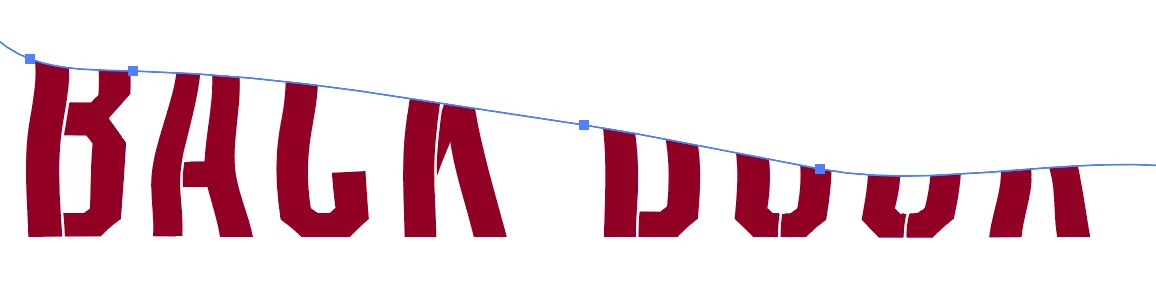
Any help? I just need the gradient to show up on the text ONLY.

This topic has been closed for replies.
Correct answer Ton Frederiks

I prepared a background object as shown below.

Text was an outlined group filled with black. I had to ungroup the outlined text and make it a compound path.

Selected both the compound path and the background and used Object > Clipping path > Make

2 replies

Ton Frederiks
Community Expert
Ton FrederiksCommunity ExpertCorrect answer
Community Expert
May 9, 2021

I prepared a background object as shown below.

Text was an outlined group filled with black. I had to ungroup the outlined text and make it a compound path.

Selected both the compound path and the background and used Object > Clipping path > Make

Inspiring
May 10, 2021

SUCCES! Thank you so much! I made a group with the gradient and a maroon rectangle behind then did the clipping mask. Thank you again!


Ton Frederiks
Community Expert
Community Expert
May 10, 2021

Good to hear that helped.

Nancy OShea
Community Expert
Community Expert
May 9, 2021

[Moderator moved from Using the Community (forums) to Illustrator.]


Nancy O'Shea— Product User & Community Expert