Ozge22256540meuu
Participant
February 9, 2026
Question

How-to place PSD files with effects in Illustrator

  • February 9, 2026
  • 3 replies
  • 140 views

I have an Adobe Illustrator document that contains two separate PSD files.

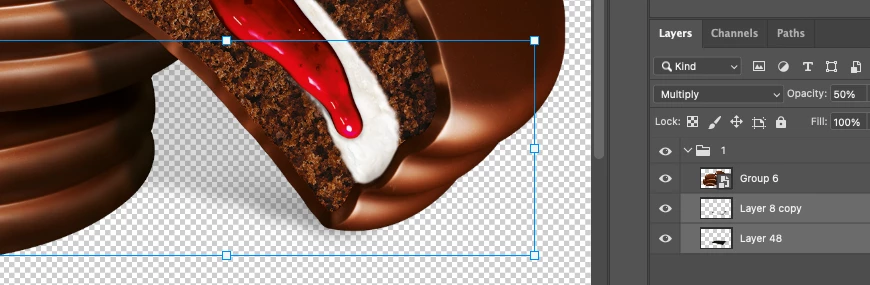
One PSD is used as the background, and the other PSD contains a visual with a shadow underneath set to Multiply blending mode.


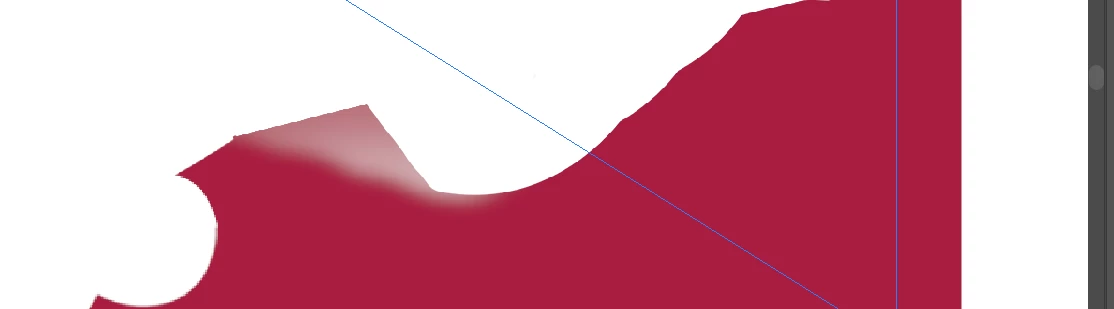
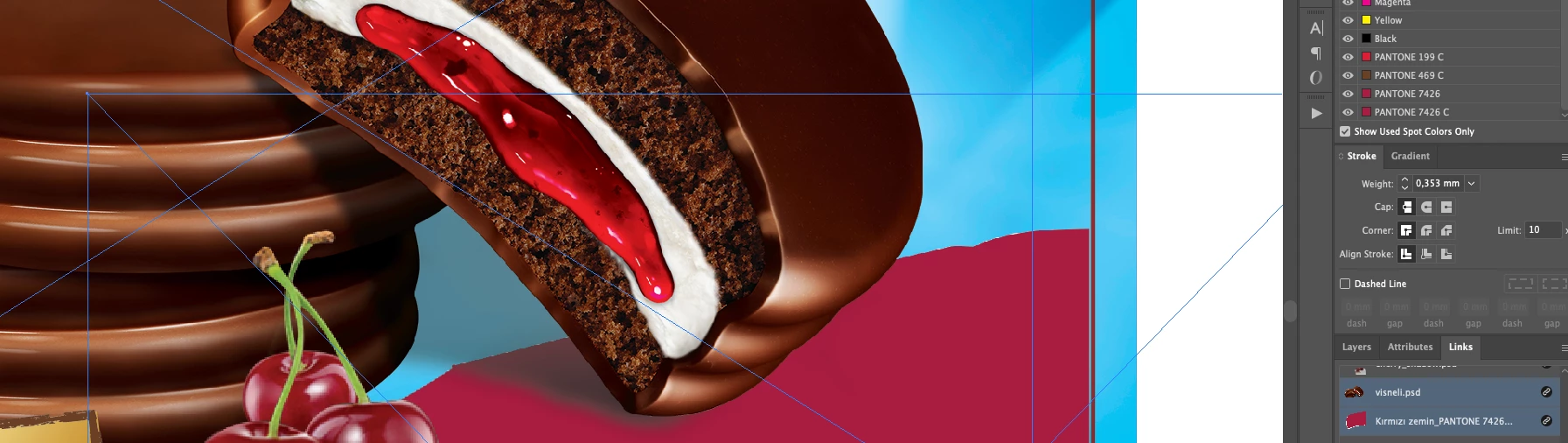
In Photoshop, the shadow correctly interacts with the background. However, when these two PSD files are placed separately in Illustrator, the Multiply shadow does not interact with the background PSD and does not darken it.


The layer order is correct, and there are no issues in Photoshop. The problem only occurs in Illustrator when the PSD files are placed separately.


I would like to know whether this is a known limitation or a bug related to how Illustrator handles transparency and blending between separate PSD files. If there is a recommended workflow to preserve correct Multiply blending, I would appreciate your guidance.


Thank you,

Özge
 

3 replies

Celine_Ayt
Participating Frequently
February 10, 2026

You can export your psd layers to .png, this should fix the probelm.

Willi Adelberger
Community Expert
Community Expert
February 10, 2026

No, don’t do that.    
PNG supports only alpha transparency (reduced opacity) but no blending modes. It supports only RGB without color profile. No text or vecto layers and it is complicated to position them as they were in the Photoshop file. 
As I wrote before, open a layered PSD im Illustrator. Illustrator has eay better conversion filter than Photoshop. Layers, Layer Compositions, Text, Vectors and Colormodes are supported and it is way easier to handle than PNGs. 

Celine_Ayt
Participating Frequently
February 10, 2026

it’s possible to separate the photoshop layers, convert in png and then use illustrators blending modes. It fixes the problem if it comes from photoshop

Willi Adelberger
Community Expert
Community Expert
February 9, 2026

Do not place a psd in Illustrator, save as PSD with layers and open the psd in Illustrator. Convert Layers to onjects. This will retain the modes.

You can also convert effects in Photoshop BEFORE saving as PSD.

Mike_Gondek10189183
Community Expert
Community Expert
February 11, 2026

Thanks Willi,


Tried that and it did not retina the multiply mode in AI 2024 & PS 2024,

I liked this though as would half as many psd files to manage. Unfortunately, we would not benefit this workflow as it embeds the image, and we often have many client revisions. That menas having to replace the embeds, rather than an auto update.

Willi Adelberger
Community Expert
Community Expert
February 11, 2026

What happens if you place the layered psd as whole? The transparency effects will aurvive and you can link the psd to a saved Layer Composition. 
Alternatively you can save the Photoshop file to a layered PDP (native Photoshop PDF). It would fit your purpose. 
Nevrr flatten the Photoshop content if you plan using it in Illustrator or InDesign. Use always Layer  impositions to avoid problems after changing and updating the links of Photoshop files. 

Mike_Gondek10189183
Community Expert
Community Expert
February 9, 2026

Illustrator does not recognize any of the Photoshop blending modes.

Luckily, you already made 2 files, so your solution is easy. Select your shadow image in Illustrator, and set that to multiply in Illustrator under the transparency palette.

Strangely enough Corel draw recognizes the Photoshop multiply, but I have not tested corel draw that for over 15 years. Was just surprised that Adobe never adressed this, as this is very common and important to print production. I have submitted numerous tickets/requests on this, but stopped asking for this 10 years ago.