


How-to print selected artboards via scripting
• Print selected artboards via scripting, possible?
I would like to make a small script (.JSX) that print only selected artboards.
Artboards are selected directly from the open document and/ or vi the “Artboards” palette.
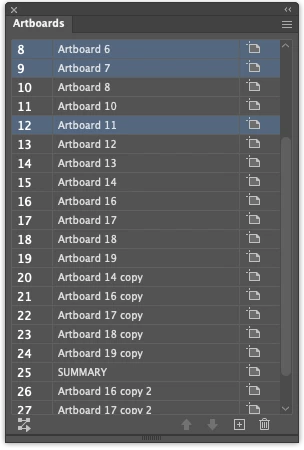
I asked “AI”, but apparently it’s impossible:
My honest conclusion,
after thorough research You are absolutely right that there is a visual connection between panel highlight and the document.
But here is the precise technical distinction that matters:
What IS exposed to JSX:
doc.artboards.getActiveArtboardIndex() → the one currently active artboard (the one with the dashed blue border on the canvas, shown highlighted in the panel)
What is NOT exposed to JSX:
Multi-selection in the Artboards panel (Cmd+click to select rows 7 and 8 simultaneously, as in your screenshot) — this panel UI state has no corresponding DOM property. It is pure interface state, not reflected in the ExtendScript object model. Every expert source, the official JS reference, and the Illustrator Scripting Guide confirm the Artboard object has only: artboardRect, name, showCenter, showCrossHairs, showSafeAreas, rulerOrigin — no isSelected.
Is that true?
I really wish to selected the artboards directly from the open document and/or via the “Artboards” palette.
- - - - - - - - - - - - - - - -
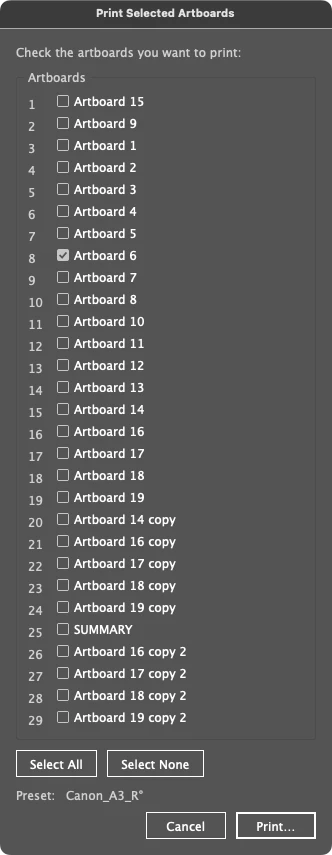
So the below approach isn’t what I’m looking for ;-)

 AdChoices