

j.khakase
Inspiring
September 10, 2024
Question

How to quickly (may be single click will be best) rearrange stacking order by its position?

  • September 10, 2024
  • 3 replies
  • 938 views

Hello,

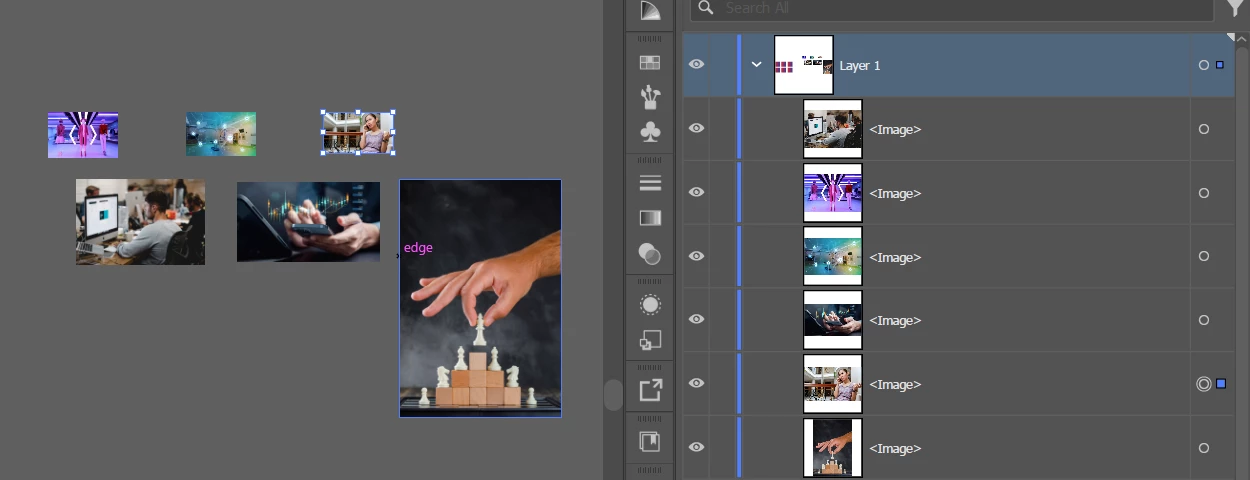
How to rearrange selected objects stacking order by its postion left to right, by any trick or script?

the top-left object should be at top level in stacking order. and this trick should be work on any type of object Raster/Vector/Group/Text item
 

This topic has been closed for replies.

3 replies

Inspiring
September 15, 2024
var sel = app.activeDocument.selection;

var items = [];
for (var i = 0; i < sel.length; i++) {
  var item = sel[i];
  items.push({item: item, x: item.position[0]});
}

items.sort(function(a, b) { return a.x < b.x; }); // or use `>` to reverse order

for (var i = 0; i < items.length; i++) {
  items[i].item.zOrder(ZOrderMethod.BRINGTOFRONT);
}
j.khakase
j.khakaseAuthor
Inspiring
September 19, 2024

@hhas01 thank you the reply.

top-left image/object should be stay at top level at stacking order. accordingly other object's all the stacking order should be update. which is not happening by current code.

Inspiring
September 21, 2024

The previous script moved the leftmost selected object to the top of the stacking order.


This keeps the leftmost selected object at its current position in the stacking order:


var sel = app.activeDocument.selection;

if (sel.length < 2) {
	alert("Please select 2 or more items.");
} else {
	var items = [];
	for (var i = 0; i < sel.length; i++) {
	  var item = sel[i];
	  items.push({item: item, x: item.position[0]});
	}

	items.sort(function(a, b) { return a.x < b.x; });
	var topItem = items.pop().item;

	while (items.length > 0) {
	   items.shift().item.move(topItem, ElementPlacement.PLACEAFTER);
	}
}


Participant
September 15, 2024

Make a new layer. Make a rectangle in this layer. Duplicate the layer as many times as you need. Place the image layer at the bottom. Select the top image and the rectangle (this will select the top rectangle). Group/Ungroup. The image is now on the top layer. Hide this layer and do the same with the next image and the next layer. You use that when grouping, everything goes to the layer of that object, which is highest in the stack.

Jacob Bugge
Community Expert
Community Expert
September 10, 2024

J,


I am sure there is a script for that, but until someone presents/makes it, you can apply a simple Move to Back action, if that is manageable (you have a limited number). The action could just consist of Cut and Paste in Back (Ctrl/Cmd+X+B), to be applied to each object (set) from right to left, in other words in reverse order.


Such an action can also be used, and even called for under more woolly circumstances where a simple script would fail, such as multiple ungrouped objects on top of one another to be moved together without changing their internal  order, including objects on top of one another to be kept together in the stacking order even with one/some being to the right of an unrelated obejct.


With a script it could be nice, or needed, to have a choice of reference point, left/centre/right.


j.khakase
j.khakaseAuthor
Inspiring
September 12, 2024

Thanks, but I am looking very quick solution, due to there may be huge items in furure.

Jacob Bugge
Community Expert
Community Expert
September 12, 2024

I quite understand, J.


I can see that you have set it as a Scripting topic, so I wonder why no scripter friend has answered.


Any scripter?