


Inspiring
February 19, 2026
Answered

How to recolor selected elements with another color from my custom swatches?

  • February 19, 2026
  • 2 replies
  • 0 views

Hi, I have several specific swatch colors saved in the panel.

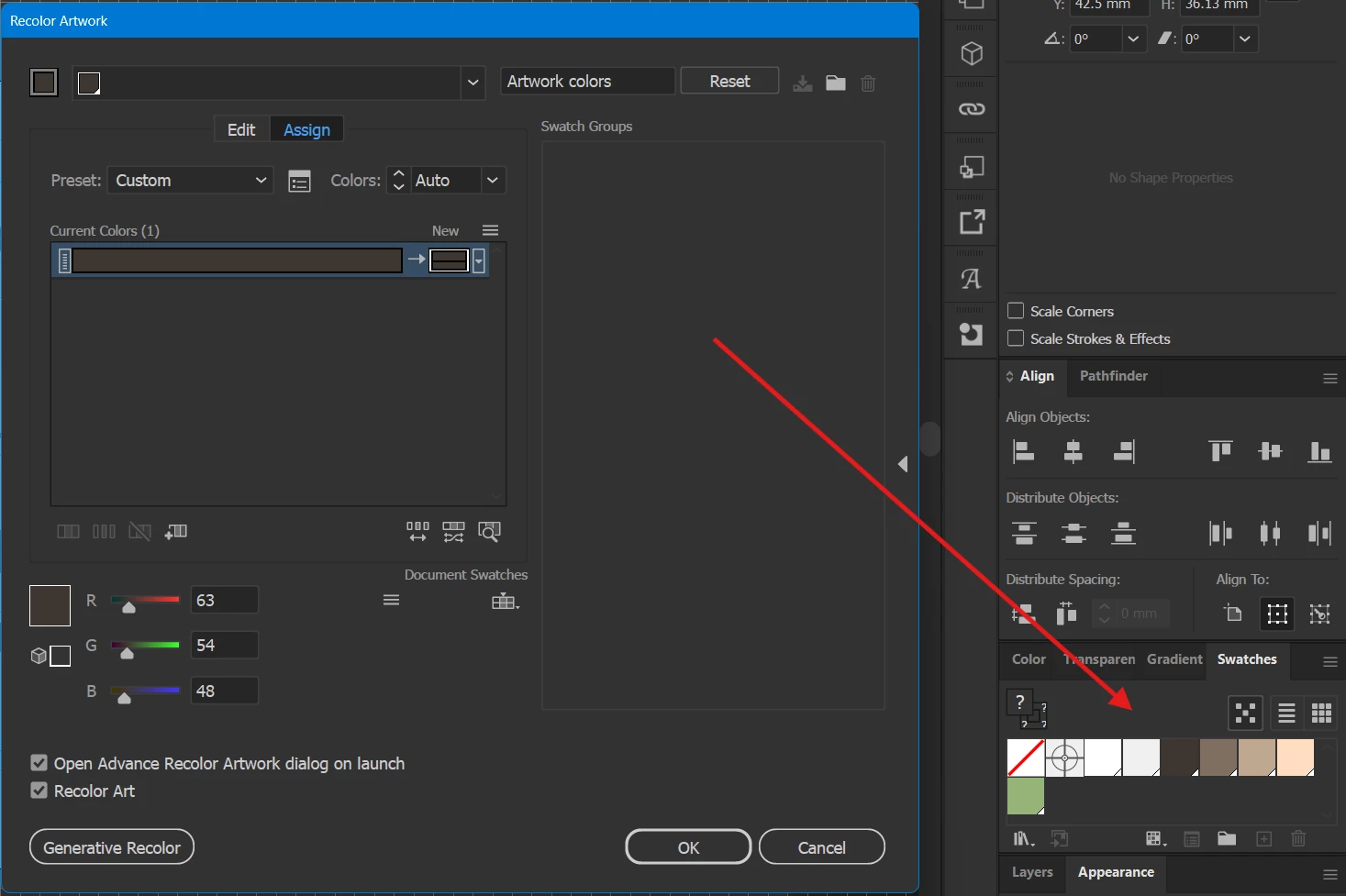
I need to set the color of multiple selected elements to a specific Swatch color, but the Recolor Artwork menu doesn’t show me a list of the swatches I made. Please see attached screenshot.


Is this something even possible to achieve in Illustrator?
 

    Correct answer Monika Gause

    Save your swatches into a color group. THen they will be listed in that dialog box.

    2 replies

    Ares Hovhannesyan
    Community Expert
    Community Expert
    February 19, 2026

    Swatch panel is called Swatch Groups. Create a group in Swatches panel and drag your new created color in that group. Therefore, you have to see then in Recolor panel.

    Monika Gause
    Community Expert
    Monika GauseCommunity ExpertCorrect answer
    Community Expert
    February 19, 2026

    Save your swatches into a color group. THen they will be listed in that dialog box.

    Inspiring
    February 19, 2026

    Hi, thank you for your help. I created a group from the swatches, but the colours still don’t change when I click on a group. Please see attached screen recording on Imgur:
    https://imgur.com/a/2cf59vm

    Monika Gause
    Community Expert
    Community Expert
    February 19, 2026

    If there is just one color in the base art that you input into the function, they can only be recolored to one output color. There need to be different colors in the input
