


Question
How to recreate this halftone effect?
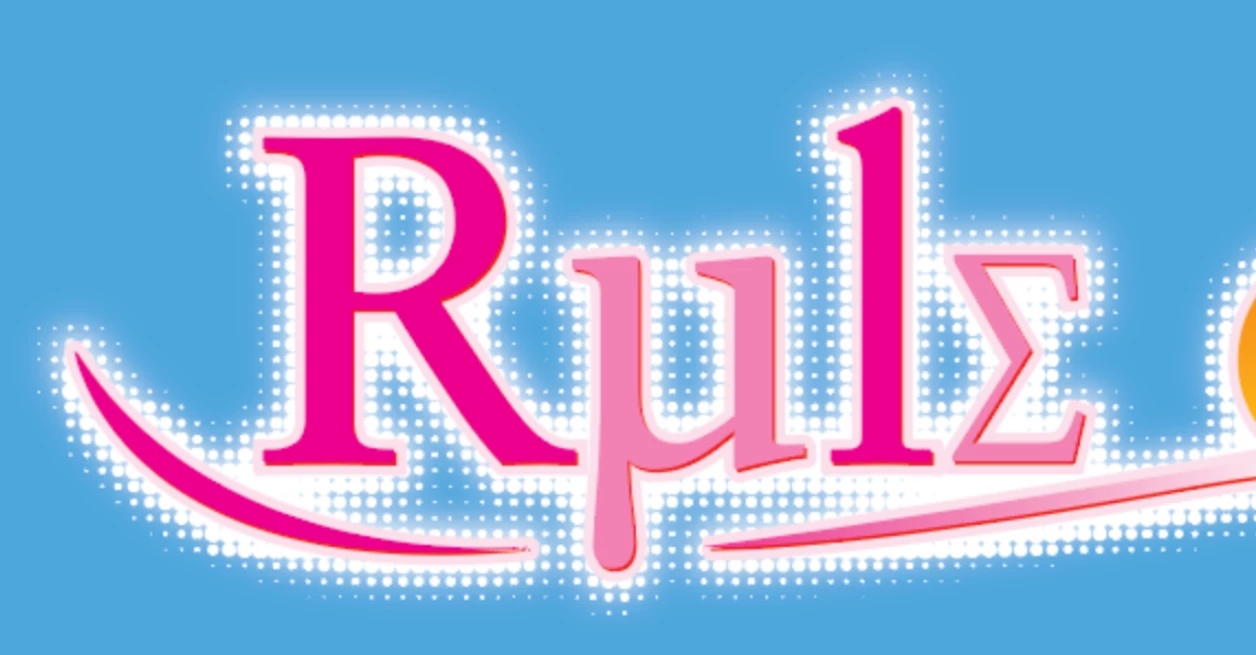
A long time ago this was made using a third party addon for Illustrator (Phantasm) by Astute Graphics. But since then they've changed their model to subscription only for their entire suite and you can't just choose addons to do.
For the life of me, I just cannot figure out how to do this in Illustrator without the addon. With Phantasm I can do a guassian blur and then I can turn it into vectorized dots. I understand there is a halftone option, but when I rasterize the guassian blur pixelate doesn't want to work at all.
Could anyone walk me through a little bit of a step by step on what to do in this scenario?
 AdChoices