
Participant
December 1, 2022
Answered

How to reduce nudge increments in Illustrator

  • December 1, 2022
  • 2 replies
  • 1904 views

Hi everyone!

Right now, Illustrator is only allowing me to nudge my objects in increments of 1 px. I want to recude that so I can have more accurate alignments. I have already tried reducing the "keyboard increments" to .01px and this still does not work. I even tried quitting Illustrator and restarting.


The only workaround I can find is to manually increase or reduce the "y" and "x" positions, but this is far too tedious. Please help! 
This topic has been closed for replies.
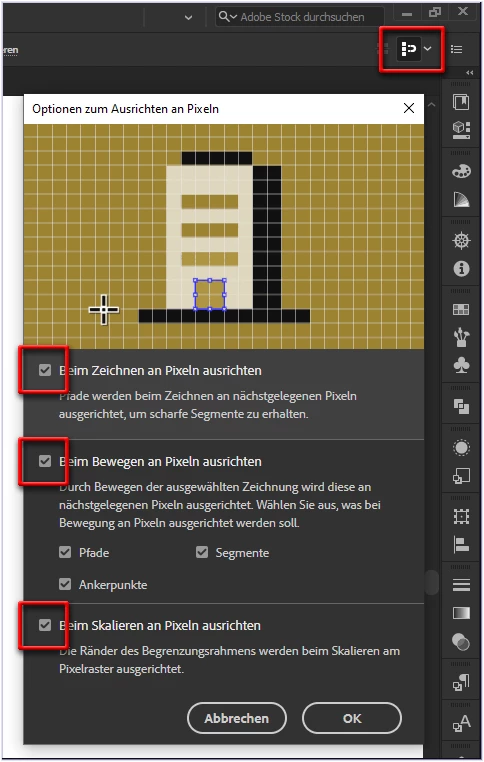
Correct answer pixxxelschubser

And/or have a look at this menu as well:

Remove all tick marks.

2 replies

pixxxelschubser
Community Expert
pixxxelschubserCommunity ExpertCorrect answer
Community Expert
December 1, 2022

And/or have a look at this menu as well:

Remove all tick marks.

Monika Gause
Community Expert
Community Expert
December 1, 2022

Please check in the View menu if Snap to pixels or to grid is turned on.