
Archetects
Known Participant
July 24, 2017
Answered

How to remove empty space in beginning of separate text words?

  • July 24, 2017
  • 3 replies
  • 5996 views

Good day, having a issue after opening a PDF file i see such points at beginning of each text word to remove i found 2 ways.

1st. text edit one by one and remove.

2nd. touch up tool, touch each invisible empty text point and delete.

Both of this methods are slow time consuming touch up tool is very useful but i don't see the empty space with dots they are not highlighted.

What is the solution for this to detect and remove them all at once?
Is there maybe other tool that can remove this empty space?
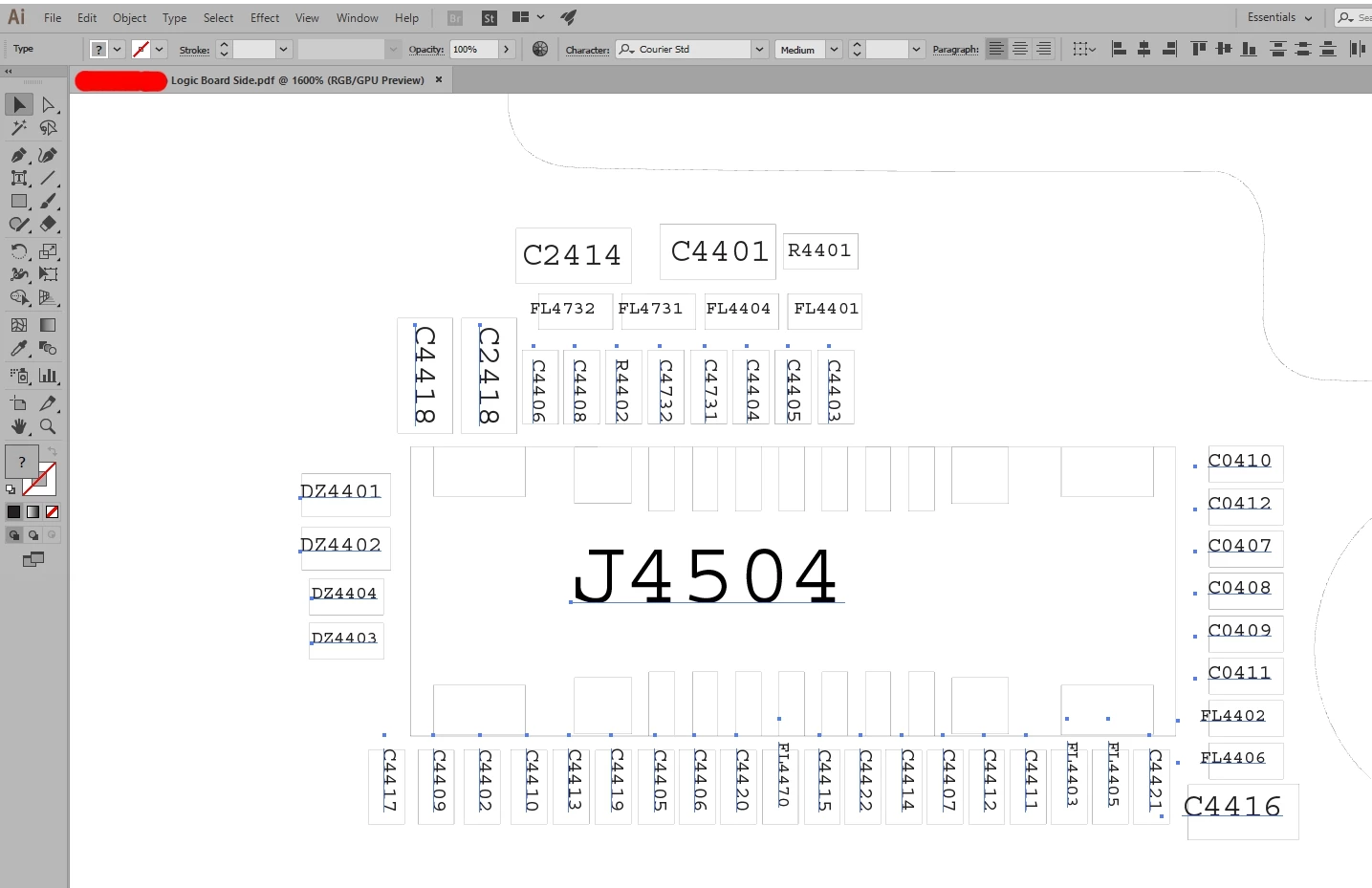
Message was edited by: Filip Pusca Screenshot added.
This topic has been closed for replies.
Correct answer Jeff Witchel, ACI

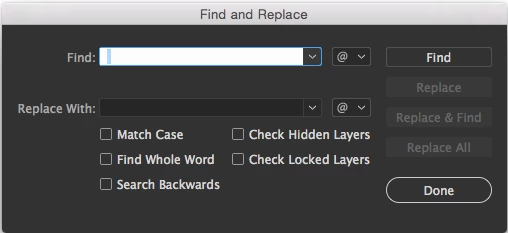
If I'm understanding your question correctly, you may want to try Find and Replace (Edit > Find and Replace).

  1. In the window that opens, type a space in the Find field
  2. Leave the Replace field blank
  3. Press the Find button to find the first instance
  4. Press Replace All
  5. Press the Done button

This should get rid of all the spaces throughout the file.

3 replies

Archetects
Known Participant
July 24, 2017

It worked, thanks for your replies!

Jeff Witchel, ACI
Community Expert
Community Expert
July 24, 2017

Glad to help!

Jeff Witchel, ACI
Community Expert
Jeff Witchel, ACICommunity ExpertCorrect answer
Community Expert
July 24, 2017

If I'm understanding your question correctly, you may want to try Find and Replace (Edit > Find and Replace).

  1. In the window that opens, type a space in the Find field
  2. Leave the Replace field blank
  3. Press the Find button to find the first instance
  4. Press Replace All
  5. Press the Done button

This should get rid of all the spaces throughout the file.

Kurt Gold
Community Expert
Community Expert
July 24, 2017

If you are talking about single empty spaces, you can do Edit > Search and Replace. Search for empty space and replace with nothing.

Opening .pdf files can be risky, but I think that's not the point in this case.