


Participant
Jul 27, 2022 4:42 AM UTC
Question

How to remove intermediate anchor point on straight line

Hi - 

I have graphics generated by another program that creates 5 point squares -- four corners and one intermediate point on the upper line.  As below:
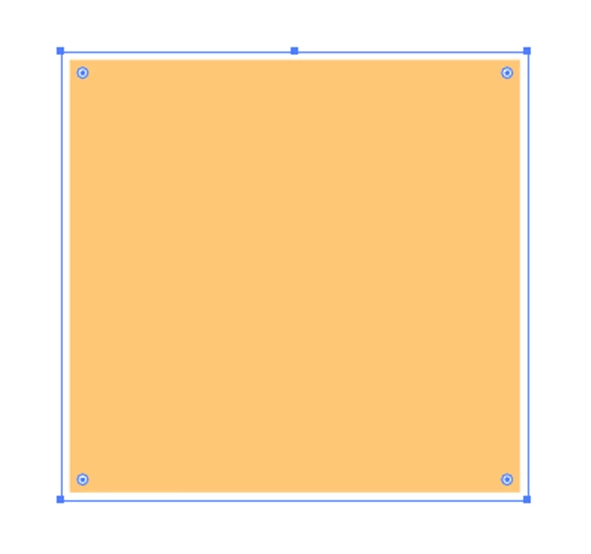
 

I would like to remove that center anchor point, so that distortion/transformations behave as I want.  "Simplify" seems to add curves, not quite what I want.  There are 1000s of these objects; so fixing by hand not really an optimal solution.  Any suggestions for automating this?


Thanks!

Jim


This topic is closed to new replies. Start a new post to keep the conversation going.

13 replies

Participant
Oct 17, 2024 8:04 PM UTC

Object ≥ Path ≥ Simplify...
That should help!

Translate
Community Expert
Oct 18, 2024 1:39 AM UTC

The Vector First Aid plugin in the easiest approach, especially for documents that have many objects with similar problems.

Translate
Participant
Jul 27, 2022 4:56 PM UTC

Thanks to all for giving it a think...much apprecaited! 

As I look closer at the object, seems in fact there are two stacked points at that center line (so 6 points in total, 1 at each corner and the two in the middle.   I've attached one for reference.   I'm not able to get the simplify to work on this (selecting straight lines & 90-degrees).

Best & thank you,

Jim

Translate
Kurt Gold
Community Expert
Community Expert
Jul 27, 2022 5:41 PM UTC

As long as your rectangles are unrotated (and ideally non-overlapping) you may just select them, go to the Pathfinder palette, use Pathfinder "Add" there (while the "Remove Redundant Points" option is turned on in the Pathfinder Options dialog (see flyout menu of the Pathfinder palette).


Translate
pixxxelschubser
Community Expert
Community Expert
Jul 27, 2022 7:15 AM UTC

Simplify with option "straight lines" checked does not what you want?

Translate
Ton Frederiks
Community Expert
Community Expert
Jul 27, 2022 12:59 PM UTC

Simplify seems to work, but when using straight lines, the Corner Point Angle Threshold needs to be set to 90 degrees.

Translate
Ton Frederiks
Community Expert
Community Expert
Jul 27, 2022 1:09 PM UTC

It seems that turning on the straight lines option and setting the angle to 90 degrees remove the anchor point in the middle of a line, but introduces a new anchor point at a corner. Simplify without the straight lines option works fine.

Translate
Brad @ Roaring Mouse
Community Expert
Community Expert
Jul 27, 2022 5:42 AM UTC

Automating? None that I know of.

Even if you have invested in a plugin like Pathscribe, there's only so much it can "automate".


The bigger question is why the other program is creating these extra anchor points to begin with. They are unnecessary in the usual construction of a rectangle, so can you describe how these are made?

Translate
Participant
Jul 27, 2022 5:44 AM UTC
Thanks for the response. They are coming from a statistical graphics program (SAS), exportin to PDF. No idea why they embed such...
Best,
Jim
Translate
Brad @ Roaring Mouse
Community Expert
Community Expert
Jul 27, 2022 5:55 AM UTC

You might want to try out the Free Trial of VectorScribe's plugins (I mentioned PathScribe, but that has been superceeded by VectorScribe) and see if there's something there for you.

Translate