
Participant
May 24, 2024
Question

How to remove the area of one layer from the layer below

  • May 24, 2024
  • 3 replies
  • 207 views

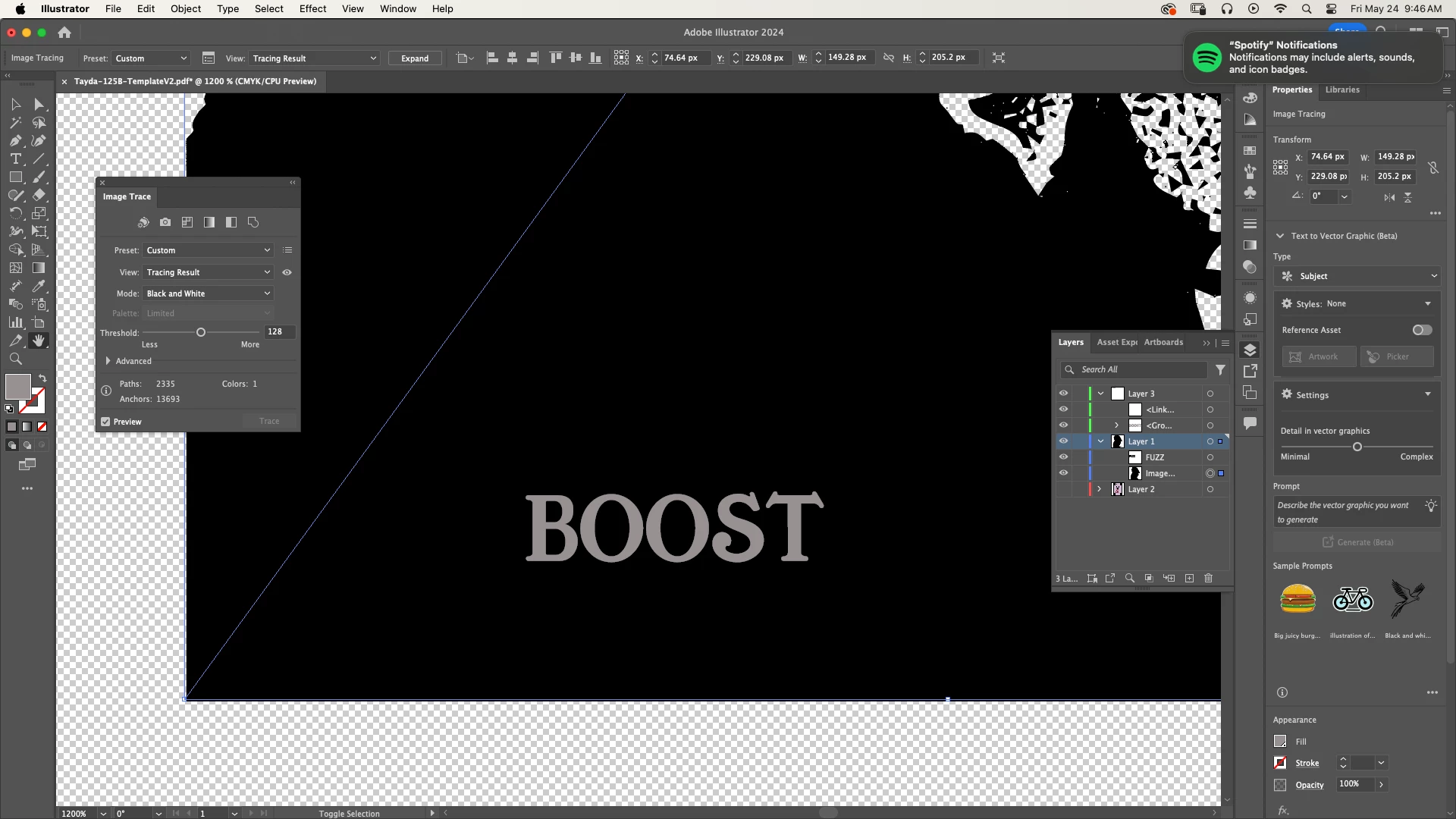
I'm looking to remove the area represented by the text (BOOST) from the layer beneath it, essentially to create a negative space version of the text on that layer. This is for printing purposes.
This topic has been closed for replies.

3 replies

pixxxelschubser
Community Expert
Community Expert
May 24, 2024

You are showing us a placed, not yet vectorised image. In this state, you can only apply your lettering as an opacity mask.


However, if you need real paths, the image must be vectorised. You can then use the "other" tools (Shape Builder Tool, Pathfinder panel or Live Paint Tool).

Monika Gause
Community Expert
Community Expert
May 24, 2024

What is inside the other "layer"? And do you need to keep the layer?


Usually you do this kind of stuff using opacity masks, compound paths or compound shapes. Pathfinder operations help with that. As well as the shapebuilder tool.


But if you do not succeed, please tell us the details.

Anubhav M
Community Manager
Community Manager
May 24, 2024

Hello @Shane22289759zptk,

Thanks for reaching out. Would you mind trying the suggestions in this tutorial (https://adobe.ly/4bRKIpc) and letting us know if they help?


Looking forward to hearing from you.


Thanks,

Anubhav