
Inspiring
November 14, 2016
Question

How to remove the overlay when having transparent strokes?

  • November 14, 2016
  • 2 replies
  • 1013 views

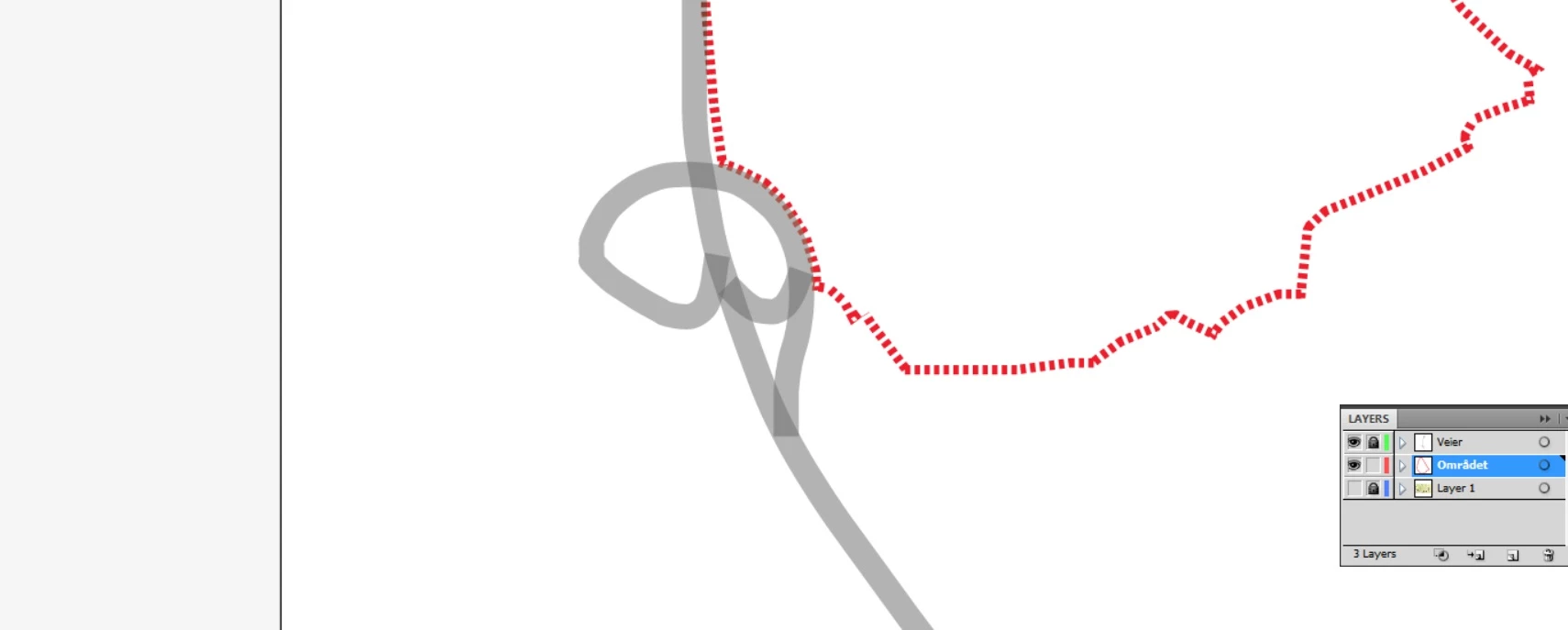
Probably a stupid question, but I cant seem to figure how I get to remove the overlays so I avoid darker colors where the strokes overlay each other. Se the grey strokes (highway) at the picture I attaching.

So basically what I want is to make the strok blend where they cross each other so all get the same color.
    2 replies

    Ton Frederiks
    Community Expert
    Community Expert
    November 14, 2016

    If the grey does not have to interact with background objects, you can also use a tint of gray instead of using transparency.

    Kurt Gold
    Community Expert
    Community Expert
    November 14, 2016

    You can move the strokes onto a separate layer and apply the transparency to the layer, not to the single objects.