

JK_Argo
Known Participant
October 10, 2024
Answered

How to rename blank document preset

  • October 10, 2024
  • 2 replies
  • 582 views

Ok, this is driving me mad. How do I rename a blank document preset that I created? I've created a set of presets, but I misspelt the name of one of them, and I can't see how or where to edit it. Any help appreciated.


Thanks in advance.
This topic has been closed for replies.
Correct answer Doug A Roberts

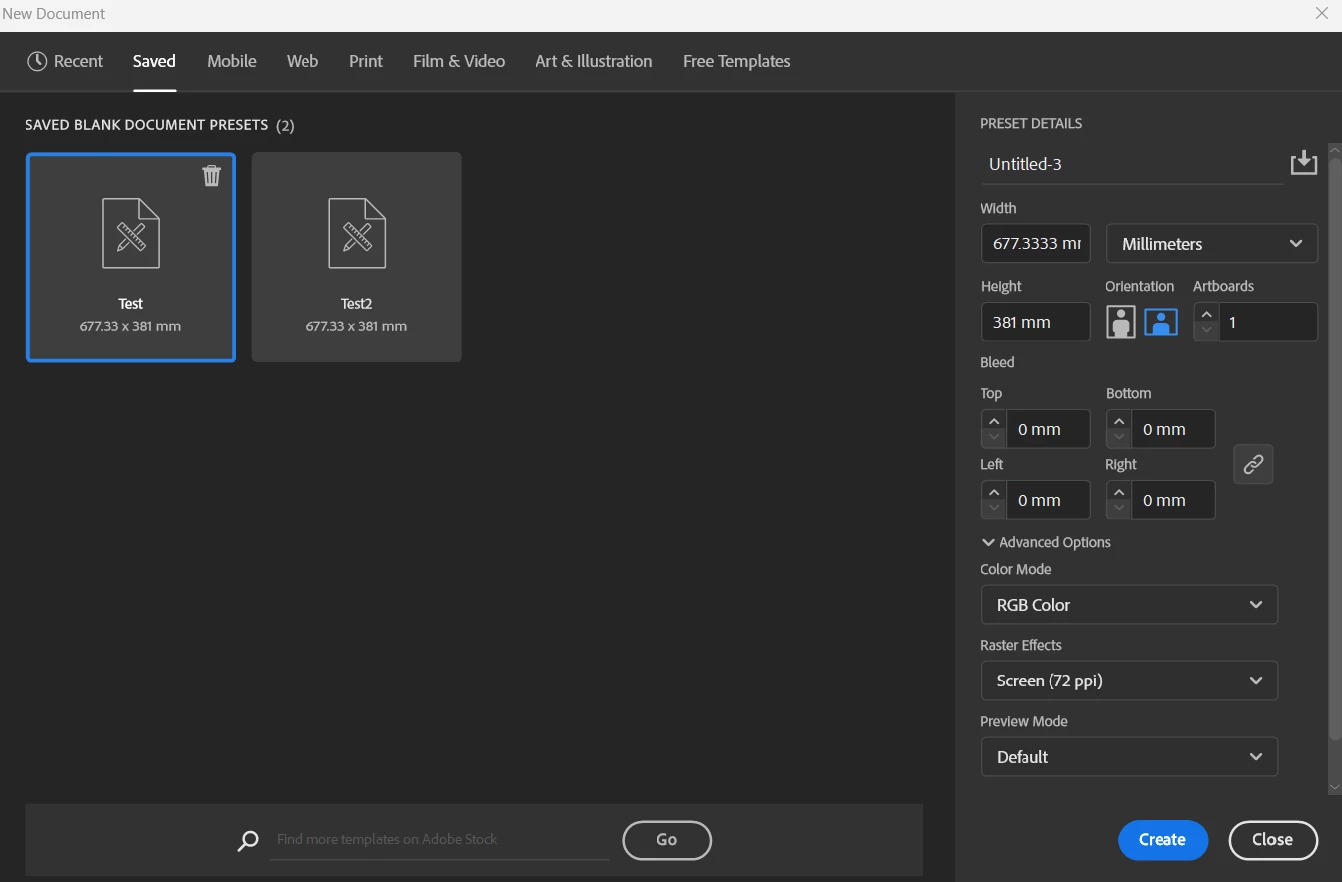
Do you mean the presets in the new document window?

I don't think there is a way. The process I would follow is:
1. Select the misnamed preset to get its settings.

2 Save a new preset with the correct name

3. Delete the old preset.

2 replies

Doug A Roberts
Community Expert
Doug A RobertsCommunity ExpertCorrect answer
Community Expert
October 10, 2024

Do you mean the presets in the new document window?

I don't think there is a way. The process I would follow is:
1. Select the misnamed preset to get its settings.

2 Save a new preset with the correct name

3. Delete the old preset.

JK_Argo
JK_ArgoAuthor
Known Participant
October 10, 2024

Yes, this is what I was referring to. Thanks for your response… this is what I'll do.

christianot40873293
Community Expert
Community Expert
October 10, 2024

you mean there in New Document > Saved, right? there's no way to rename, but you can select, save as a new preset with the new name, and then click on the old preset, in the trash, and delete. I would do it like this

JK_Argo
JK_ArgoAuthor
Known Participant
October 10, 2024

Yeah, that sounds like a viable work-around. Thank you. Seems like a bit of an oversight thought, not to be able to simply rename… such a simple requirement. Thanks again, though. Much appreciated.