


Participant
January 5, 2020
Question

How to save illustrator file as jpeg for print design

  • January 5, 2020
  • 4 replies
  • 9855 views

Hi everyone, 


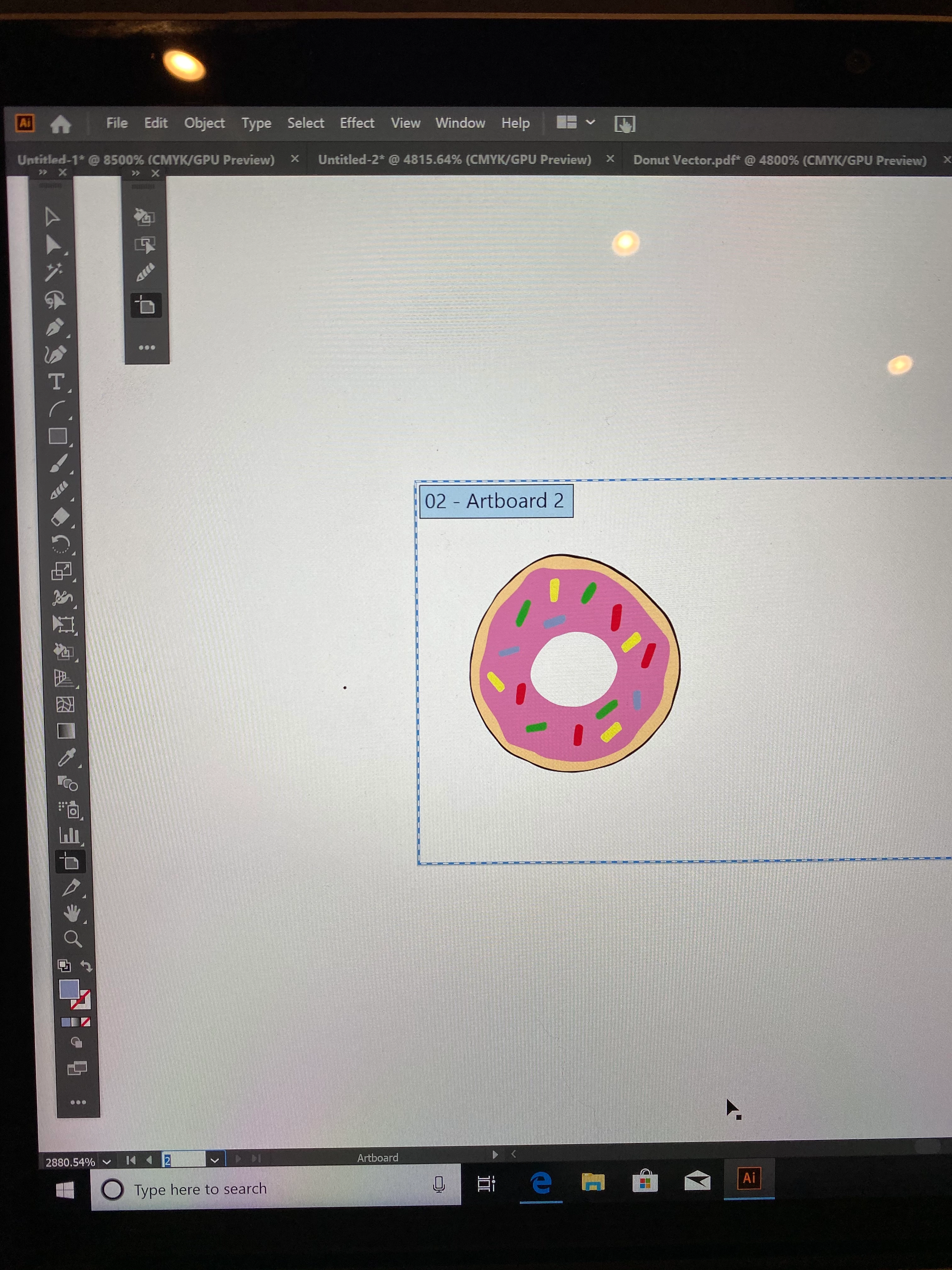
I'm very new to illustrator and I can't figure out how to save my design. I'm trying to upload it to a website called mixbook so I can play around with a greeting card design. Every time I try to export the file as a JPEG the image appears extremely blurry. Any tips about how to export the file correctly? I think I need a jpeg or png. But I may be able to use a PDF or different file format.
.

This topic has been closed for replies.

4 replies

Inspiring
January 7, 2020

as  you  suggested … you  may  purposely   'contact'  the  website  proprietor … encourage  them  to  start  supporting  *.pdf  format  or  even  *.svg  format … however,  pdf  will  be  a  more  likely  candidate … as  svg  favors  interactive/ animation  elements.

Inspiring
January 6, 2020

looks like you've just drawn it really small.  you can just go to export for web, and then choose a size such as 2500px high and you'll get a better quality image out, but your artboard doesn't match the design well so you'll get a load of white space to the right of the donut. You could use the artboard tool as you have currently selected in that screen shot, to make a better shape first (maybe squarer).

Ideally you'd adjust the artboard shape and make it larger then scale your object up to fill it before exporting it. Or you can just select your design, 'Edit > copy', then open a new A4 sized doc and paste it in, then scale it up to fill the page then when you then export as jpeg it will be a much high resolution image.

Ton Frederiks
Community Expert
Community Expert
January 6, 2020

Very small indeed,  the lower left corner says 2880,54% zoomlevel...

Ton Frederiks
Community Expert
Community Expert
January 6, 2020

You can try:

File > Export > Export As > JPEG

Check Use Artboards (if your Artboard matches the size of your card).

Choose High (300ppi) for Resolution and Art Optimzed for Anti-aliasing.


Monika Gause
Community Expert
Community Expert
January 6, 2020

JPEG is a raster image. As well as PNG. So you can expect pixelization with those two.

Your only chance would be to make it bigger than you need and then scale it down.

If PDF will be accepted by the service as well, try that.

Participant
January 6, 2020

Hey Monica, 


Thank for the advice. Could you elaborate about how I can "scale it down"? And does the size of my art board impact my ability to resize? 

Monika Gause
Community Expert
Community Expert
January 6, 2020

It works like so: you export a large image out of Illustrator and then scale it down in that app or whatever that is.