
Answered
How to scale objects with a custom reference point in Illustrator?
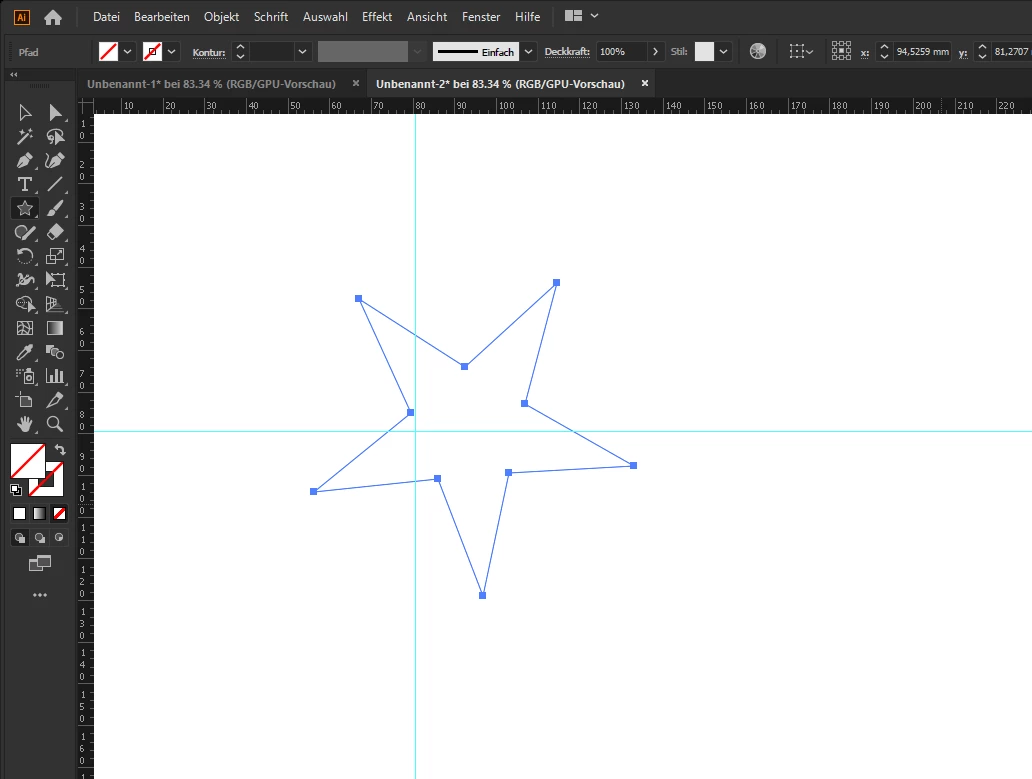
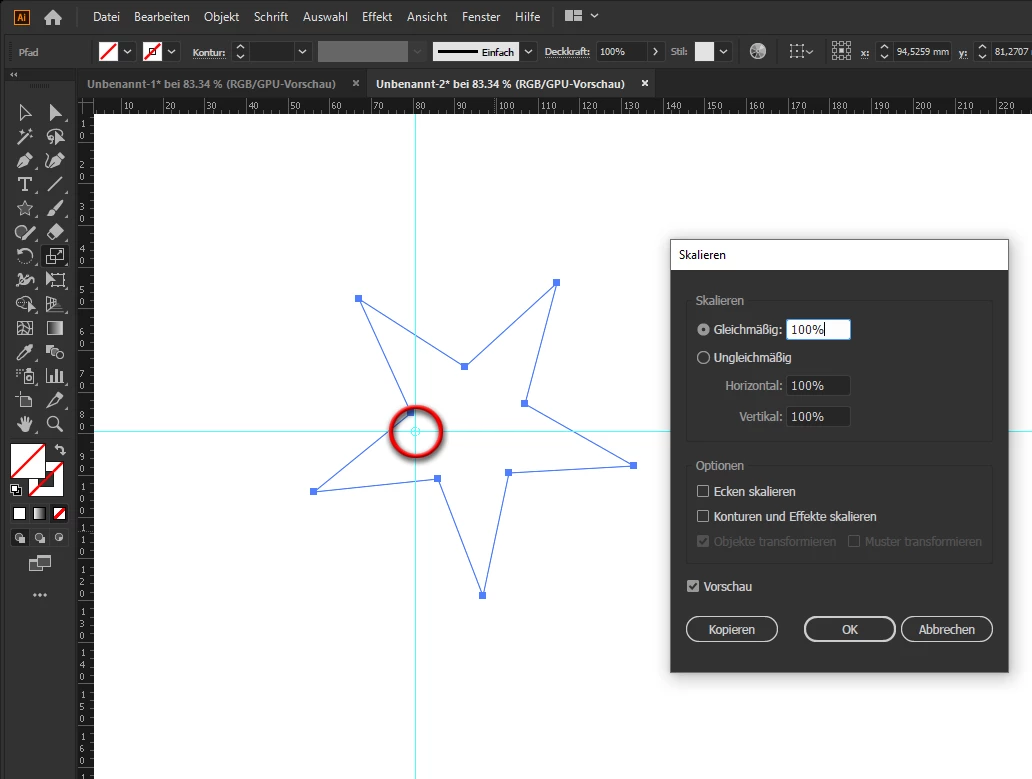
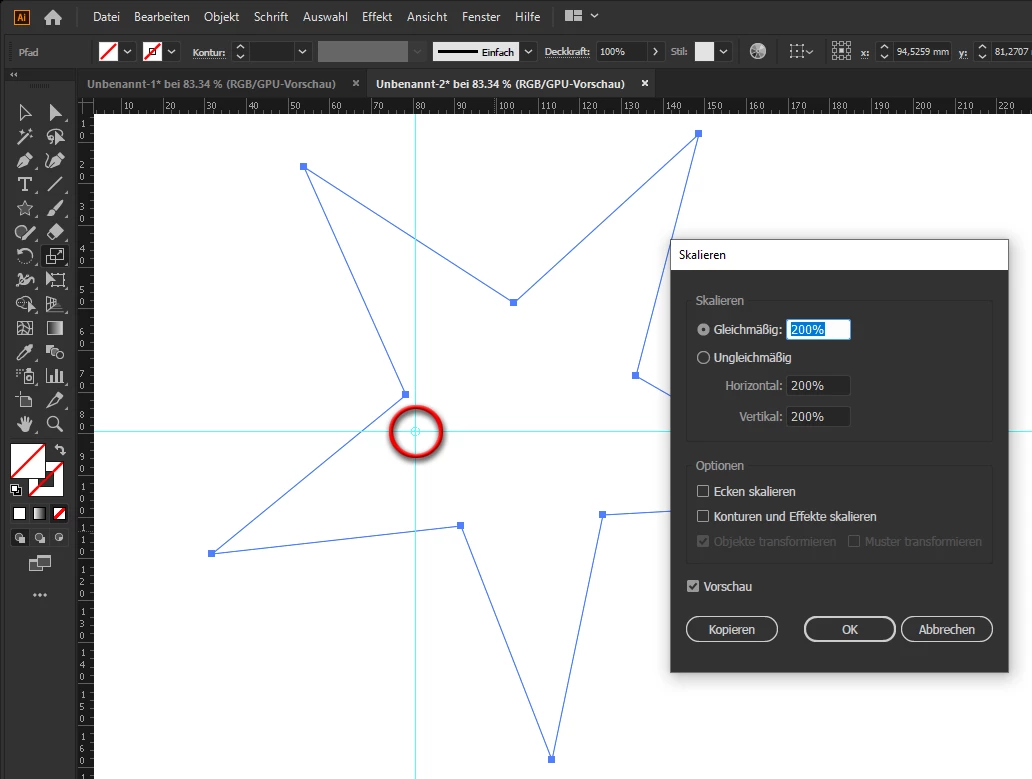
Not really sure how to frame the question, but I'm trying to figure out how/if I can transform objects in Illustrator the same way I can in Photoshop, as seen in this gif. I'm not talking about the Reference Point section of the Tranform panel. When I use the free transform tool, I can easily move the center reference point, but when I Option + Shift + Click and drag a corner, it does not scale based on where I moved that reference point. It just scales from the center, no matter what. Any ideas?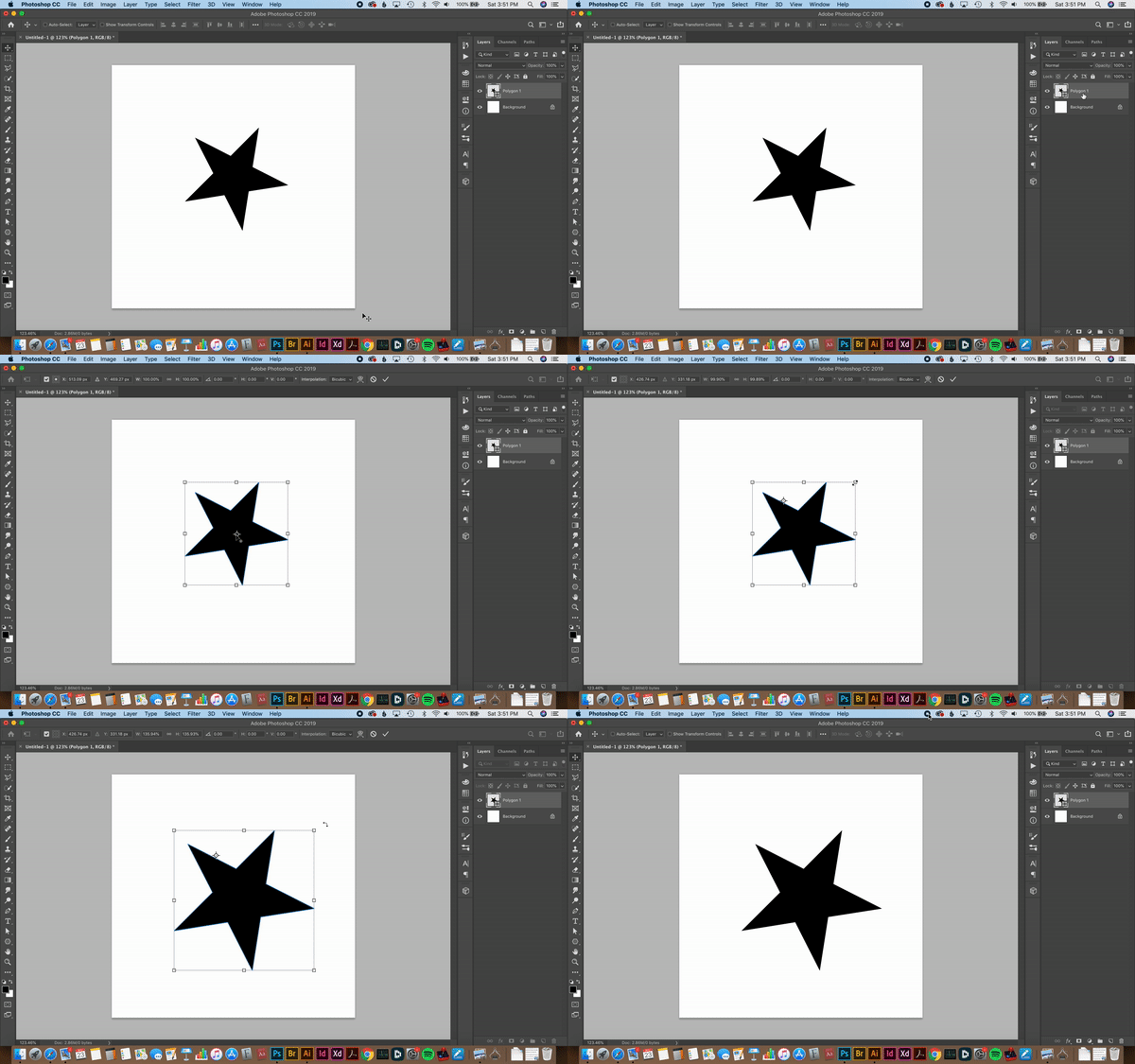
Apologies in advance if this has already been discussed in the Community—I just didn't find anything related to this in any of my searches.
{Renamed by MOD}
 AdChoices