Rbk95
Known Participant
April 20, 2019
解決済み

how to see business card,brochure size in illustrator?

  • April 20, 2019
  • 返信数 3.
  • 2007 ビュー

.

このトピックへの返信は締め切られました。
解決に役立った回答 Bill Silbert

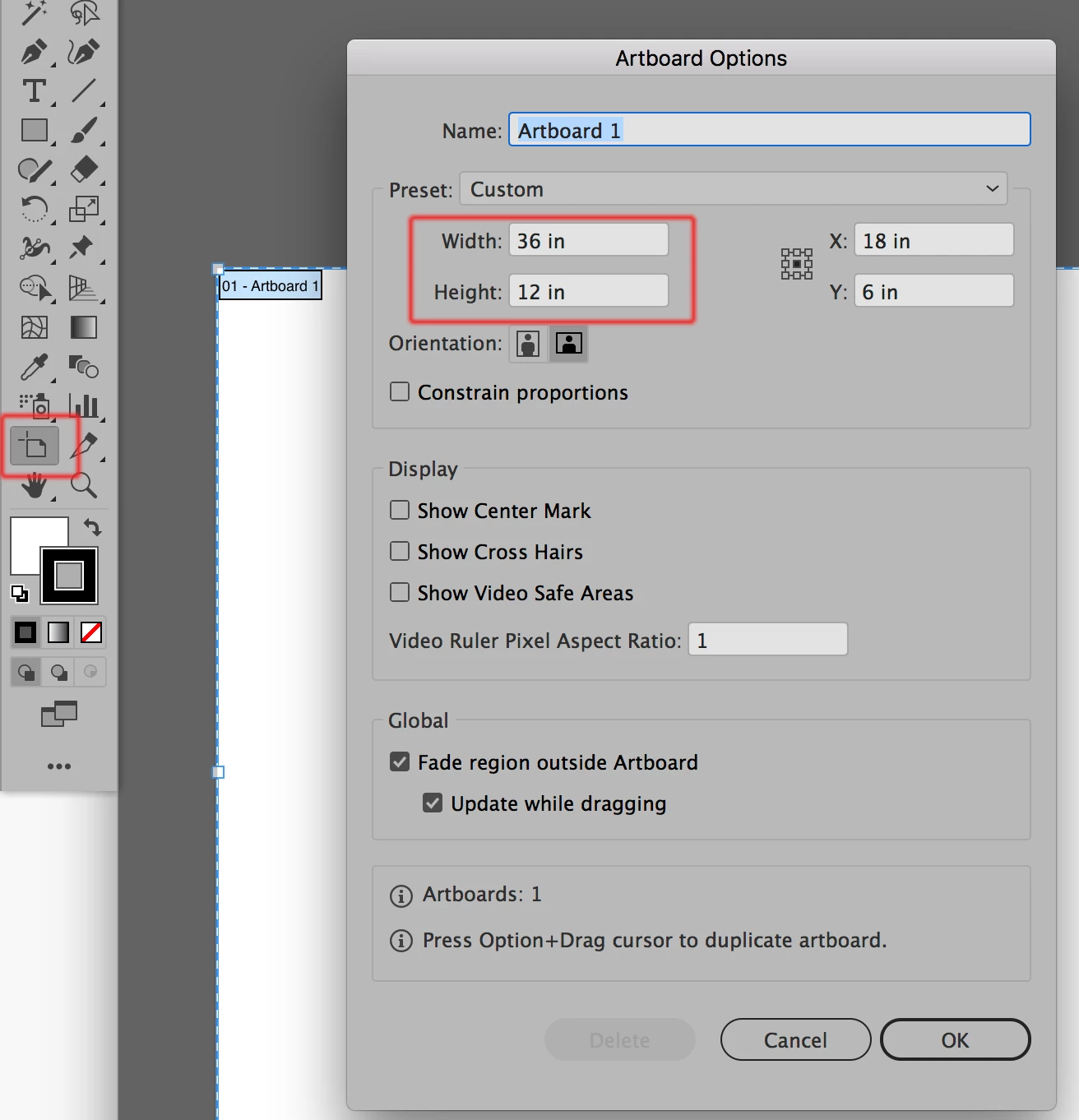
The easiest way to find the artboard size and to then be able to change it is to double-click on the artboard tool. When you do that the Artboard Options dialog will appear and you can make changes to the active artboard in the area highlighted in red in the screenshot below. When you're done simply click on any other tool to get back to the regular Preview or Outline mode.
返信数 3

Jeff Witchel, ACI
Community Expert
Community Expert
April 20, 2019

Hmm!

I know this is not the answer you're looking for but...

Sounds like you're designing layouts. You're in the wrong application.

If you even think of calling it a layout, use InDesign. Brochures should not be designed in Illustrator. It's like hammering a nail with a screw driver.

Inspiring
April 21, 2019

"Sounds like you're designing layouts. You're in the wrong application."

That is bad advice.

Jeff Witchel, ACI
Community Expert
Community Expert
April 21, 2019

I'd like to see you design a brochure in Illustrator, just to see how long it takes.

Illustrator is NOT a layout application.

Bill Silbert
Community Expert
Bill SilbertCommunity Expert解決!
Community Expert
April 20, 2019

The easiest way to find the artboard size and to then be able to change it is to double-click on the artboard tool. When you do that the Artboard Options dialog will appear and you can make changes to the active artboard in the area highlighted in red in the screenshot below. When you're done simply click on any other tool to get back to the regular Preview or Outline mode.

Jacob Bugge
Community Expert
Community Expert
April 20, 2019

Rahat,

As I (mis)understand it, Window>Transform panel with the artwork selected, or File>Document Setup>Artboard.
