dublove
Legend
June 2, 2026
Question

How to select all similar objects above a "backgroud object" ?

  • June 2, 2026
  • 1 reply
  • 33 views

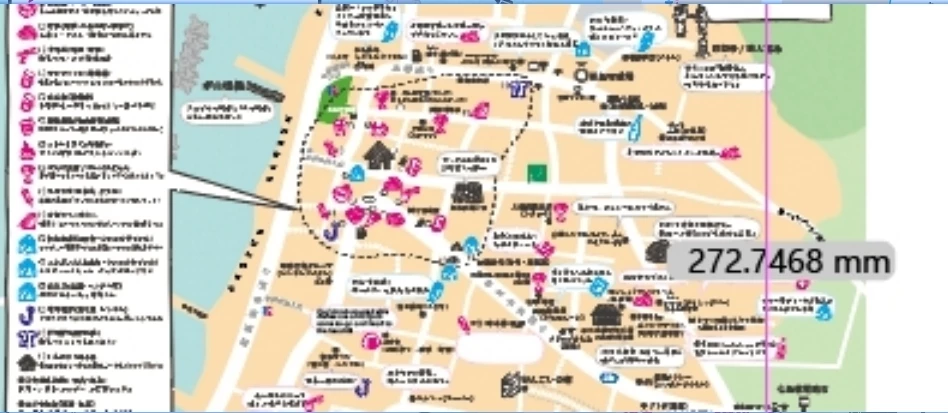
I often receive PDFs that need to be translated into other languages. I need to delete the original text.
However, the PDFs provided by clients have already been converted to curves, and the densely packed text is all converted to curves, with each character as a separate object.

There’s just too much of it, the layers are a mess, and there are different backgrounds as well.
I’ve tried using the “Select Similar” tool, but it always selects completely unrelated text, so I’ve had no choice but to delete them one by one.


I’ve noticed a pattern: some characters are positioned on top of a specific object’s background.
Is it possible to use the background below as a selection boundary to select the text above it?
Is there a script or any clever workaround for this?

Thank you very much.

I’ve provided just a small sample; in reality, it’s much more complex than this.

 

    1 reply

    Jacob Bugge
    Community Expert
    Community Expert
    June 2, 2026

    dublove,


    Maybe far too crude and silly, but unless/until someone presents a clever solution, how about this, just as in the old days?


    With a background path: Select the background path and copy it on top of the text, then write the new text on top of that (while working on it you can temporarily lower the Transparency to see where the original text is).


    Without a background path: Create a background path enclosing the text, with no Stroke and a Fill colour picked from the actual background, then write the new text on top of that (while working on it you can temporarily lower the Transparency to see where the original text is).


    dublove
    dubloveAuthor
    Legend
    June 2, 2026

    The background is too complex, so I don't dare to change the original background lightly, for fear of causing confusion.