Participating Frequently
June 20, 2023
Question

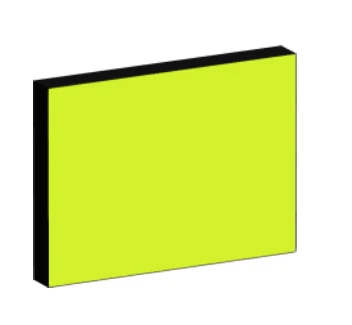
How to set a shadow without 3 d functions

  • June 20, 2023
  • 4 replies
  • 558 views

Hi 

 I have a simple shape and use it with 3d  function extrud

to geht a shadow. How can I achieve this  easily without 3 D functions?


This topic has been closed for replies.

4 replies

Ares Hovhannesyan
Community Expert
Community Expert
June 29, 2023

The most simple way is to create 3 rectangles and shear them. My 2 cents. If you want isometric object lust use this scheme or isometric grid.


Participating Frequently
June 29, 2023

It works with the answer of Ton Frederiks


Unfortunately I can't convert the svg  as vector asset in Jetpack Compose 

the shadow seems not working there tried


Effekte / Stilisierungseffekte / Schlagschatten 

or 

Effekte / SVG-Filer / AI-Schatten

Ton Frederiks
Community Expert
Community Expert
June 20, 2023

That is an extrusion, not a shadow. If you want a vector dropshadow, use Effect > Stylize > Dropshadow and set the Blur to 0.

Larry G. Schneider
Community Expert
Community Expert
June 20, 2023

And be sure you are using the Illustrator Effects, not the Photoshop one.

Monika Gause
Community Expert
Community Expert
June 20, 2023

Can be achieved with blends or the transform effect. Unless exporting to pixels you don't want to do either, because they create a boatload of paths.