Answered
How to set up shortcut for Trap command?
How to set up shortcut for Trap command from Pathfinder menu?
How to set up shortcut for Trap command from Pathfinder menu?
Hi,
1.
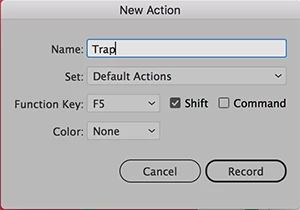
It's possible to record a simple action in the 'Actions' panel and assign F1-F12 keys with Shift or Cmd/Ctrl keys to this action.
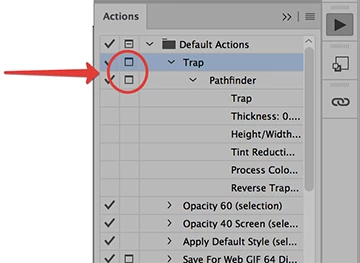
But if you need to change 'Trap' options each time you must activate 'dialog' option for this action.
2.
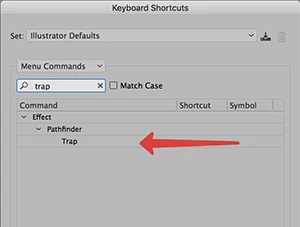
Also it's possible to assign a shortcut for "Trap" as an effect.
But in this case you also need to assign some shortcut for Expand command, because each time this Trap effect must be expanded.
Already have an account? Login
Enter your E-mail address. We'll send you an e-mail with instructions to reset your password.
 AdChoices