Dilly_Dally
Inspiring
August 4, 2025
Answered

How to smooth a point where to curves meet. (Can't find how to show corner widgets)

  • August 4, 2025
  • 1 reply
  • 119 views

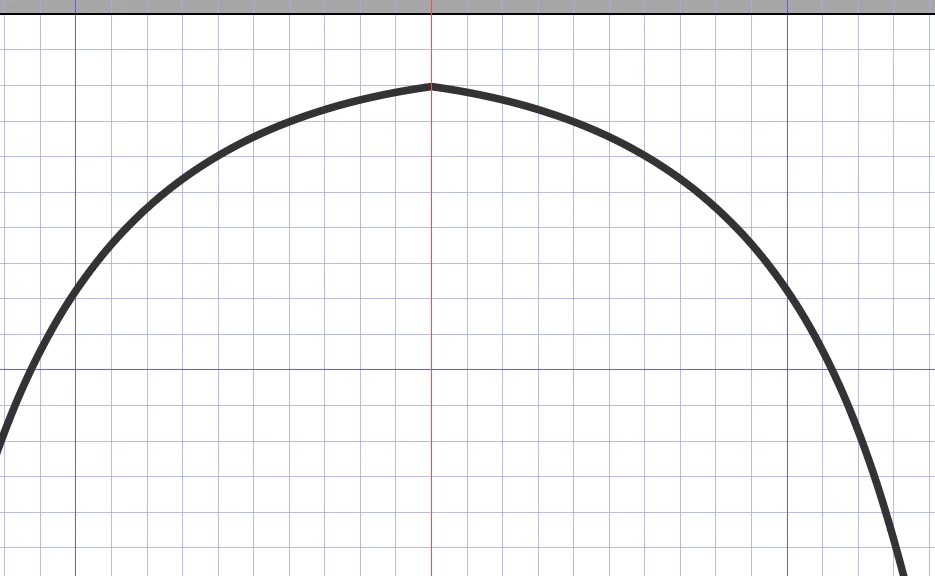
I am returning to AI after a few years.  I am have two curves that meet, and am trying to flatten out a point at the top.  I can't seem to figure out how to show the corner widgets (if that is right approach)

Also, I tried to attach the actual ai file, but it wouldn't let me??


Correct answer Scott Falkner

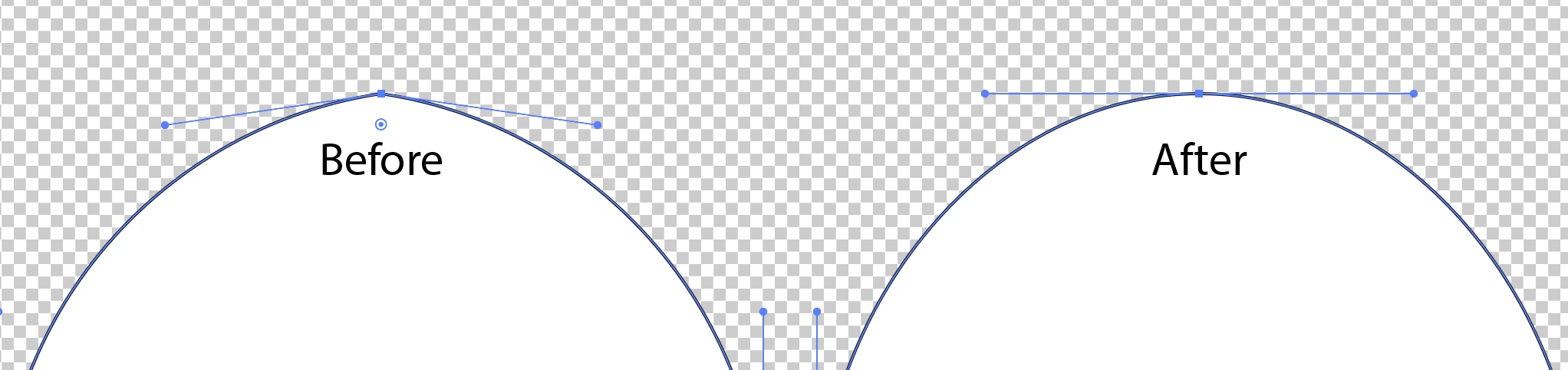
I will asume this is one corner point with two non-parallel control handles, not two endpoints. (If it is two enpoints, join then first. Select both points by dragging to select them using the Direct Select tool [white arrow] then average them, then join them.)


Use the pen tool and Option (Mac) or Alt (Windows) drag from the point. This will replace the two non-parellel control handles with sytemrical handles.


You might have Hide Edges on in the View menu. This will hide details that show objects are selected. 

1 reply

Scott Falkner
Community Expert
Scott FalknerCommunity ExpertCorrect answer
Community Expert
August 5, 2025

I will asume this is one corner point with two non-parallel control handles, not two endpoints. (If it is two enpoints, join then first. Select both points by dragging to select them using the Direct Select tool [white arrow] then average them, then join them.)


Use the pen tool and Option (Mac) or Alt (Windows) drag from the point. This will replace the two non-parellel control handles with sytemrical handles.


You might have Hide Edges on in the View menu. This will hide details that show objects are selected.