
ashimg23377171
Inspiring
December 28, 2017
Answered

How to split a circle with each part of the cirlce separated by an arrow

  • December 28, 2017
  • 1 reply
  • 1269 views

Hello

I am a naïve user of Illustrator.

I wish to create  the following:

I have been able to get the foll done thus far, that is, splitting of the circle, but im not quite able to figure how I should replicate the white arrows servings as delimiters for each part of the circle (as in the image above).
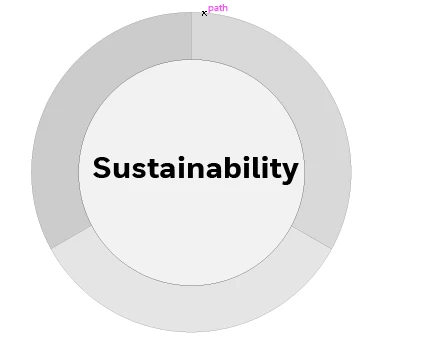
Any guidance would be appreciated.

Regards

    This topic has been closed for replies.
    Correct answer manal shanableh

    Hi, For arrow.. draw a stroke with pin tool and make the thikeness as you wish. Then object> expand.. now the stroke converted to fill.

    Select the circle and the 3 arrows, with shape builder.. select the part you want to remove and click ALT.

    1 reply

    manal shanableh
    Legend
    December 28, 2017

    hi,

    after you draw a circle, draw an arrow on one side, with rotate tool, drag the arrow center to the center of the circle, long alt click on the center mark, the rotate tool will appear, put 360/3 and click copy

    then Ctrl or cmd D to repeat

    then use shape builder tool or pathfinder panel to cut the arrows from the circle.

    ashimg23377171
    Inspiring
    December 29, 2017

    thanks Manal

    I followed your instructions,and I have been able to get this far.

    however, I have hit a brick wall with the foll:

    then use shape builder tool or pathfinder panel to cut the arrows from the circle.

    I was wondering if you could break down the above instruction for me.

    Also, I have created these arrowheads using the Pen tool. is there a better/cleaner way to create them.

    Thanks for your help.

    Regards

    manal shanableh
    manal shanablehCorrect answer
    Legend
    December 29, 2017

    Hi, For arrow.. draw a stroke with pin tool and make the thikeness as you wish. Then object> expand.. now the stroke converted to fill.

    Select the circle and the 3 arrows, with shape builder.. select the part you want to remove and click ALT.