



Bryce.4786
Participant
May 12, 2026
Question

How to turn overlapping paths to become one path?

  • May 12, 2026
  • 1 reply
  • 58 views

So I am trying to CNC awards for the end of my robotics season and this one part of one of the awards I am trying to make is having trouble in the CNC router so I need to fix it in Illustrator. The issue is that I have parts of circles joined with most of the award but then there are a few parts that aren’t joined and that is where I am struggling.
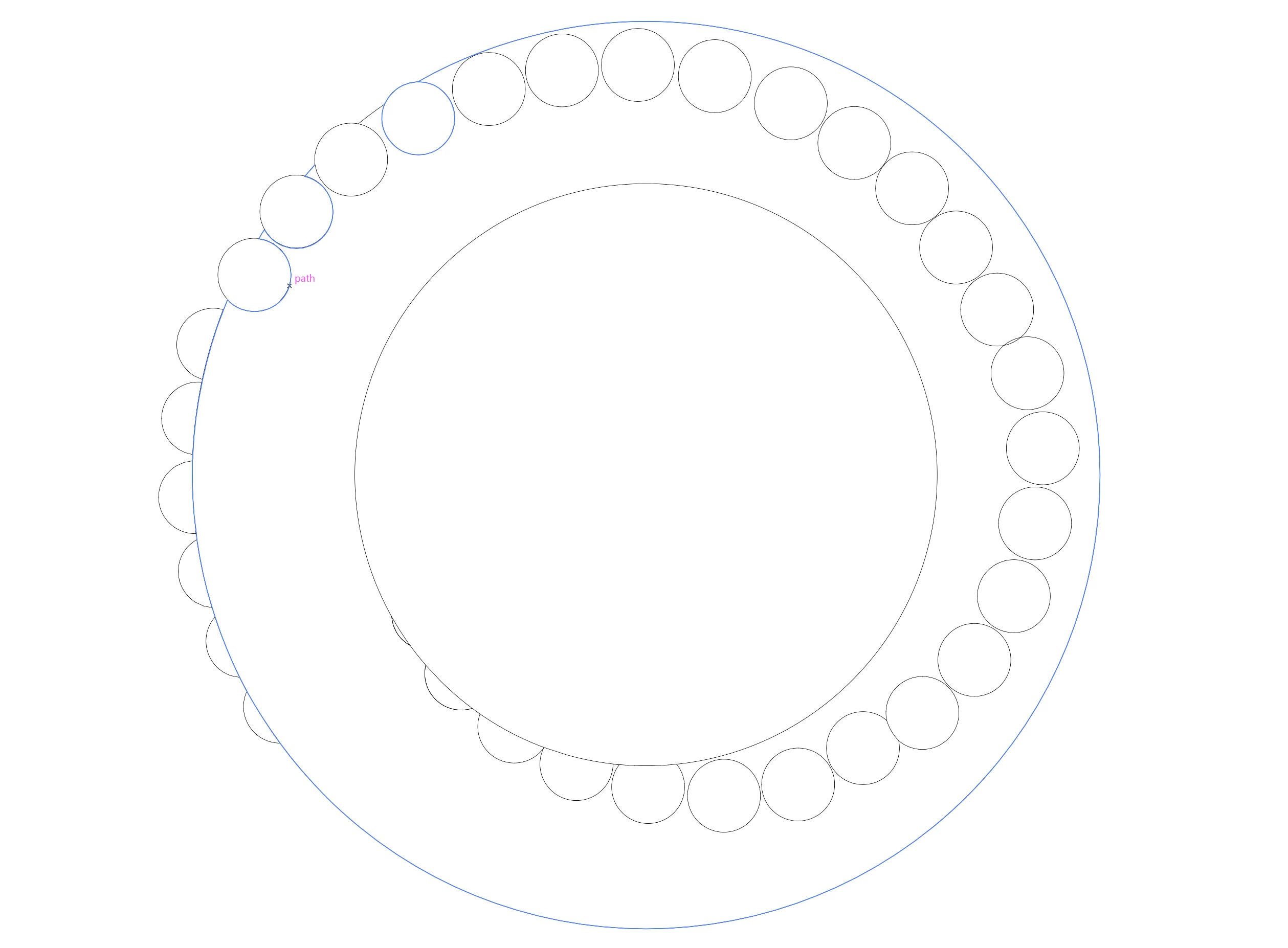
Here is what I am trying to CNC and the blue that is highlighted is all one path but for some of the circles it stops at half way and leaves the other half not included if that makes any sense
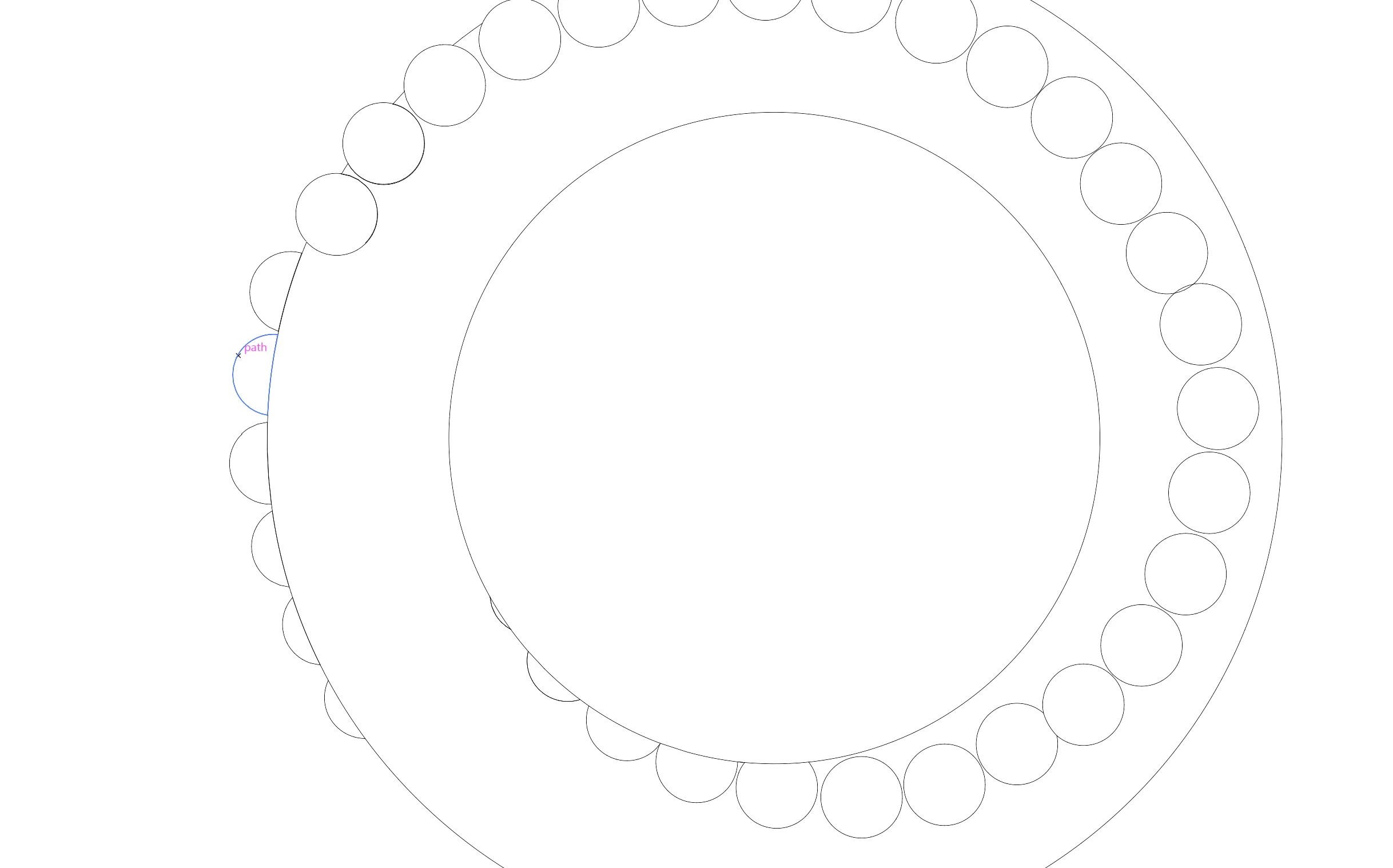
Here the semi circles are sitting on the outside circle but I want them to be all one path and not just sitting on top of each other.

I know this is probably hard to understand and I am willing to answer all question that will help people understand what I am trying to do. I also attached the file so people can mess around and try to fix it on there own. 
Thanks in advance for the help. :)

1 reply

Tina_Irvine
Community Expert
Community Expert
May 13, 2026

Hi ​@Bryce.4786,

Do you need all of the lines touching or actually connected as one path? Unless the path loops around, or becomes a filled object (no longer a path), the paths cannot join otherwise. Paths basically have to have a start and a finish - similar to tracing it a pen without lifting the pen off the paper.

Bryce.4786
Participant
May 13, 2026

Thanks for helping ​@Tina_Irvine
So what I basically need is for every overlapping line to become one line. The whole thing doesn’t need to be one whole path I just want the overlapping lines to become one line. So like the half circles that are on the outer line I would like those to become one line if possible.

Tina_Irvine
Community Expert
Community Expert
May 13, 2026

Hi Bryce,

Could you please roughly trace over what you’d like to be connected?