



Answered
How to turn this off?
Whenever I try to scale something proportionally, I usually just hold the shift button and drag my mouse without much issue.
I'm now seeing this guide show up when I try that and it's very hit at miss to get my scale to work easily. Just need to know where I can turn off whatever is activating this "uniform" guide line.
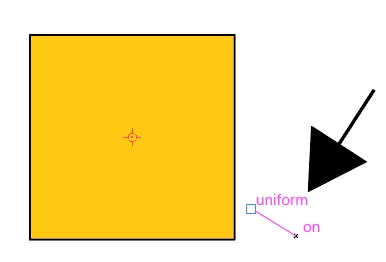
Edit: Sorry. Found it. Turned off "Transform Tools" in Preferences/Smart Guides menu. Nothing to see here.

 AdChoices