


Known Participant
June 17, 2024
Answered

how to vectorize a semi transparent object

  • June 17, 2024
  • 4 replies
  • 1313 views

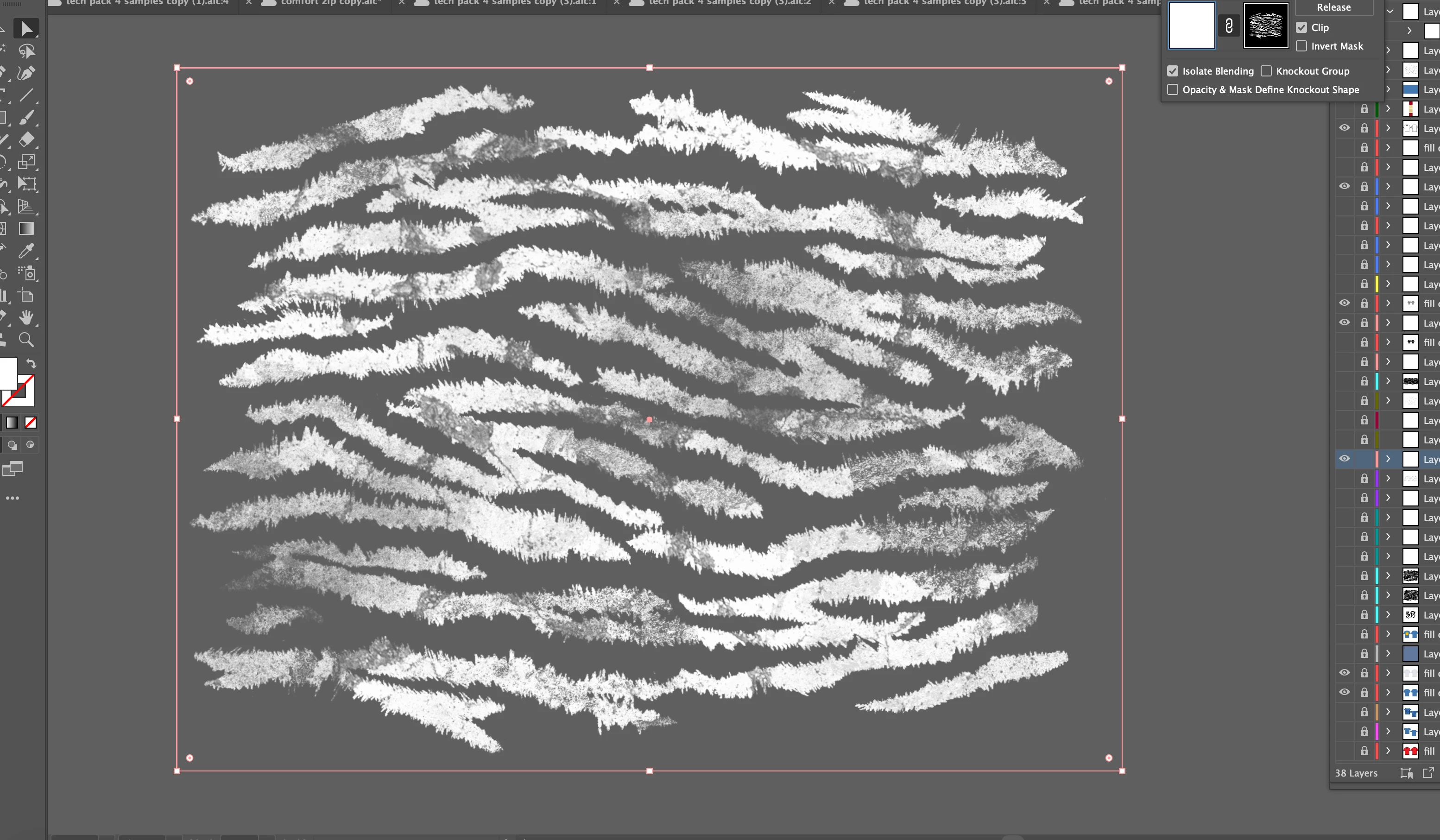
there isint much written about this onine but basically i have a transparent png of distressed tiger marks I made on procreate however the issue i am experiencing is that I cant vectorize this image since it has different opacitys because of the distressing. If i put it through image trace, the parts that have the distressed effects with just become light gray instead of a transparent black. can someone please guide me on how i can vectorize this graphic while still preserving its different transparencys (because i dont want to vectorize the solid stripes and edit the picture again with distressing tools that illustrator offers since i like the procreate ones better.)

This topic has been closed for replies.
Correct answer Mike_Gondek10189183

Best you can do with image trace is to ignore white. But it will only make solid white transparent and you need percentages. So you can get this to be 100% vector elelmetns

You could edit the image in Photoshop to be black and white, and vectorize that. They use that as a vector mask in photoshop over an entire bitmapped image with bleed that goes past the vector shapes . That would give you a vector edge if you export to PSD or pdf which have transparency.


4 replies

Ton Frederiks
Community Expert
Community Expert
June 17, 2024

Printing is done without transparency, shades of gray are converted to small and large opaque screen dots that simulate the gray.

Monika Gause
Community Expert
Community Expert
June 18, 2024

Unless you are printing white direct to garment. They can handle that.

Monika Gause
Community Expert
Community Expert
June 17, 2024

Image trace will not produce transparency.


But anyway: talk to the t-shirt printer about resolution. The fabric will be the bottleneck anyway. Fabric just isn't high resolution

Mike_Gondek10189183
Community Expert
Mike_Gondek10189183Community ExpertCorrect answer
Community Expert
June 17, 2024

Best you can do with image trace is to ignore white. But it will only make solid white transparent and you need percentages. So you can get this to be 100% vector elelmetns

You could edit the image in Photoshop to be black and white, and vectorize that. They use that as a vector mask in photoshop over an entire bitmapped image with bleed that goes past the vector shapes . That would give you a vector edge if you export to PSD or pdf which have transparency.


Known Participant
June 17, 2024

hi sorry can you explain it a little better because I already have the solid version of those stripes vectorized im just lost on what to do after in photoshop.

Brad @ Roaring Mouse
Community Expert
Community Expert
June 17, 2024

Why are you needing to vectorize this? Sounds like you already have what you need.

Known Participant
June 17, 2024

because i want to produce the design on t shirts and since I currently have a raster image, I worry that it will be lower quality than a vector image.

Brad @ Roaring Mouse
Community Expert
Community Expert
June 18, 2024

If you are talking aboout inkjet T-shirt printing, it's pretty low-quality, so if you have a decent resolution (say 300 ppi) now, you'll be more than fine.