ivy_2003
Participant
January 28, 2026
Answered

How to work with 9-slice scale images?

  • January 28, 2026
  • 1 reply
  • 40 views

Hi! Could someone please help explain to me how to work with 9-slice scale images? I have downloaded images from shutterstock and the majority of them are these files. I can not figure out how to remove the tiled background without it messing up the look of the image. Thank you!

Correct answer Ton Frederiks

I think that you have 2 questions, about 9 slice scaling and about the tiled background.

You may want to show the document with the Layers panel and the main layers expanded to see what you are talking about.

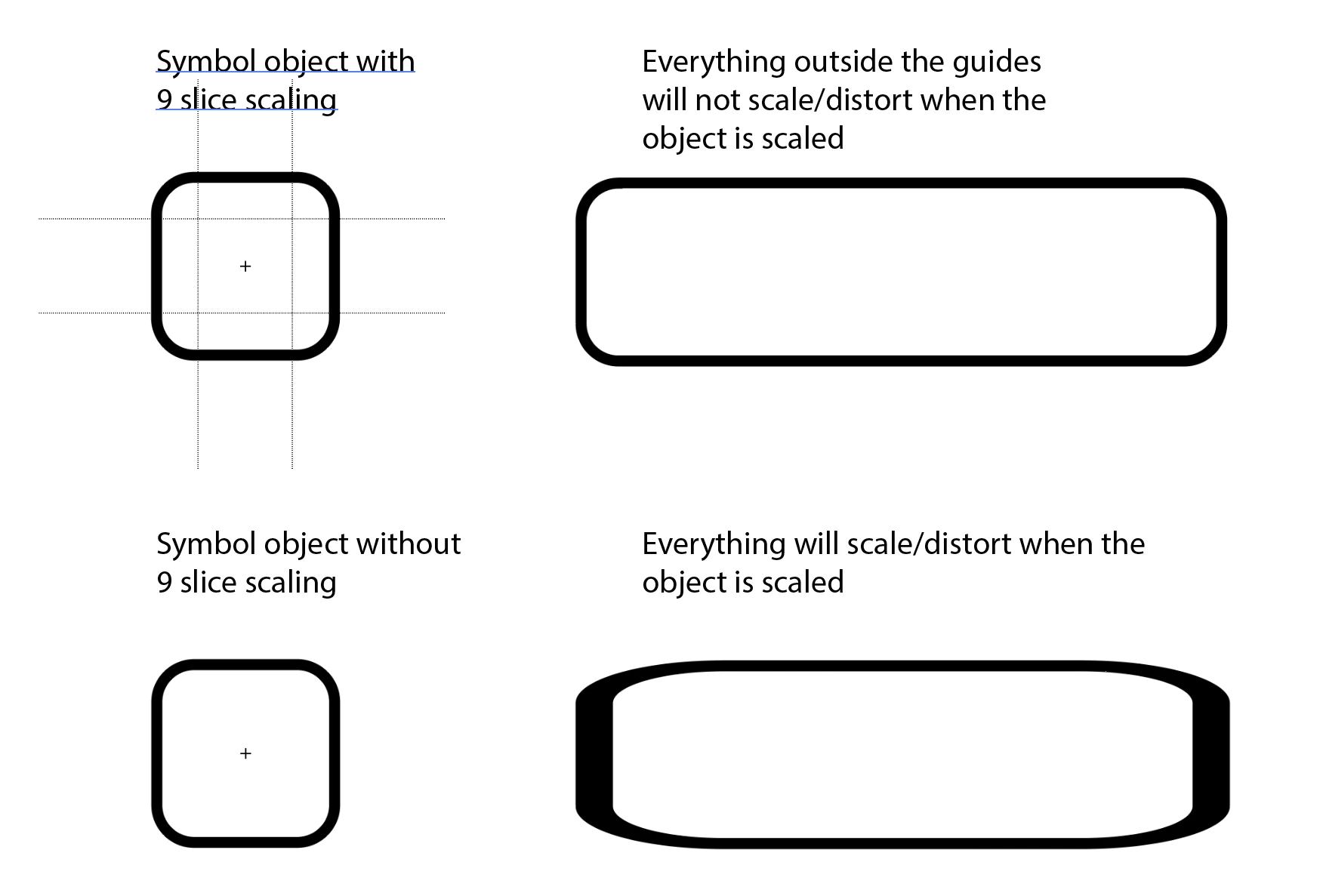
About 9 slice scaling. That is something that can be turned on when creating a Symbol.

Double click a Symbol in the Symbols panel to see it.

Symbols with 9 slice scaling have 4 guides that divide the object. 

Everything outside the guide will remain unscaled/undistorted when the symbol is scaled.


1 reply

Ton Frederiks
Community Expert
Ton FrederiksCommunity ExpertCorrect answer
Community Expert
January 28, 2026

I think that you have 2 questions, about 9 slice scaling and about the tiled background.

You may want to show the document with the Layers panel and the main layers expanded to see what you are talking about.

About 9 slice scaling. That is something that can be turned on when creating a Symbol.

Double click a Symbol in the Symbols panel to see it.

Symbols with 9 slice scaling have 4 guides that divide the object. 

Everything outside the guide will remain unscaled/undistorted when the symbol is scaled.