
How to work with photos / align object to angled lines - product packaging
Hey there, sometimes i do product package designs, not very often, and i use illustrator for the job.
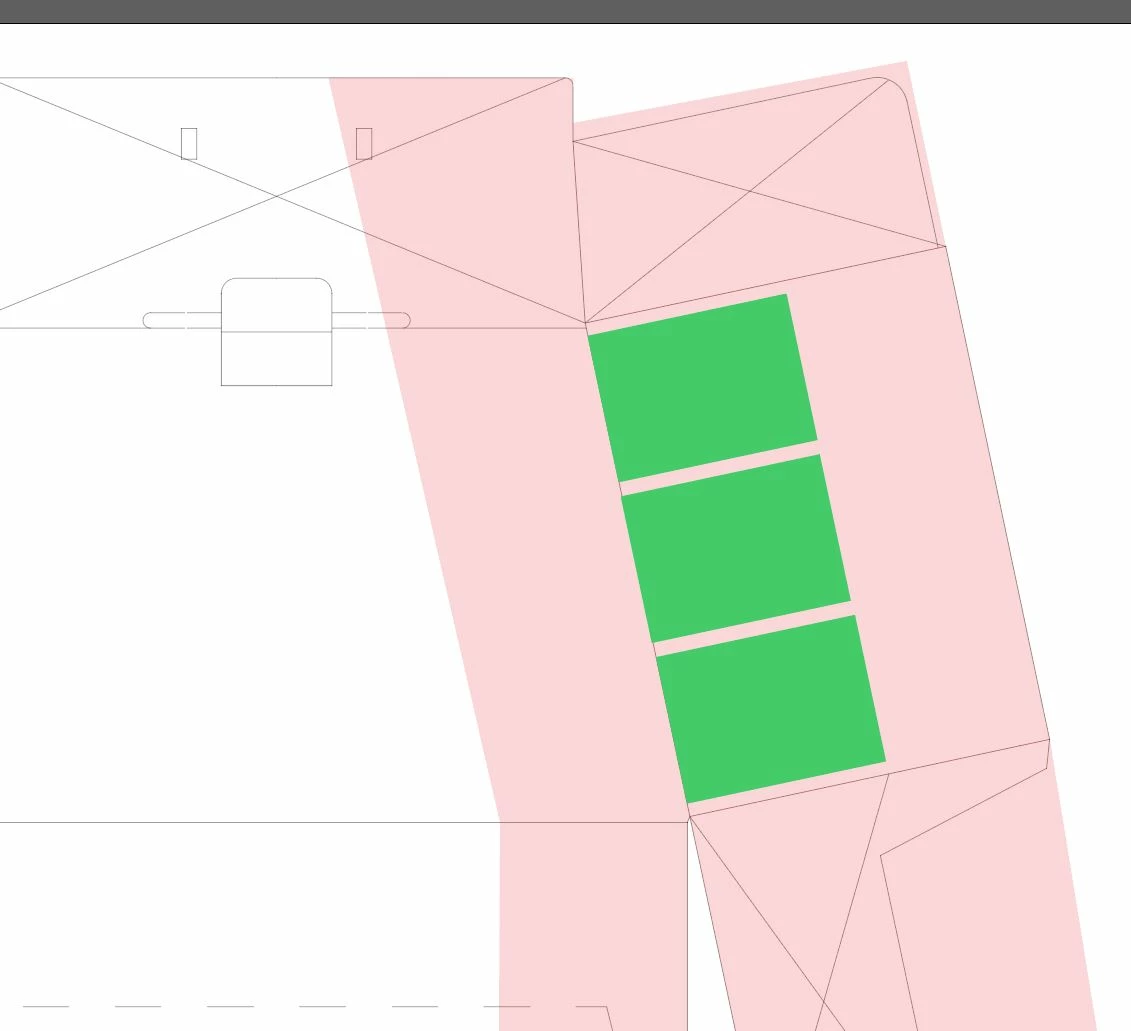
Could someone please advice me, what is your workflow when working on angled space like in this picture? I mean, anything i paste in - picture, logo, all that, is automatically imported let say in 90degree angles (if it makes sence) and as that it also snaps to lines. How i did that, with a ruler i measured angle of the line (inaccurate solution imo) and then rotated everything i needed by the amount measured, for example those green boxes, i wanted them as a template to paste pictures there instead later, so each rectangle i created, rotated by the angle needed (12°) and somehow accurately tried to "snap" it to the die-cut line of the box (left side of those green boxes), the same goes for precise spacing objects on the angled surface, after selecting all three rectangles, how to easily use allign panel? without the need to do that in "rectangular" way and rotate it after.
I believe there has to be simpler way than i am doing it due to lack of expertise with this program.
Could any of you experienced folks out there advice me a way to work faster on angled surfaces like this?
Thanks TON!
(sorry for "my" English, it is not my native language)
 AdChoices