
Participant
March 26, 2018
Answered

How to wrap a shape around text?

  • March 26, 2018
  • 2 replies
  • 936 views

So basically I'm looking to wrap one side of a rectangle around text so it kind of looks like an extended drop shadow, see HERE (top left, where this persons name is) I can't for the life of me figure out how to do this.
    This topic has been closed for replies.
    Correct answer Simmer1

    To achieve this look you can just Draw one Black straight line shape beneath the type.

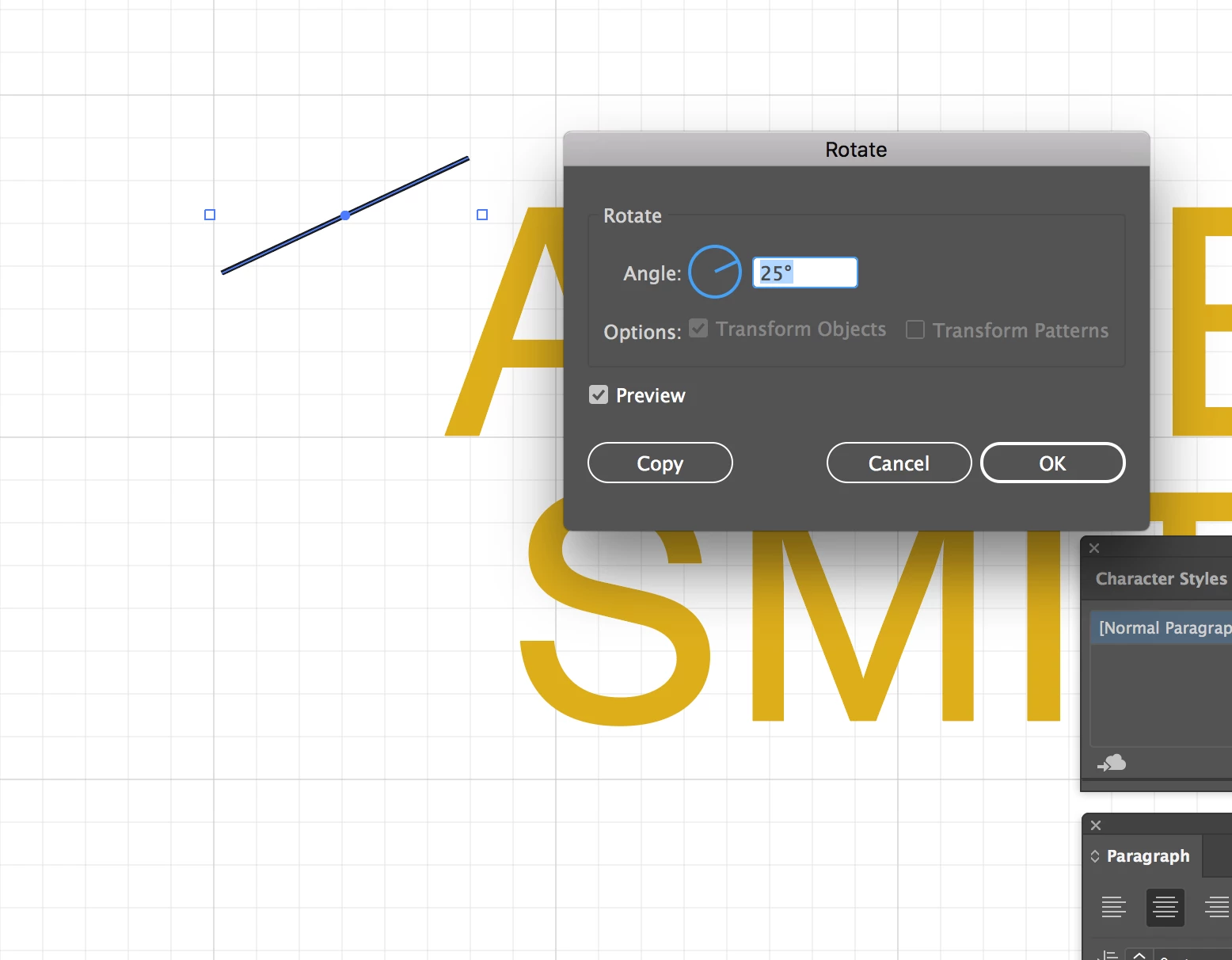
    You can keep the angle consistent by drawing a line then go Object >Transform >Rotate and set it to the desired angle (make sure you have Preview checked).

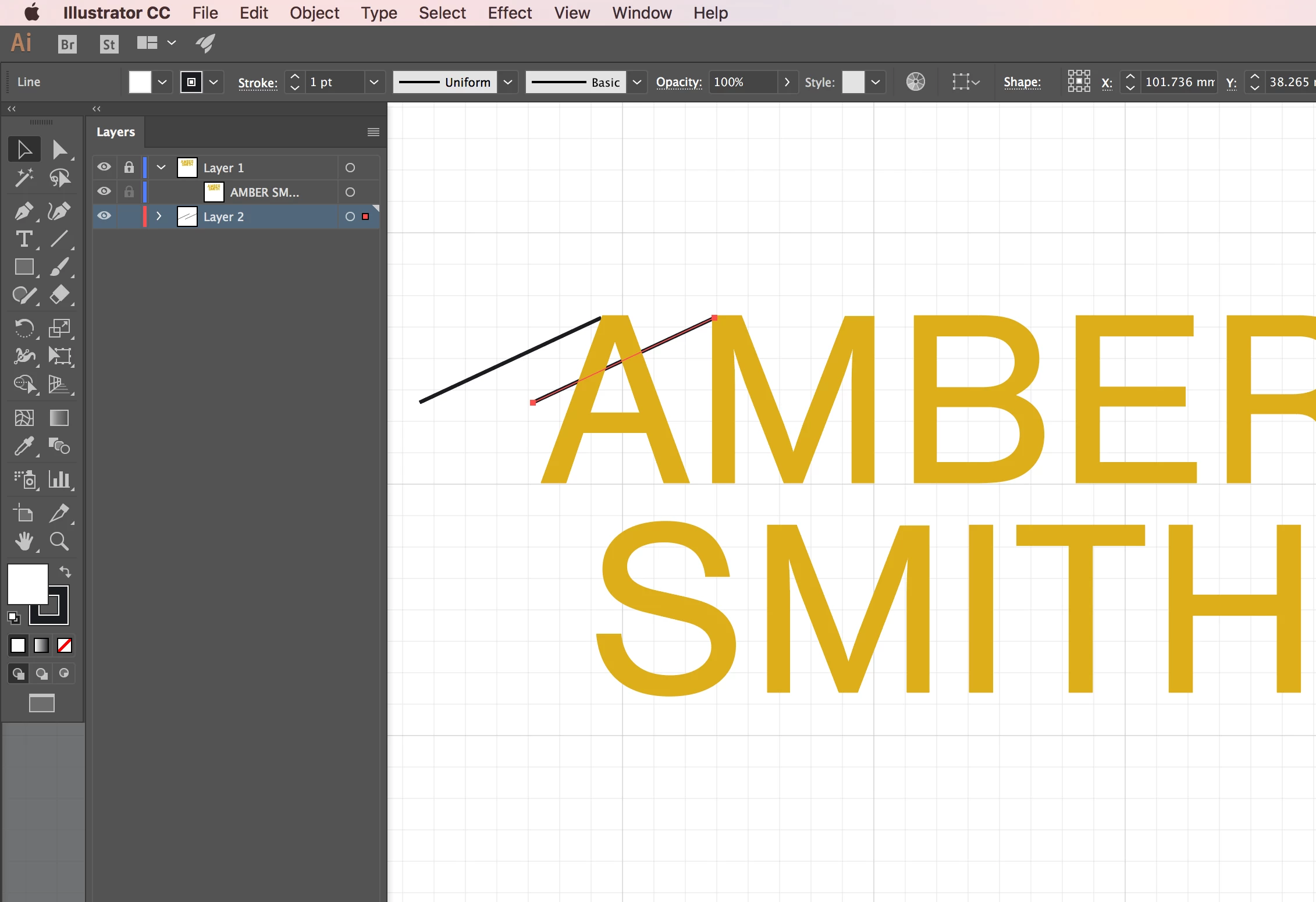
    Also create the black shape on its own Layer.

    Select the angled line and the press atl + shift to duplicate it and reposition it along the same horizontal line.

    Finally use the Pen Tool to draw you main shape.

    I hope this helps!

    Sim

    2 replies

    Simmer1
    Community Expert
    Simmer1Community ExpertCorrect answer
    Community Expert
    March 26, 2018

    To achieve this look you can just Draw one Black straight line shape beneath the type.

    You can keep the angle consistent by drawing a line then go Object >Transform >Rotate and set it to the desired angle (make sure you have Preview checked).

    Also create the black shape on its own Layer.

    Select the angled line and the press atl + shift to duplicate it and reposition it along the same horizontal line.

    Finally use the Pen Tool to draw you main shape.

    I hope this helps!

    Sim

    Participant
    March 26, 2018

    Lovely! Thank you for your help!

    Simmer1
    Community Expert
    Community Expert
    March 26, 2018

    I am glad I could help!

    Monika Gause
    Community Expert
    Community Expert
    March 26, 2018

    What have you tried?

    Please show.