Known Participant
February 23, 2026
Answered

How to Wrap text on single line?

  • February 23, 2026
  • 3 replies
  • 40 views

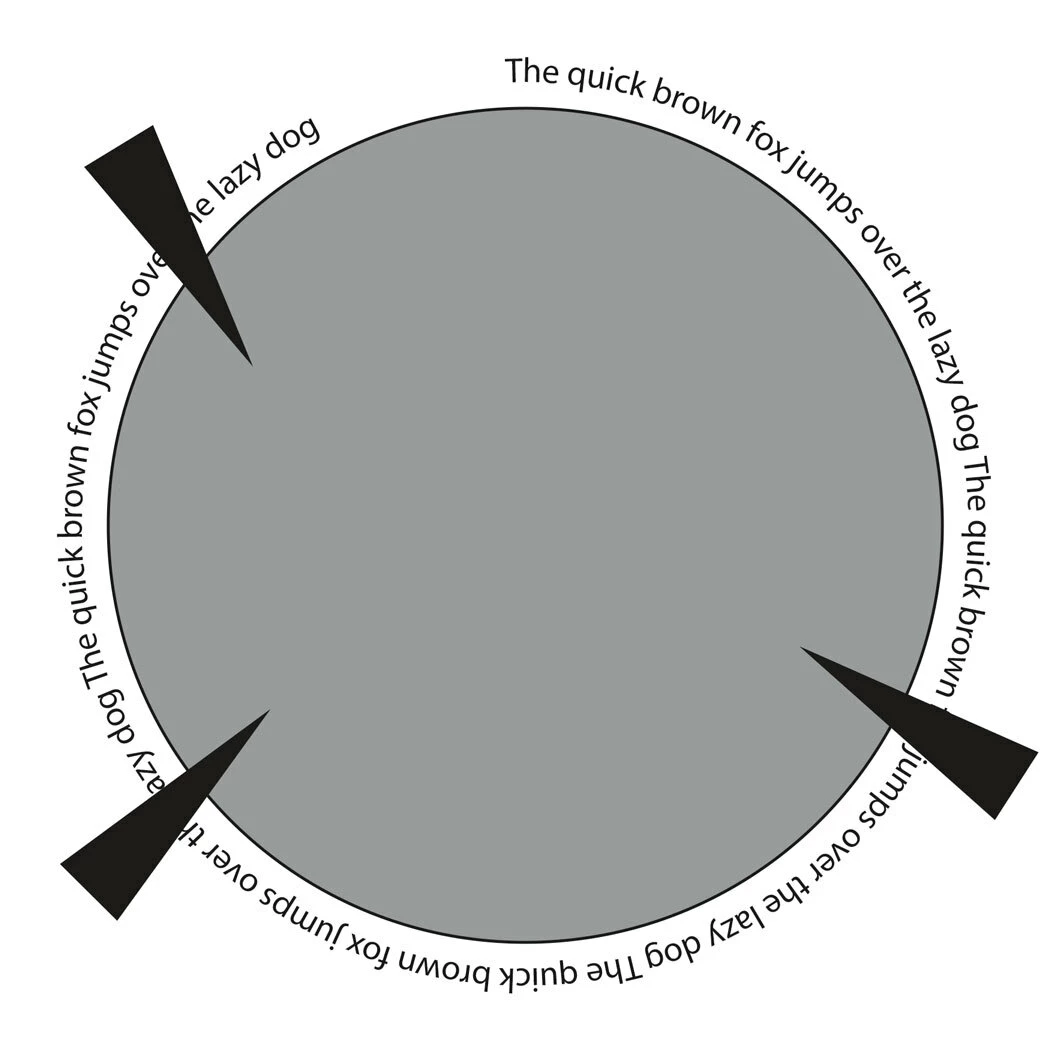
While its easy to wrap area text around an object, is it possible to do the same for text on a path? Like in this example have the words wrap to either side of the triangles. 
 

    Correct answer Conrad_C

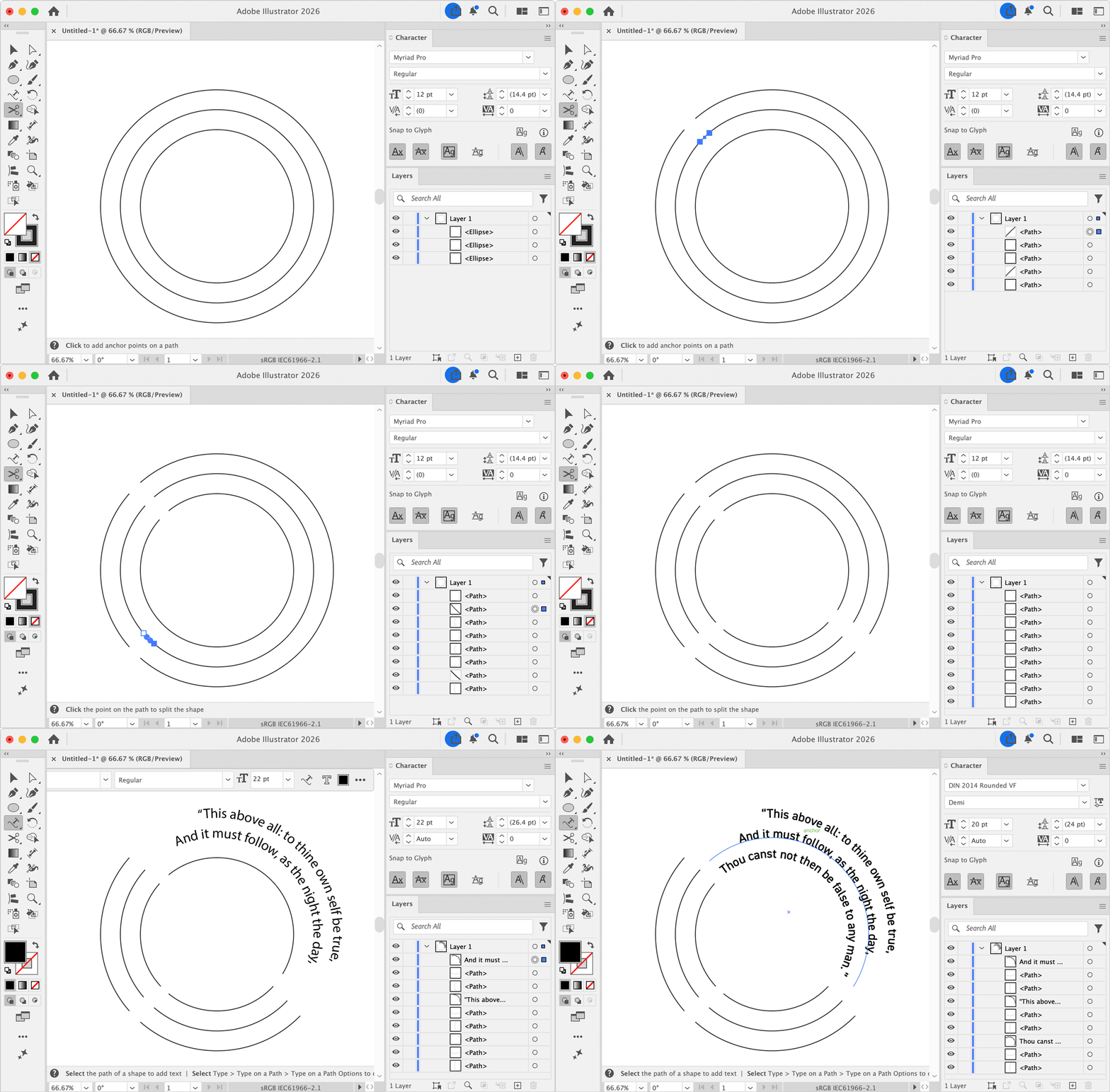
    Not automatically. One quick way to get what you want would be to make concentric circles, use the Scissors tool to cut up the circles at your triangles, and then use the Type on a Path tool to manually paste or type the pre-broken lines onto each concentric segment, as shown in the demo below.


    3 replies

    Known Participant
    February 24, 2026

    Thanks I guess just doing it manually will have to suffice. It just seem so obvious when you have objects sitting there with text wrap enabled, and paragraphs of text easily wrap around them but single lines of text have to be different for some reason.

    Conrad_C
    Community Expert
    Conrad_CCommunity ExpertCorrect answer
    Community Expert
    February 23, 2026

    Not automatically. One quick way to get what you want would be to make concentric circles, use the Scissors tool to cut up the circles at your triangles, and then use the Type on a Path tool to manually paste or type the pre-broken lines onto each concentric segment, as shown in the demo below.


    Kurt Gold
    Community Expert
    Community Expert
    February 23, 2026

    No, you’d have to use tabulators or some kerning settings to do it.