andreaf23600721
Known Participant
February 14, 2026
Question

I am trying to use interwine tool but it isn't working. please help

  • February 14, 2026
  • 2 replies
  • 32 views

I would like to make it look as if the L is going through
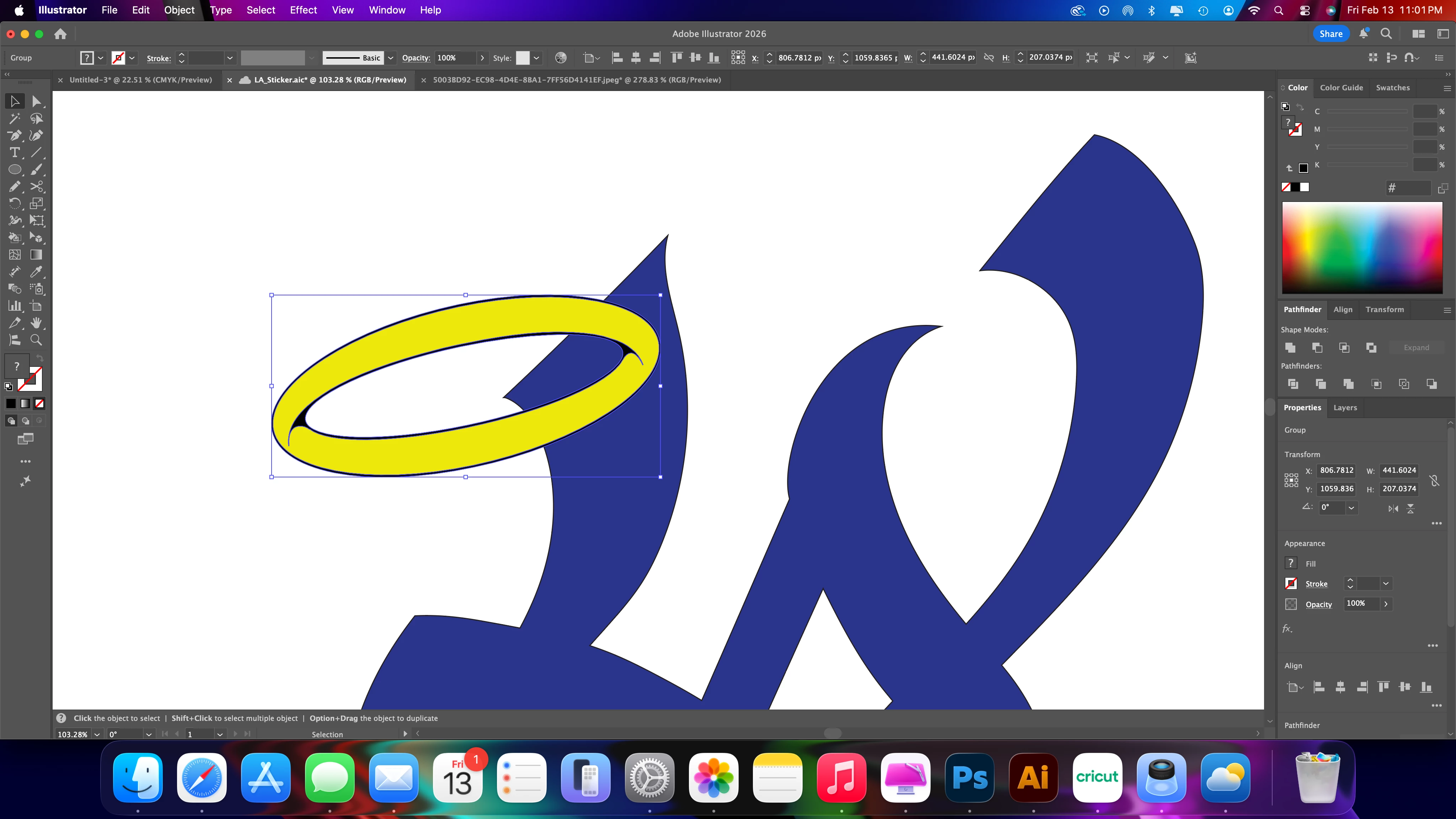
any help is appreciated

    2 replies

    Anubhav M
    Community Manager
    Community Manager
    February 16, 2026

    Hello ​@andreaf23600721 


    Thanks for reaching out. I hope Monika’s suggestions helped resolve your question. If not, kindly share a sample file along with a brief screen recording of your exact workflow so we can better assist you.
     

    Looking forward to hearing from you.
    Anubhav

    Monika Gause
    Community Expert
    Community Expert
    February 14, 2026

    You first need to move the ring, so that the blue thing can go through it at all.. Then select both elements and Object > Intertwine > MAke. Then roll over with the cursor and click.


    Both objects are vector paths, right?