

liyanahshm
Participant
March 14, 2026
Answered

Error accessing Cloud Documents - Something went wrong - Illustrator on macOS

  • March 14, 2026
  • 5 replies
  • 113 views

Hello, I am unable to access my Adobe Cloud files in my Illustrator. This is the system error that showed up when I tried to open my Cloud Files 
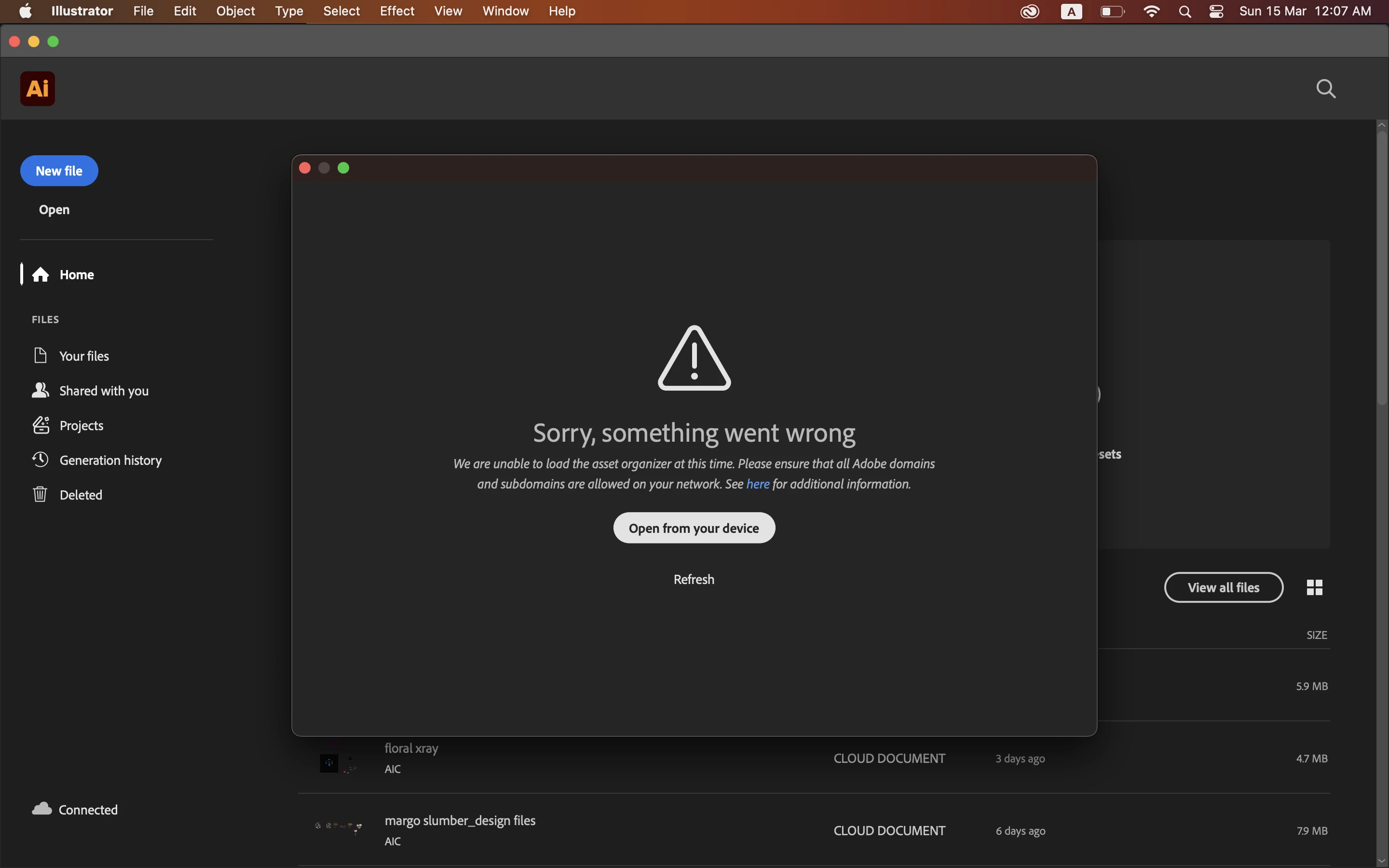

I have tried the following methods and this error still pops up:
1. Uninstall and reinstalling the App
2. Log out and log in Creative Cloud

None of these works. Appreciate any help as majority of my files are in Cloud!
 

    Correct answer moradaguerre

    Yes! I finally could solve it. I just made an update to my Mac and it worked. Hope it helps

    5 replies

    Anubhav M
    Community Manager
    Community Manager
    March 20, 2026

    Hello ​@liyanahshm 


    Sorry for the delayed response. I hope the problem is resolved by now. If not, please try the following steps and check if they help:

    • Close all Adobe applications
    • Remove the Creative Cloud Desktop application, CCLibrary, and CoreSync using the Creative Cloud Cleaner Tool (https://helpx.adobe.com/creative-cloud/kb/cc-cleaner-tool-installation-problems.html)
    • Reinstall the Creative Cloud Desktop application (https://helpx.adobe.com/download-install/kb/creative-cloud-desktop-app-download.html)
    • Relaunch Illustrator


    Looking forward to hearing from you.
    Anubhav

    liyanahshm
    Participant
    March 23, 2026

    Hello, i have tried these and the problem is still the same


    Anubhav M
    Community Manager
    Community Manager
    March 23, 2026

    Hello ​@liyanahshm 


    Thanks for confirming. Kindly try switching to a different Wi-Fi or network connection, disable any antivirus, firewall, or VPN software, and let us know how it goes.


    Looking forward to hearing from you.
    Anubhav

    Inspiring
    March 17, 2026

    Same here. But I get a total blank screen instead.

    moradaguerre
    Participant
    March 18, 2026

    I solved it making an update to my computer. Maybe it works 4 u too

    moradaguerre
    Participant
    March 16, 2026

    Since I updated my illustrator and photoshop, I don’t have access to my files. Does everyone know how to fix it?

    moradaguerre
    Participant
    March 16, 2026

    hey! I have the same problem rn. If u fixed it, could you tell me how?

    Ton Frederiks
    Community Expert
    Community Expert
    March 14, 2026

    Can you see (and open) them in the Files section of your Creative Cloud app?

    moradaguerre
    moradaguerreCorrect answer
    Participant
    March 18, 2026

    Yes! I finally could solve it. I just made an update to my Mac and it worked. Hope it helps