
Participant
February 13, 2023
Answered

I can't change color of certain shapes

  • February 13, 2023
  • 2 replies
  • 2565 views

I have tried researching for 3 hours now I'm new to adobe illustrator and everything I research just says grayscale. I tried everything I saw and it's not even grayscale all the orange and yellow pieces I can't change they just have that same graycolor on the color preview. I tried swithcing my document around between RGB CYMK and their color scale accordingly. I just don't have a clue.
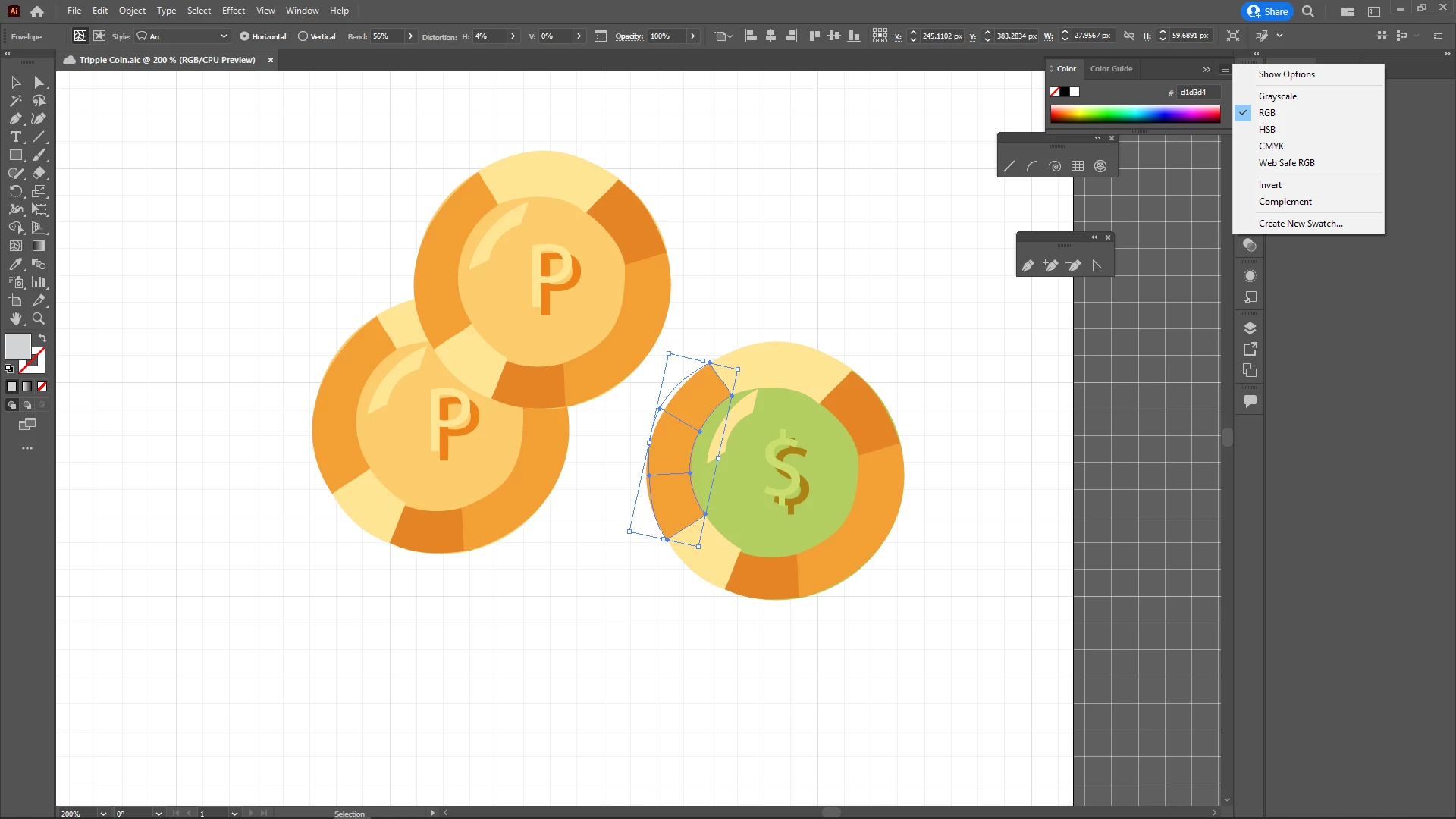
Apologies for not being so informative I'm very new and I'm just trying to do my work and please if you need any other information let me know step by step please. Thanks a bunch!

This topic has been closed for replies.
Correct answer Monika Gause

There's an envelope applied to your artwork and you have selected the envelope. It's grey.

What you need to do, is select the actual artwork. You can double click it with the direct selection tool to go into isolation mode.

Or Click on the button Edit contents in the control panel.


https://helpx.adobe.com/illustrator/using/reshape-using-envelopes.html

2 replies

Myra Ferguson
Community Expert
Community Expert
February 13, 2023

If you either double-click on the object that has the Arc warp applied or select it and click on the Edit Contents button in the Control bar, then you should be able to edit the color.


Monika Gause
Community Expert
Monika GauseCommunity ExpertCorrect answer
Community Expert
February 13, 2023

There's an envelope applied to your artwork and you have selected the envelope. It's grey.

What you need to do, is select the actual artwork. You can double click it with the direct selection tool to go into isolation mode.

Or Click on the button Edit contents in the control panel.


https://helpx.adobe.com/illustrator/using/reshape-using-envelopes.html