
trinity-design
Participant
June 7, 2017
Answered

I can't figure out how to make these object align (snap)

  • June 7, 2017
  • 2 replies
  • 263 views

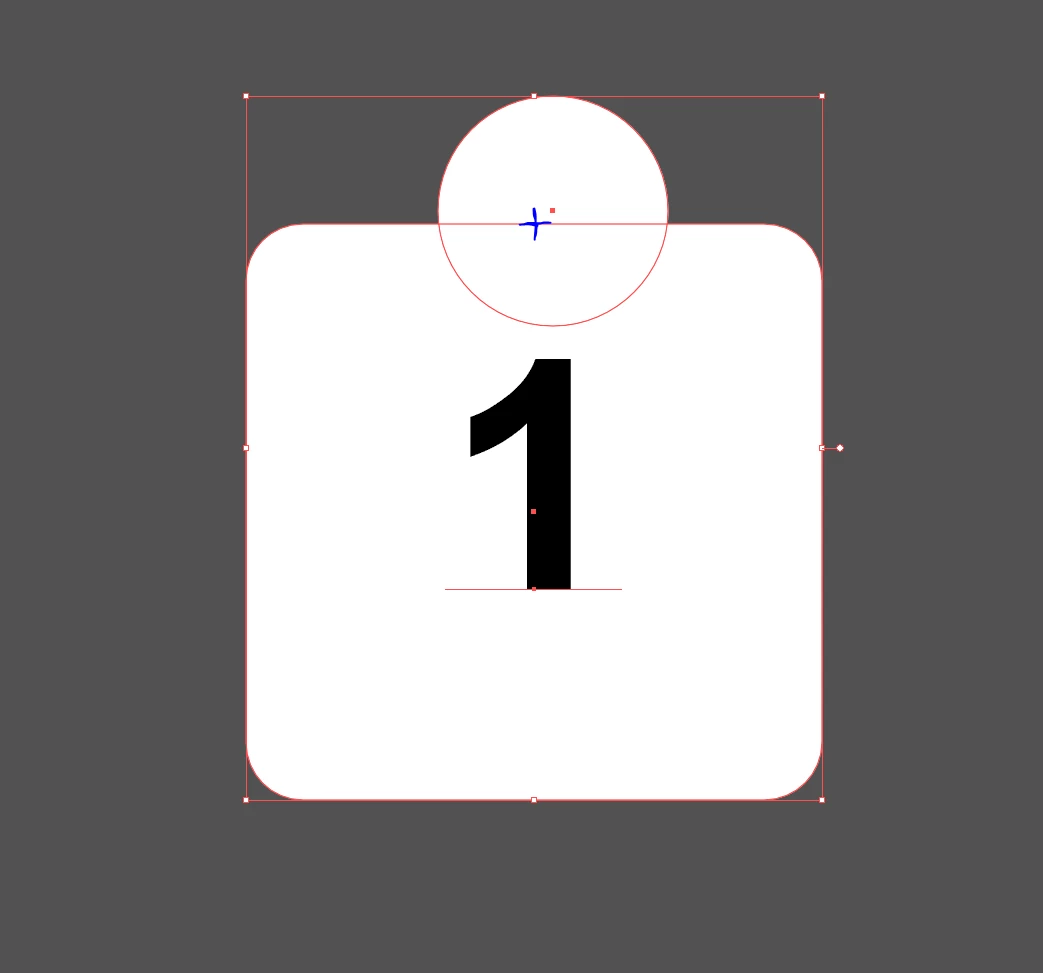
So I am trying to attach a circle to the top edge of a square with the center of the circle aligned with the top edge of the square and aligned with the center of the square. However, when i try to snap the circle to the top edge, it's either dropping the circle above or below the top edge of the square, and it's either left or right of the vertical center of the square. The circle should be snapping to the blue cross in the image, but I can't seem to get IL to accomplish this?
    This topic has been closed for replies.
    Correct answer Om Nath Jha

    Hi trinity-design,

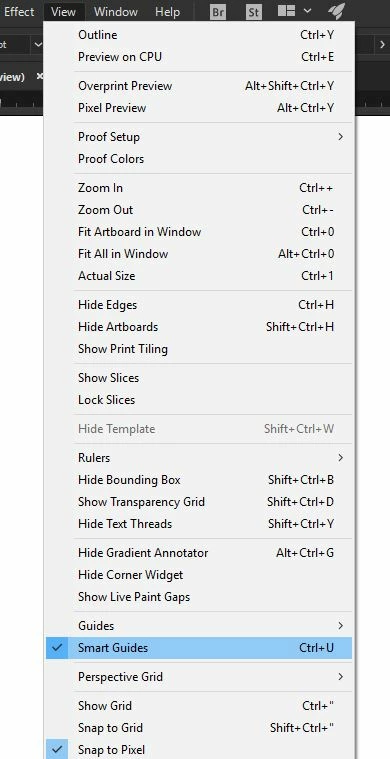
    You can try enabling the Smart Guides as suggested above and that should fix your issue. Here's a snapshot:

    Regards,

    Om

    2 replies

    Om Nath Jha
    Om Nath JhaCorrect answer
    Legend
    June 8, 2017

    Hi trinity-design,

    You can try enabling the Smart Guides as suggested above and that should fix your issue. Here's a snapshot:

    Regards,

    Om

    John Mensinger
    Community Expert
    Community Expert
    June 7, 2017

    Do you have Smart Guides turned on?

    Here's what it looks like on my screen with Smart Guides active.