


Participating Frequently
July 3, 2025
Question

I can't move the object

  • July 3, 2025
  • 1 reply
  • 568 views

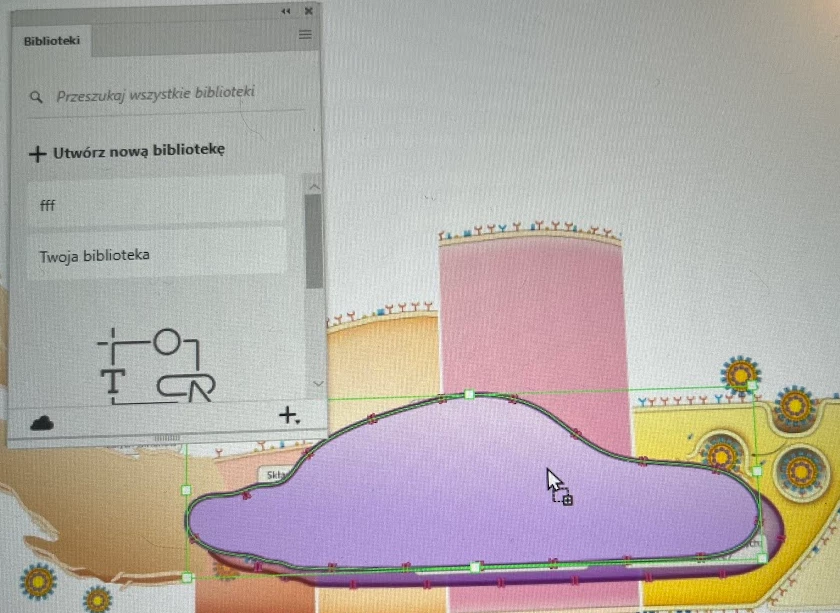
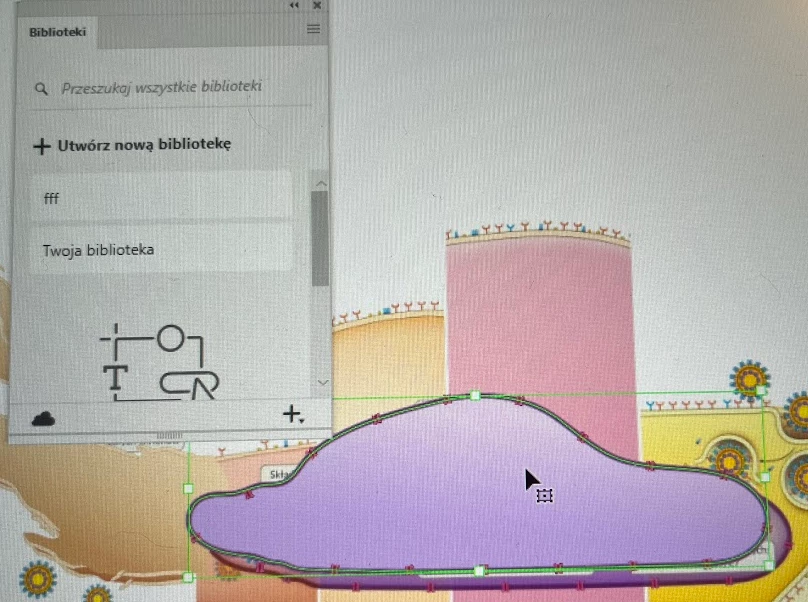
I have a problem moving objects, I don't understand what's going on at all. I often copy objects from Illustrator to Photoshop, when I go back to Illustrator sometimes it happens that the copied object is locked and I can't move it. Additionally, a window of the Library pops up which I never use and don't need. I have to turn off the program and after turning it on it returns to usability. How can I turn it off?
Regards
Woj Jar


1 reply

Anubhav M
Community Manager
Community Manager
July 3, 2025

Hello @wojciech_6771,

I'm sorry to hear about your experience. Could you share more details, like the version of the OS/Illustrator/Photoshop installed, and whether this happens randomly or when working on specific files from a particular folder location (internal/external/network drive or a cloud-synced folder) so I can better assist you?

Also, try running Illustrator under Safe Mode (Windows / macOS) and share your observations.

Looking forward to hearing from you.
Anubhav

Participating Frequently
July 3, 2025

Hi, thank you for responding so quickly 🙂
I work on Windows 11, PS - version 26.8.0, Illustrator - 29.6 (64 bit)
I only work on local files (no cloud)
As I wrote, it has to do with copied AI>PS objects, when I go back to AI. When I try to move the object without success, the LIBRARY window is activated - which I don't use.

Anubhav M
Community Manager
Community Manager
July 3, 2025

Hello @wojciech_6771,

Thanks for confirming. Could you also try the suggestion to run Illustrator under Safe Mode and under a different administrator account, and check if it helps?

Looking forward to hearing from you.
Anubhav