Participating Frequently
December 24, 2022
질문

I don't know what I'm doing!!! Newbie. Trying to learn how to smooth paint brush lines

  • December 24, 2022
  • 3 답변들
  • 1348 조회

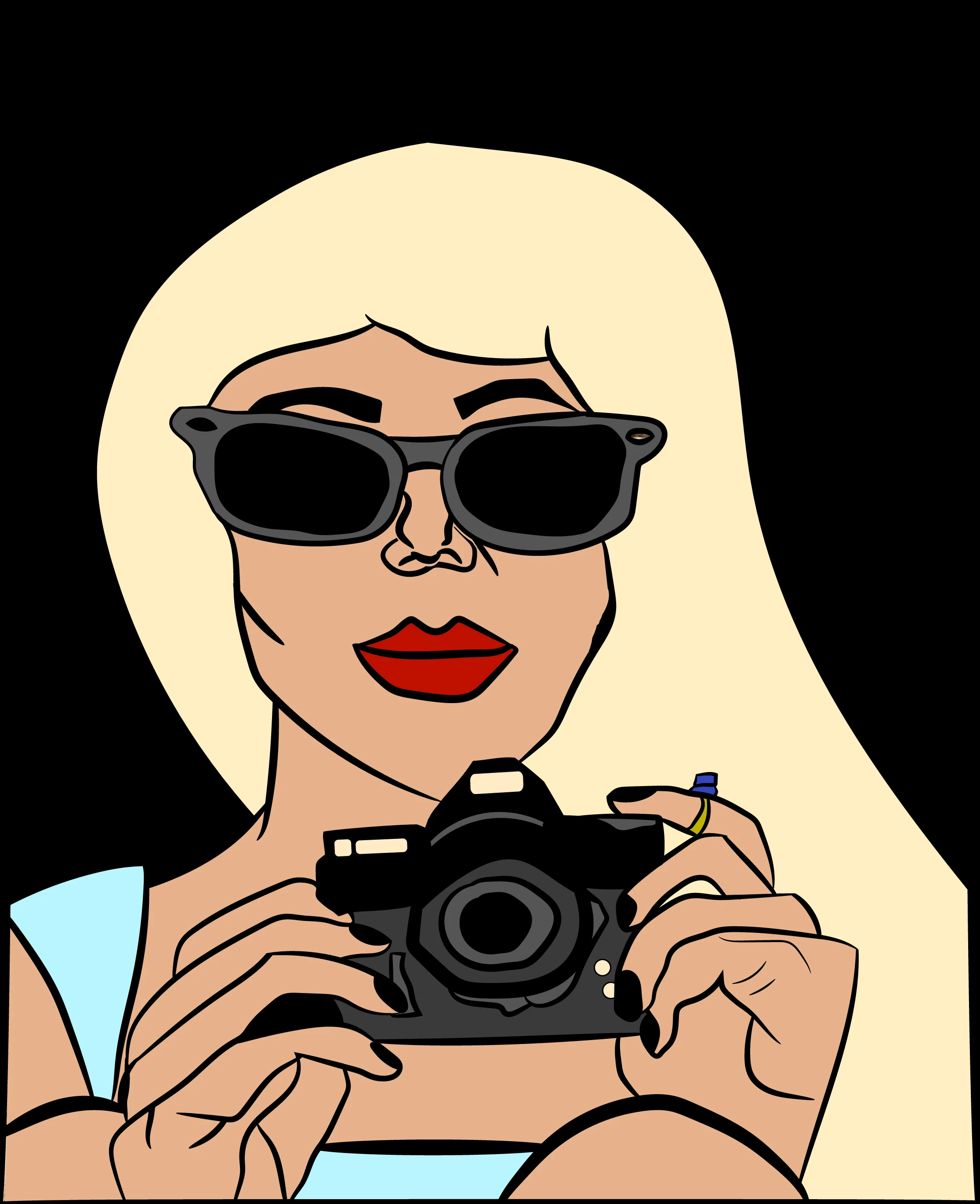
So I am trying to smooth out rough edges on this image I've drawn here using a custom brush. I followed this tutorial from youtube: Tutorial 

I am very confused because when I use the smoother tool (under the pencil tool) all it seems to do is create more random lines on and around the area, which is not what I'm wanting. It may be sorta hard to tell by the picture, but if you zoom into her lips, the right corner of the lips are very jagged and there's also a part toward the bottom right of the whole picture where I guess the bush thickness got in the way somehow or something because it overlapped where her hair is still supposed to be. I hope I am making some sort of sense. Please let me know if you have any advice, it would be so greatly appreciated!
이 주제는 답변이 닫혔습니다.

3 답변

barbara_a7746676
Community Expert
Community Expert
December 25, 2022

What does it look like if you remove the brush and just leave it as a stroked path?

daisies25작성자
Participating Frequently
December 25, 2022

I'm sorry I'm so new, I don't know what you mean exactly.

barbara_a7746676
Community Expert
Community Expert
December 25, 2022

No need to apologize. We all started at the as newbies at one time.

To remove the brush, select the path.

At the bottom of the Brushes panel, click the Remove Brush Stroke icon.

In the Stroke panel, make sure that you have a stroke and that it has a width.

And make sure that the stroke has a color. There are several ways to do that. One way is to click on the Stroke icon in the Color panel so that it overlaps the Fill icon and choose a color.

barbara_a7746676
Community Expert
Community Expert
December 24, 2022

The Smooth tool should not be creating random lines. Are you selecting just the path that you want to smooth and dragging over just that path?

If you double click the Smooth tool in the Tools panel, you can adjust the fidelity. You may want to drag the slider towards the right which will result in smoother paths.

You could also try selecting the path you want to smooth and choosing Objecty > Path > Simplify, and clicking on More Options so that you have more control.

daisies25작성자
Participating Frequently
December 24, 2022

So the first pic here is when I applied nothing to it, the next one was taken after I attempted using the smoother tool, set all the way to the right on the scale to as smooth as it can be on the scale, I didn't really notice anything. When I tried the path>simplifly method the third picture is what resulted. I think it looks a bit more choppy. Thank you so much for the advice, I must just be doing something wrong.

daisies25작성자
Participating Frequently
December 24, 2022

Oops, I messed up. The last two pics should be swapped. The one with the full lips is the one that I applied the simplify effect to.

Mike_Gondek10189183
Community Expert
Community Expert
December 24, 2022

If you actually have a question about a specific situation, will be glad to answer. Better to zoom in on an area (the lip corner you mentioned) and ask us a specific question, showing us the before and after of your attempt. Please simplify your questions so we can figure out what yo ned in a reasobable amoutn of time.


This will get you a better response than expecting us to take the time to watch mutiple videos and try to decipher what you are asking. I have no idea how you want this to look, less vector points or moving something a certain way???

daisies25작성자
Participating Frequently
December 24, 2022

It was one video, I thought it could be nice for reference. I did try to screenshot zoomed in on the lips, I have no idea why it didn't work until tonight. It just wasn't working earlier. Most people have a zoom feature built into their computer though anyways. The question is pretty simple if you ask me. All I'm asking is how do you smooth out a paintbrush line. That's it. Thanks!!!!