Known Participant
December 31, 2019
Question

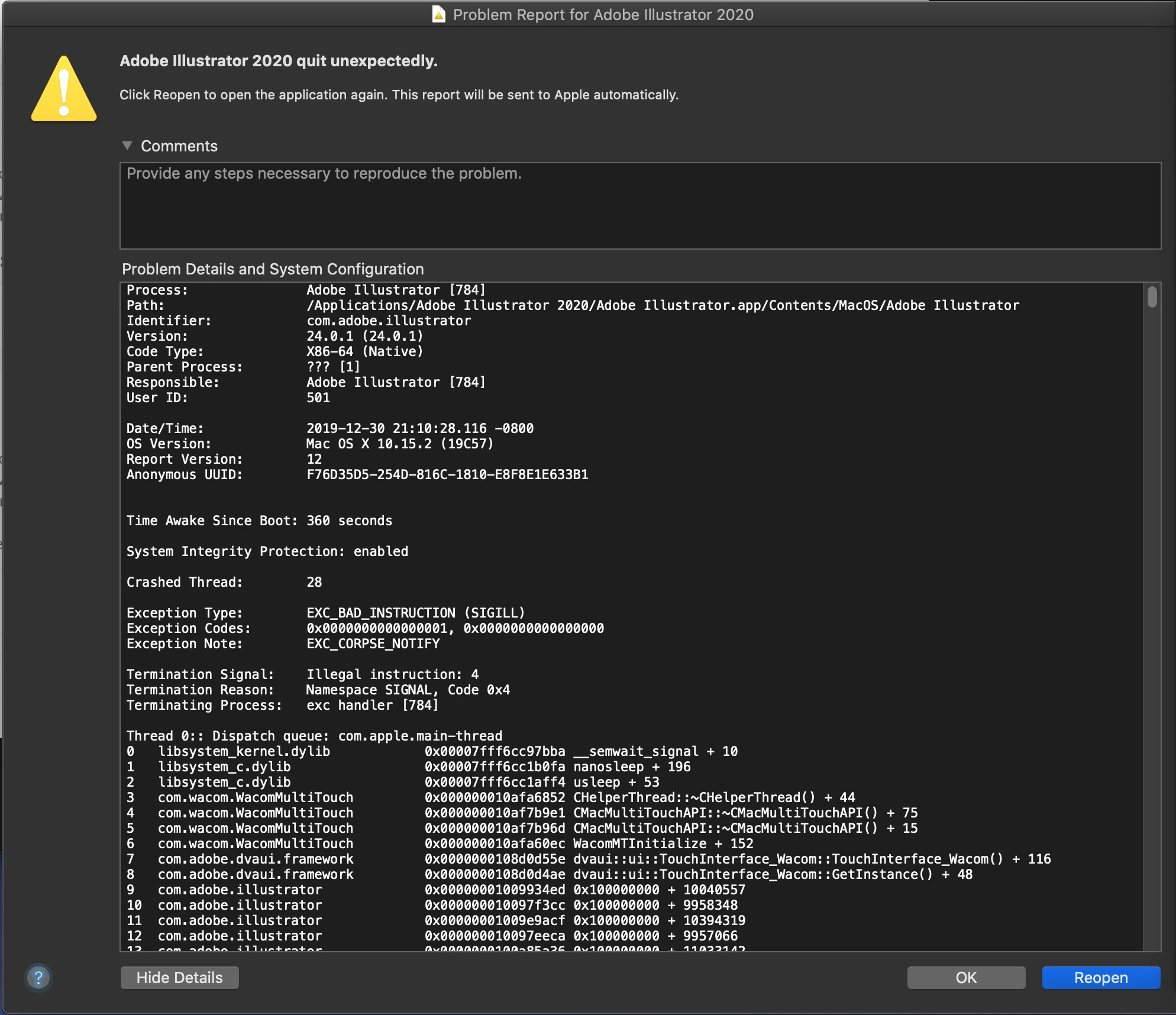
I had a dream, Illustrator 2020 won't crash again
  • December 31, 2019
  • 1 reply
  • 1164 views

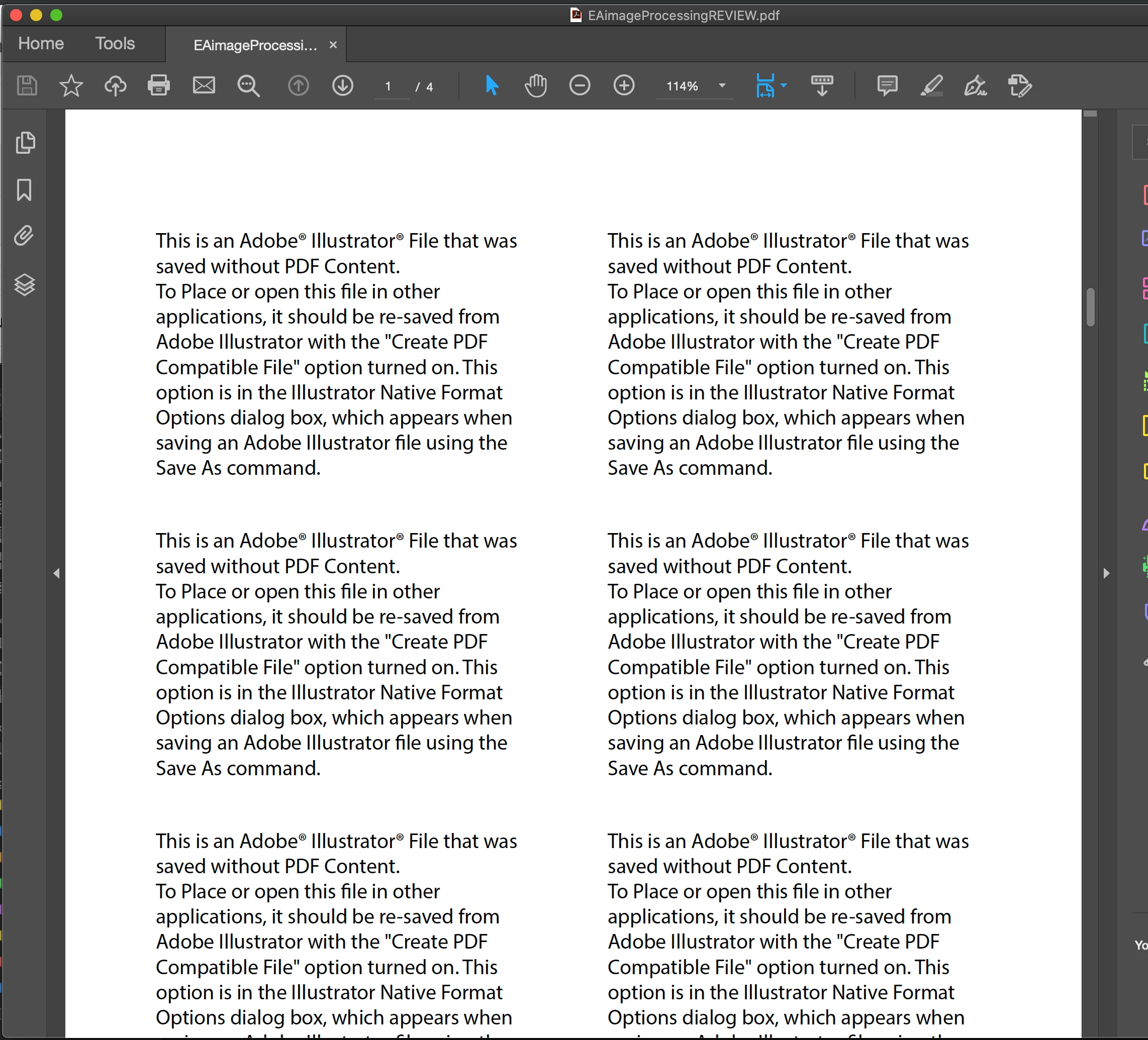
A pdf file I'm working is turned into this. And 24.0.1 won't start. Restart, reintall, doesn't work, open it with 20.0.0, it broke 20.0.0 instead. 

The same file in my time machine(means when it's was perfectly fine) also looks like this and can't be opened, therefore it's not the file becomes problematic but Illustrator is broken. 

I have lost huge amount of progress, and I'm moderately furious. 

Anybody know how to resolve the issue or atleast save the file so I can pack my bag and switch to affinity? Or I should just shoot myself in the head? 

This topic has been closed for replies.

1 reply

barbara_a7746676
Community Expert
Community Expert
December 31, 2019

When an Illustrator file is saved as a PDF, in the Save As PDF dialog box under General properties, there is a checkbox "Preserve Illustrator Editing Capabilities". What happens behind the scenes when that box is checked is that two files are created: an AI file and a PDF file. If that box is not checked, Illustrator will not be able to open the saved PDF. You will need to somehow get the original Illustrator file that the PDF was created from. 

Known Participant
December 31, 2019

I've been using pdf as my primary vector file type for 10 years. I know what you are talking about, and even if the pdf file didn't preserve illustrator editing capabilities illustrator still supposed to able to open the file. 


It's a bug since 24.0.0, the greedy Adobe wants to eliminate downward compability, but they sucks and messed up the entire program for it.


If I have saved as illustrator file I won't be asking such a question, the wrecked pdf is my original file. Question is how, not somehow. 


Monika Gause
Community Expert
Community Expert
December 31, 2019

"It's a bug since 24.0.0, the greedy Adobe wants to eliminate downward compability, but they sucks and messed up the entire program for it."


Do you want help or do you need to vent? Because if the latter, then please tell us and nobody will get on your nerves with additional questions.


The AI file format has indeed been changed, because the engineers added the ability to save in the background while you continue working.That is something people have been asking for. So complaining that the file format is not backward compatible doesn't make a lot of sense. Also I have trouble to think of computer files that are backward comptible. Apart from TXT files of course.


Nothing has happened to PDFs on the other hand. Illustrator still saves the same PDF version(s). So where do you save your files?


Also: this is Catalina you are using. It has introduced a lot of changes to saving files and managing your disks. Have you set up your system and all connected disks in a way that the user privileges and application permissions are working together? Also: are you saving to a network? Does that cooperate with Catalina as well?


And then: there is an experimental option in Illustrator that is supposed to speed up saving over a network. Maybe it doesn't go well with your setup. So what happens when you turn it off? Preferences > File handling & clipboard


And of course: when updating Illustrator did you migrate your preferences or did you create new ones? Usuall migrating the preferences is not a good idea unfortunately. Can you rebuild them? See how to do it over there: https://helpx.adobe.com/illustrator/using/setting-preferences.html