


Participant
August 19, 2026
Answered

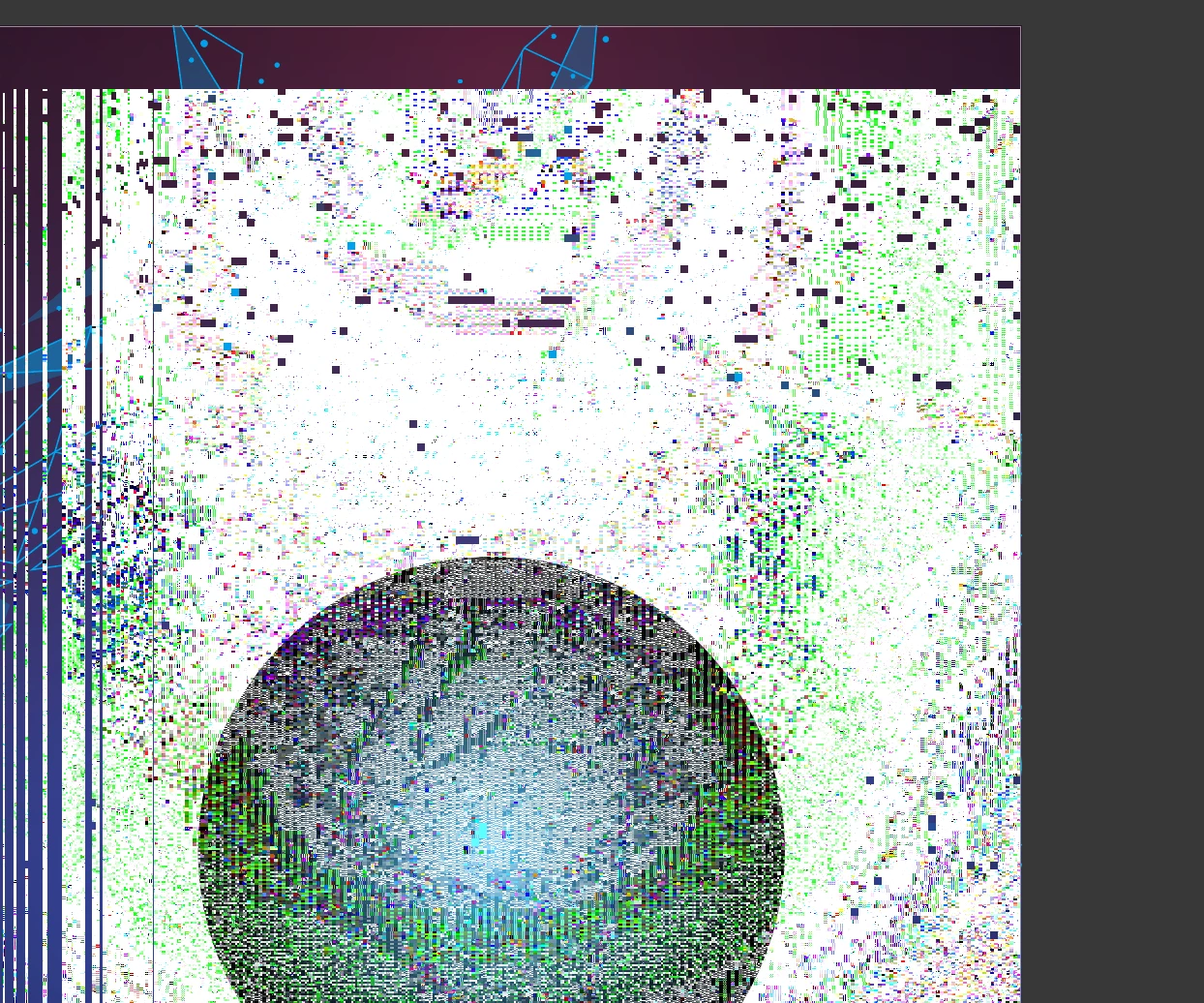
I have a distortion / noise glitch that i cant find any info on or solutions
  • August 19, 2026
  • 6 replies
  • 50 views

Ive been running into an issue where this happens alot… i sort of come to a conclusion that it has something to do with color space, but even when the color space is correct, this happens when zooming in and out or when i use the hand tool to move my work space about… 

if anyone has any details / solution to help me sort this out, it would be appreciated.

    Correct answer creative explorer

    @Skars187 OMG! I wonder if your Preferences are corrupted?! Or a GPU issue! When was the last time you updated macOS or GPU drivers?

    Try this. Reset your Illustrator preferences. Press Command K (Mac) or Control K (PC), then reset the preferences. If that fixes the problem, you’re good.

    If not, go back into Preferences, under Performance, turn off GPU Performance.
    Restart your computer afterward.

    Let me know how it goes!

    6 replies

    Anubhav M
    Community Manager
    Community Manager
    August 21, 2026

    Hello ​@Skars187 


    I’m sorry to hear about your experience. I hope Ton and Creative Explorer’s suggestions helped resolve the problem. If not, please try performing a clean reinstallation of the GPU(s) drivers (Intel / NVIDIA / AMD) and setting the Graphics Preference to High-Performance for Illustrator (https://www.amd.com/en/resources/support-articles/faqs/GPU-110.html) and share your observations.


    Looking forward to hearing from you.
    Anubhav

    Skars187Author
    Participant
    August 19, 2026

    As Creative Explorer suggested, 

    I turned off GPU performance and it stopped doing this when zooming in and panning with the hand tool, wish i could understand why… im someone that likes to figure things out.

    thanks you guys for helping out.

    Ton Frederiks
    Community Expert
    Community Expert
    August 19, 2026

    @Skars187 I do not have a Windows machine, but I have seen mentioned that GPU drivers have an option to optimize them for gaming, turning that off for Illustrator makes the display work better..

    Skars187Author
    Participant
    August 19, 2026

    None of Adrenalin had any settings turned on for illustrator, good idea though even if it lead to not being the culprit

    creative explorer
    Community Expert
    creative explorerCommunity ExpertCorrect answer
    Community Expert
    August 19, 2026

    @Skars187 OMG! I wonder if your Preferences are corrupted?! Or a GPU issue! When was the last time you updated macOS or GPU drivers?

    Try this. Reset your Illustrator preferences. Press Command K (Mac) or Control K (PC), then reset the preferences. If that fixes the problem, you’re good.

    If not, go back into Preferences, under Performance, turn off GPU Performance.
    Restart your computer afterward.

    Let me know how it goes!

    m
    Skars187Author
    Participant
    August 19, 2026

    i run a AMD 7900XTX 24G, i check the drivers regularly so i know they're up to date

    but i will try the preferences thing and get back on my results