



christineavatar
Legend
September 5, 2026
Answered

I have tried to set up Illustrator about five times. But I keep getting the message "Localized resources files could not be loaded. Please reinstall this application to solve the problem."

  • September 5, 2026
  • 6 replies
  • 31 views

I updated my Mac mini to Tahoe 26.6.2 and now I cannot load Illustrator. It keeps saying that I should do it again. Which I’ve done but it never works

    Correct answer Ton Frederiks

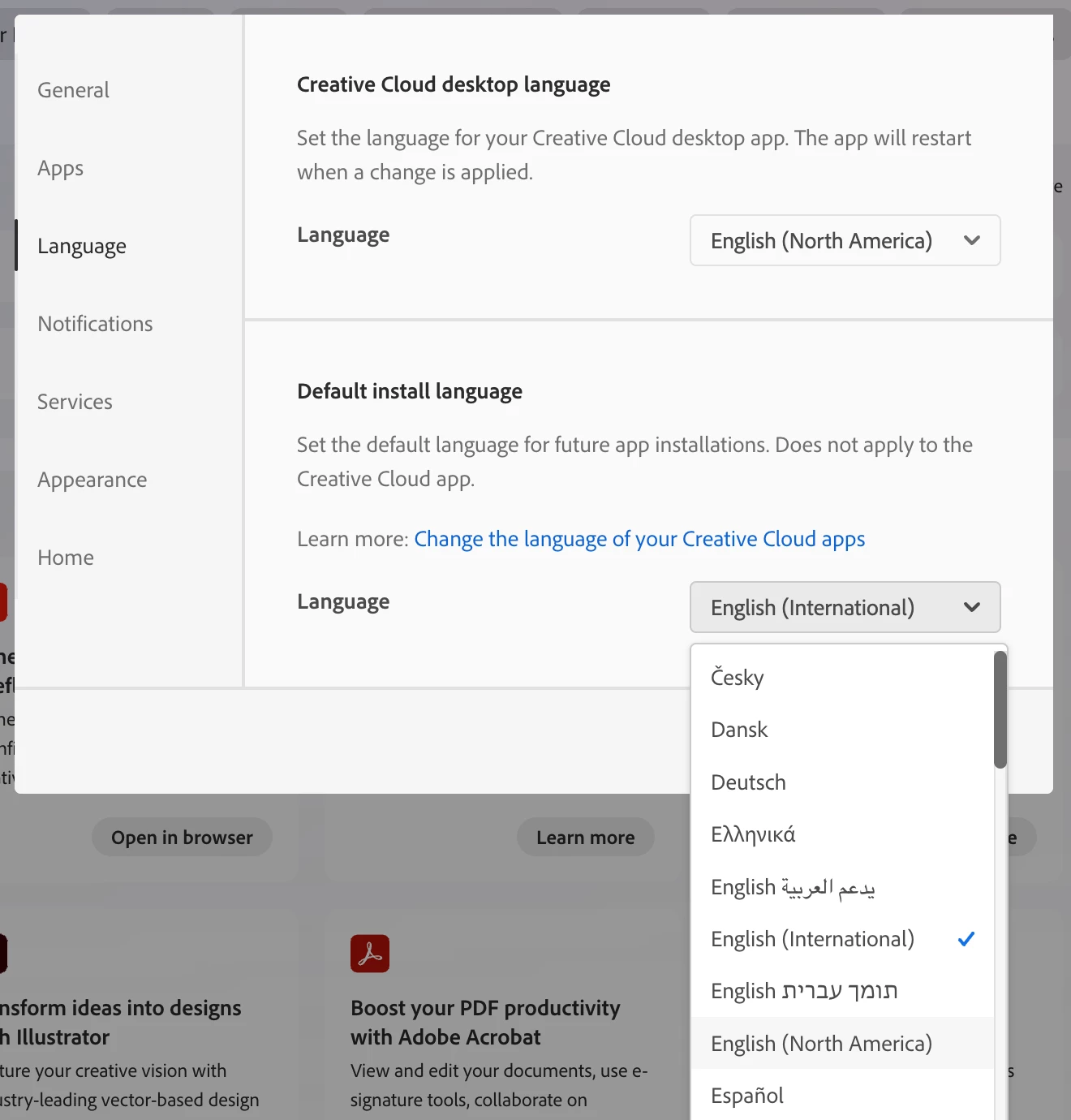
    @christineavatar You can also select in the Creative Cloud App Settings a Default install language that is used to install language resources:


    6 replies

    Ton Frederiks
    Community Expert
    Ton FrederiksCommunity ExpertCorrect answer
    Community Expert
    September 6, 2026

    @christineavatar You can also select in the Creative Cloud App Settings a Default install language that is used to install language resources:


    christineavatar
    Legend
    September 6, 2026

    I just sent these two to you Ton Frederiks

    christineavatar
    Legend
    September 6, 2026


    Ton Frederiks
    Community Expert
    Community Expert
    September 5, 2026

    @christineavatar What settings have you selected in your Creative Cloud app for Language > Default Install Language? And is this the same as the Language in you Mac System settings?

    christineavatar
    Legend
    September 6, 2026


    christineavatar
    Legend
    September 5, 2026