Inspiring
July 9, 2024
Answered

I know I'm being a bit dense here........

  • July 9, 2024
  • 1 reply
  • 1140 views

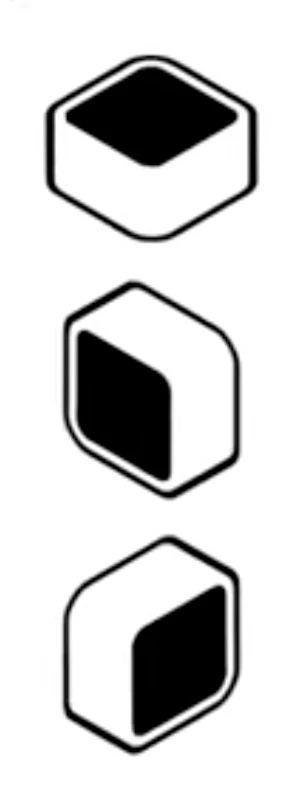
....but how do I create something like this?

This topic has been closed for replies.
Correct answer Monika Gause

Thank you Monika. Attached.


Those are issues with the precision of the 3D effect.

The one on the stroke will be gone, when you change the stroke corners to rounded in the stroke panel for the stroke on the layer.

The issue with the corner will be gone when you adjust the settings in the effect. I tried the length of the extrusion. It comes and goes - just set it to a value where it's gone.

1 reply

Monika Gause
Community Expert
Community Expert
July 9, 2024

Those are isometric drawings.

So you dirst build them flat: a black and a white square with rounded corners and then use isometric transformatione methods to make them into the distortion. Then duplicate the white aquare and move in a certain angle. Then draw lines that connect the front and back with lines. Then use the shapebuilder tool.


There are scripts, plugins and actions to make the isometric transformations. You can search on the web for isometric tutorials.

Howard_FAuthor
Inspiring
July 9, 2024

Thank you Monika, I understand all that, but in this YT https://youtu.be/cvgFjU9CJnQ?t=359 he (or she, or they or them) have created a Style which can be applied to other objects. Have I missed something?

Monika Gause
Community Expert
Community Expert
July 9, 2024

If you want to know how that person did it, just ask them.


Here's how I would do it with effects: https://youtu.be/LcvR5IwzVss